25
21495344.indd/311007
1.9 Displaying the serial
number of the radio
receiver,
Parameter code 005
1.10 Displaying the soft-
ware version of the
radio receiver,
Parameter code 006
1.11 Displaying the hard-
ware version of the
radio receiver,
Parameter code 007
The serial number of the radio receiver is shown in the display. This display is only
provided for information and the displayed value cannot be changed. To navigate,
use the following keys:
DRC-10 DRC J Function
Right Display key → Change to display of parameter 006
Left Display key ← Change to display of parameter 004
Lift Display key ↑ Exit menu
The software version number of the radio receiver is displayed with parameter 006.
It is only provided for information and cannot be changed. To navigate, use the
following keys:
DRC-10 DRC J Function
Right Display key → Change to display of parameter 007
Left Display key ← Change to display of parameter 005
Lift Display key ↑ Exit menu
The hardware version number of the radio receiver is displayed with parameter
007. It is only provided for information and cannot be changed. To navigate, use
the following keys:
DRC-10 DRC J Function
Right Display key → Change to display of parameter 001
Left Display key ← Change to display of parameter 006
Lift Display key ↑ Exit menu
DRC-10 or DRC-J radio transmitters operated with the frequency hopping method
can also be combined with older receivers not featuring the frequency hopping
method.
In this case, the DRC-10 or DRC-J radio transmitter must be set to “Locked fre-
quency operation”. See operating instructions Parameter programming, section
1.6: „Displaying and entering a fixed frequency channel”, in the relevant operating
instructions of the DRC-10 or DRC-J radio transmitter.
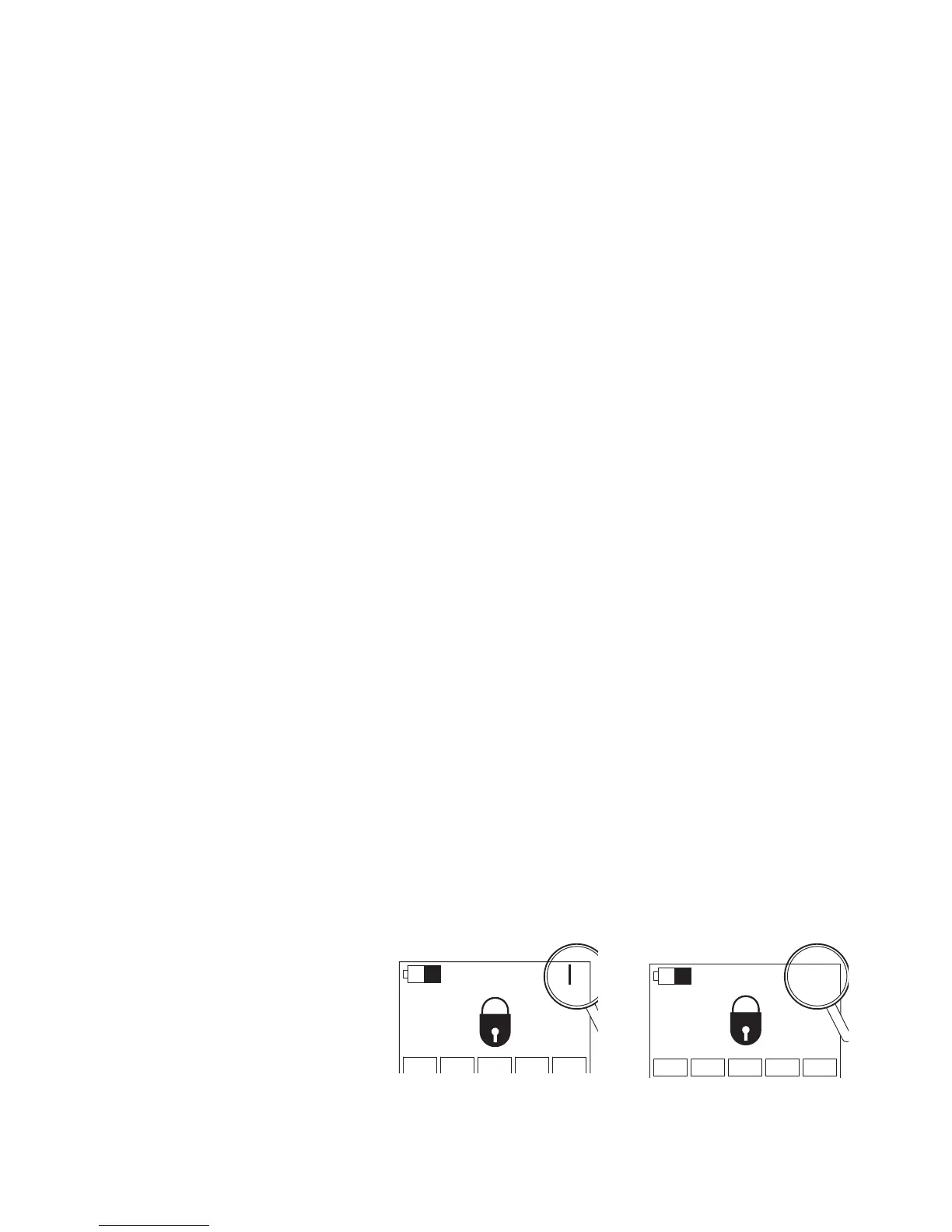
The display of the DRC-10 or DRC-J radio transmitter shows whether it is a fre-
quency hopping transmitter or not, see figure below.
1.12 Frequency hopping
1.12.1 Downward compatibility with
older receivers
Example in Standby mode
Transmitter without frequency hopping
Transmitter with frequency hopping
NOID ???
NOID
42718244.eps
42718344.eps


 To Next Page