33
Resetting the microprocessor
When the microprocessor is reset, all the settings are reset to their default values.
1
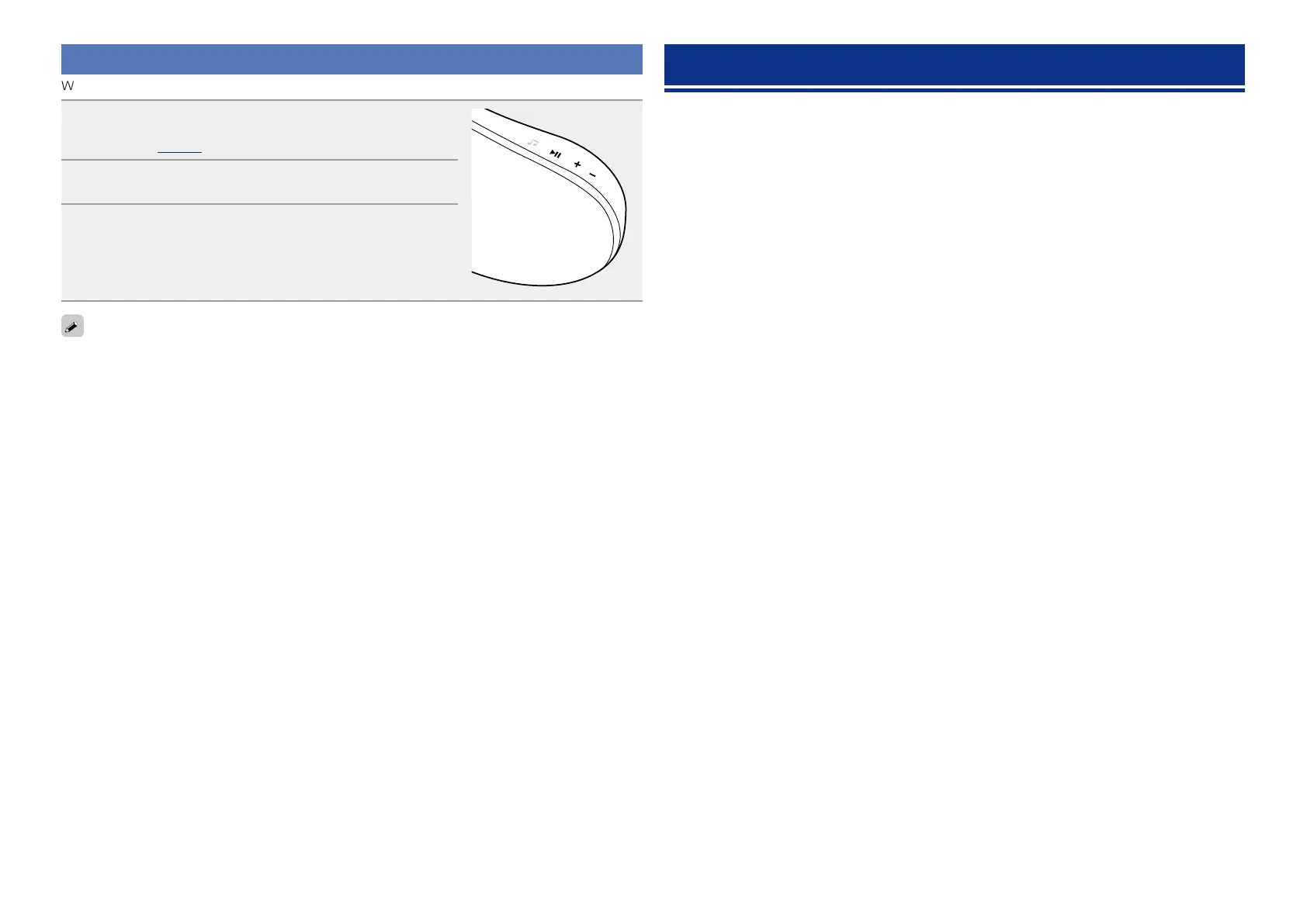
Press + and – at the same time.
Turns on the menu settings mode and the menu appears on the
display (vpage20 “Menu map”).
2
Press + or – to select “Factory Reset”, then press 13.
3
Press + or – to select “Reset? Yes”, then press 13.
“Initialized” is displayed and the default settings are restored.
If “Initialized” does not display in step 3, start over from step 1.
Specifications
n Audio section
•Amplifiers 2 x 25 W ClassD
•Drivers 2 x 100 mm Woofer
n Clock
•Clock method Within 1 – 2 minutes per month
n Wireless LAN
Network type
(wireless LAN standards):
Conforming to IEEE 802.11b
Conforming to IEEE 802.11g (Conforming to Wi-Fi
®
)z
Transfer rate: DS-SS: 11 / 5.5 / 1 Mbps (Automatic switching)
OFDM: 54 / 48 / 36 / 24 / 18 / 12 / 9 / 6 Mbps (Automatic switching)
Security: SSID (Network name)
WEP key (network key) (64/128 bits)
WPA-PSK (TKIP/AES)
WPA2-PSK (TKIP/AES)
Used frequency range: 2.412 MHz – 2.462 MHz
No. of channels: Conforming to IEEE 802.11b : 11 ch (DS-SS) (Of which 1 channel used)
Conforming to IEEE 802.11g : 11 ch (OFDM) (Of which 1 channel used)
n General
AC adapter:
Input: 100 – 240 V 50/60 Hz
Output: DC 20 V, 2.5 A
z Wi-Fi
®
conformity indicates tested and proven interoperability by the “Wi-Fi Alliance”, a group certifying
interoperability among wireless LAN devices.
For purposes of improvement, specifications and design are subject to change without notice.


 To Next Page