EasyManua.ls Logo

Denon COCOON - User Manual

Denon COCOON
77 pages
Print Icon
To Next Page IconTo Next Page
Loading...
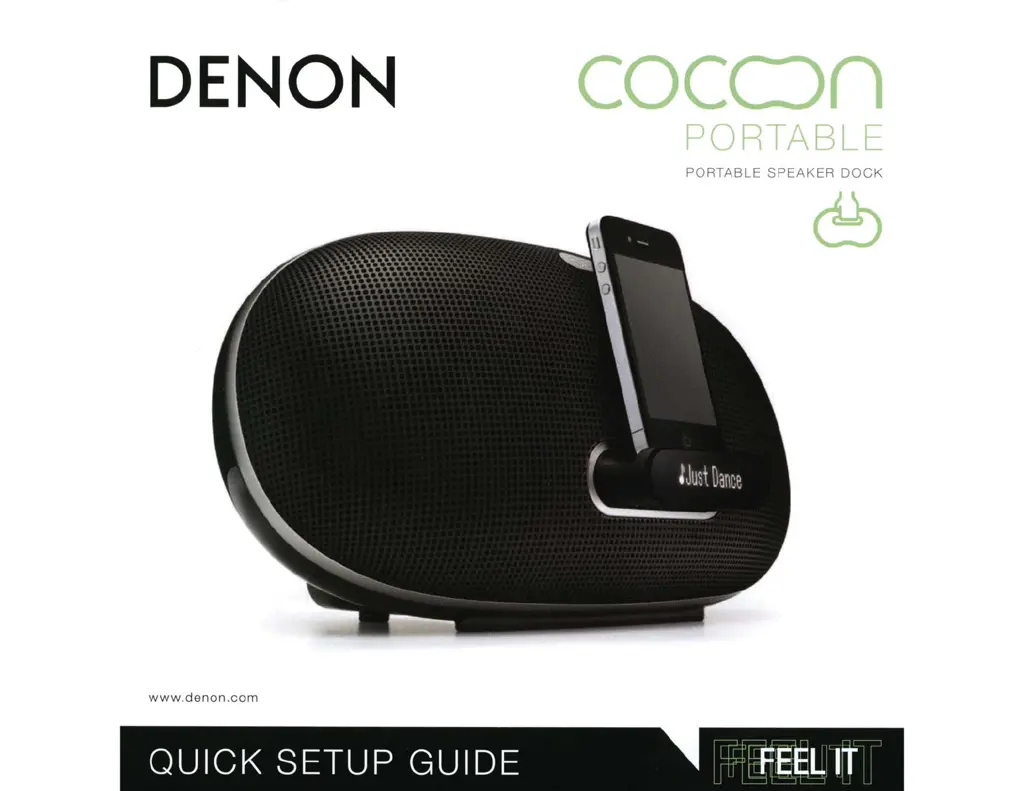
DE
NON
cocon
PORTABI
F
PORTABLE
SPEAKER
DOCK
www.denon.com
QUICK
SETUP
GUIDE
.
;
FEEL
IT

Questions and Answers

Summary

Quick Setup Guide

Enjoying Your Music

Connecting and Docking Your iOS Device

Instructions for connecting and docking an iOS device to play music.

Connecting to Your Home Network

Wireless Connection Options

Methods for connecting wirelessly via iOS device, WPS, or no WPS router.

Connecting via Denon Cocoon App

Connecting Your Home Network with Cocoon App

Connecting to Home Network via PC or Mac

Connecting with a WPS Router

Wi-Fi Protected Setup (WPS)

Procedure for connecting wirelessly using a WPS router.

WPS Wireless Setup

Router and Unit WPS Button Press

Instructions for pressing WPS buttons on router and unit for connection.

PC;Mac Network Setup

PC;Mac Network Configuration

Playing Music with Apple AirPlay

AirPlay Music Playback

Guide on using AirPlay to play music from iTunes or iOS devices.

Apple AirPlay Music Enjoyment

Selecting Denon Cocoon for AirPlay

How to tap the AirPlay icon and select the Denon Cocoon device.

Safety Precautions

Important Safety Instructions

Essential safety guidelines to follow during installation and use of the product.

Electrical Shock and Fire Hazards

Warnings about risks of electric shock, fire, and exposure to rain or moisture.

Regulatory Compliance and Safety Notes

FCC and IC Compliance Information

Information regarding FCC and IC compliance for US and Canadian customers.

Preparations: Connections

Home Network (LAN) Connection

Guidance on connecting the unit to a home network via LAN.

Making Connections

Connecting iOS Devices

Procedure for connecting an iOS device, including dock operation and supported models.

Connecting an iOS Device

Docking and Ejecting iOS Devices

Instructions for docking, ejecting, and storing the iOS device dock.

Connecting to Home Network (LAN)

Required System for Network Connection

Details on broadband internet, router, and Ethernet cable requirements.

Network Connections and Settings

Wireless LAN Router Setup

Procedures for connecting wirelessly based on router features (WPS).

Wireless LAN Setup

WPS Button Connection

Steps for wireless connection using the WPS button on router and unit.

App-Based Wireless Setup

Using the Cocoon App for wireless LAN connection settings without a PC.

Wired LAN Connection

DHCP Network Configuration

Connecting via Ethernet cable when DHCP is enabled on the router.

Manual Network Configuration

Connecting via Ethernet cable when DHCP is disabled on the router.

PC Network Setup (Wireless)

Operations

Playback Functions

Explanation of how to play music from various sources like iPod, AirPlay, and Internet Radio.

Playback Operations

iOS Device Playback and Control

Listening to and controlling music from an iOS device.

AirPlay Function

AirPlay Music Streaming

Enjoying music via AirPlay, including multi-speaker setup.

iTunes Music Playback via AirPlay

Steps for playing iTunes music through AirPlay.

Listening to Internet Radio

Internet Radio Playback

How to listen to internet radio stations, including setup and important information.

Music Server Playback (PC;NAS)

Media Sharing Settings for PC

Applying media sharing settings to access music files from a PC.

Volume and Network Settings

Checking Network Information

Viewing network status, IP address, and other network details.

WPS PIN Code Setup

Procedure for configuring wireless LAN settings using the WPS PIN code method.

Troubleshooting Guide

General Troubleshooting

Common issues and solutions related to power, operation buttons, and microprocessor.

Troubleshooting (Continued)

Safety and Regulatory Information

General Safety Precautions

Essential safety guidelines to follow during installation and use of the product.

Canadian Compliance and Cautions

Limited Warranty (USA)

Limited Warranty (Canada)

Summary

Quick Setup Guide

Enjoying Your Music

Connecting and Docking Your iOS Device

Instructions for connecting and docking an iOS device to play music.

Connecting to Your Home Network

Wireless Connection Options

Methods for connecting wirelessly via iOS device, WPS, or no WPS router.

Connecting via Denon Cocoon App

Connecting Your Home Network with Cocoon App

Connecting to Home Network via PC or Mac

Connecting with a WPS Router

Wi-Fi Protected Setup (WPS)

Procedure for connecting wirelessly using a WPS router.

WPS Wireless Setup

Router and Unit WPS Button Press

Instructions for pressing WPS buttons on router and unit for connection.

PC;Mac Network Setup

PC;Mac Network Configuration

Playing Music with Apple AirPlay

AirPlay Music Playback

Guide on using AirPlay to play music from iTunes or iOS devices.

Apple AirPlay Music Enjoyment

Selecting Denon Cocoon for AirPlay

How to tap the AirPlay icon and select the Denon Cocoon device.

Safety Precautions

Important Safety Instructions

Essential safety guidelines to follow during installation and use of the product.

Electrical Shock and Fire Hazards

Warnings about risks of electric shock, fire, and exposure to rain or moisture.

Regulatory Compliance and Safety Notes

FCC and IC Compliance Information

Information regarding FCC and IC compliance for US and Canadian customers.

Preparations: Connections

Home Network (LAN) Connection

Guidance on connecting the unit to a home network via LAN.

Making Connections

Connecting iOS Devices

Procedure for connecting an iOS device, including dock operation and supported models.

Connecting an iOS Device

Docking and Ejecting iOS Devices

Instructions for docking, ejecting, and storing the iOS device dock.

Connecting to Home Network (LAN)

Required System for Network Connection

Details on broadband internet, router, and Ethernet cable requirements.

Network Connections and Settings

Wireless LAN Router Setup

Procedures for connecting wirelessly based on router features (WPS).

Wireless LAN Setup

WPS Button Connection

Steps for wireless connection using the WPS button on router and unit.

App-Based Wireless Setup

Using the Cocoon App for wireless LAN connection settings without a PC.

Wired LAN Connection

DHCP Network Configuration

Connecting via Ethernet cable when DHCP is enabled on the router.

Manual Network Configuration

Connecting via Ethernet cable when DHCP is disabled on the router.

PC Network Setup (Wireless)

Operations

Playback Functions

Explanation of how to play music from various sources like iPod, AirPlay, and Internet Radio.

Playback Operations

iOS Device Playback and Control

Listening to and controlling music from an iOS device.

AirPlay Function

AirPlay Music Streaming

Enjoying music via AirPlay, including multi-speaker setup.

iTunes Music Playback via AirPlay

Steps for playing iTunes music through AirPlay.

Listening to Internet Radio

Internet Radio Playback

How to listen to internet radio stations, including setup and important information.

Music Server Playback (PC;NAS)

Media Sharing Settings for PC

Applying media sharing settings to access music files from a PC.

Volume and Network Settings

Checking Network Information

Viewing network status, IP address, and other network details.

WPS PIN Code Setup

Procedure for configuring wireless LAN settings using the WPS PIN code method.

Troubleshooting Guide

General Troubleshooting

Common issues and solutions related to power, operation buttons, and microprocessor.

Troubleshooting (Continued)

Safety and Regulatory Information

General Safety Precautions

Essential safety guidelines to follow during installation and use of the product.

Canadian Compliance and Cautions

Limited Warranty (USA)

Limited Warranty (Canada)

Denon COCOON Specifications

General IconGeneral
Audio Inputs3.5mm AUX
Remote ControlYes
Supported Audio FormatsMP3, WMA, AAC, FLAC, WAV
Frequency Response50Hz - 20kHz
Wireless ConnectivityAirPlay, DLNA
Docking CompatibilityiPod, iPhone
Power Output100W
Drivers2 x 1" Tweeters, 2 x 4" Woofers

Related product manuals