0
ENGLISH
Getting Started Connections Troubleshooting Specications
Copyright-protected les cannot be played.
(The “Not Support” is displayed.)
Note that depending on the software used for burning and other
conditions, some les may not play or display correctly.
Playing MP3 and WMA Files
1
Load a CD-R or CD-RW disc containing music les in
the MP3 or WMA format into the disc tray (vpage
2).
2
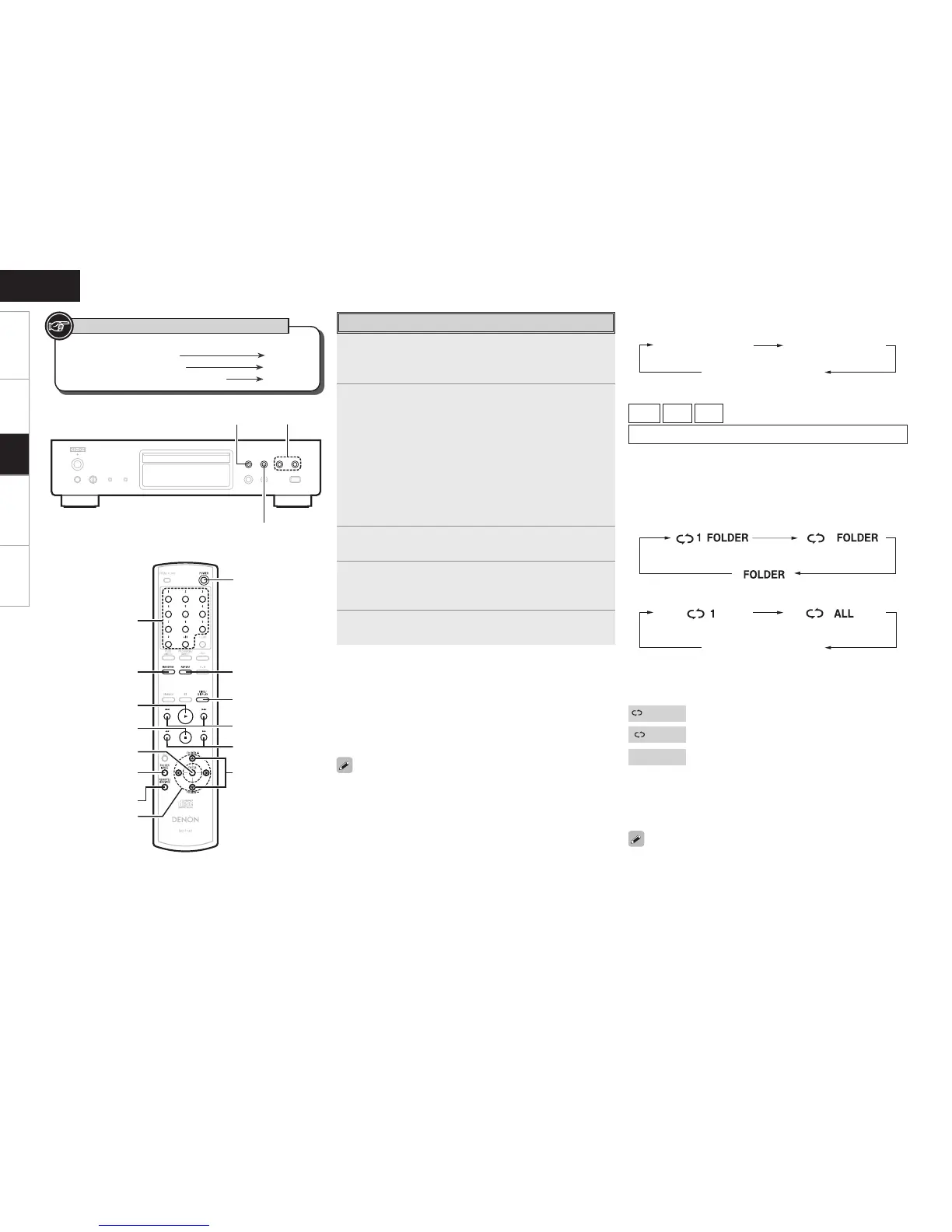
Press [FOLDER MODE] and select “Folder Mode” or
“Disc Mode”.
GAbout the displayH
When “Folder Mode” is selected ∙∙∙∙∙ “FOLDER” indicator lights.
When “Disc Mode” is selected ∙∙∙∙∙∙∙∙ “FOLDER” indicator turns
off.
Folder Mode :
All the files in the selected folder are played.
Disc Mode :
After the selected folder and files are played, all the files in all
the folders are played.
3
Use [FOLDER +, –] to select the folder to be played.
4
Use 8, 9 or [o, p] to select the le to be
played.
5
Press <1/3> or [1].
n To switch the Folder or File During Playback
• Folder
Use [FOLDER +, –] to select the folder, then press [ENTER].
• File
Use [o, p] to select the le, then press [ENTER].
Also use 8, 9 to select the le, or use [NUMBER] (0 ~ 9,
+10) to select the le number.
b The le numbers are set automatically when the disc is loaded.
n
Switching the Display
During playback, press [TIME/DISPLAY].
b The characters that can be displayed are as follows:
A ~ Z
a ~ z
0 ~ 9
! ” # $ %
&
: ; < > ? @
l
[ ] _ ` | { } ^ ’ ( ) * + , - . / = (space)
n
To Play Repeatedly
Press [REPEAT].
Playback starts in the respective repeat mode.
b The selectable repeat modes differ in the “Folder Mode” and the
“Disc Mode”.
When “Folder Mode” is selected:
When “Disc Mode” is selected:
File name Title name /
Artist name
Single-track repeat All-track repeat
Repeat off
(indicator turns off)
Single-track repeat
Repeat of all the
tracks in the folder
Repeat off
When “Folder Mode” is selected:
1 FOLDER
: Only the selected track is played repeatedly.
FOLDER
: All the les in the selected folder are played
repeatedly.
FLDER
: Folder mode playback resumes.
When “Disc Mode” is selected:
“Playing Repeatedly <Repeat playback>” (vpage 8)
[Selectable items]
n Setting random playback
“Playing Random Order <Random playback>” (vpage 9)
Programmed playback is not possible with MP3/WMA discs.


 To Next Page