Audio cable (supplied)
Optical digital connections
Optical cable (sold separately)
iPod connections
iPod cable (sold separately)
NOTE
• Do not plug in the power cord until all connections have been completed.
• When making connections, also refer to the owner’s manual of the other components.
• Be sure to connect the left and right channels properly (left with left, right with right).
• Do not bundle power cords together with connection cables.
Doing so can result in humming or noise.
Connections for all compatible audio signal formats are described in this owner’s manual. Please
select the types of connections suited for the equipment you are connecting.
Select the cables according to the equipment being connected.
Preparations
Cables Used for Connections
Connections
ConnectionsGetting Started
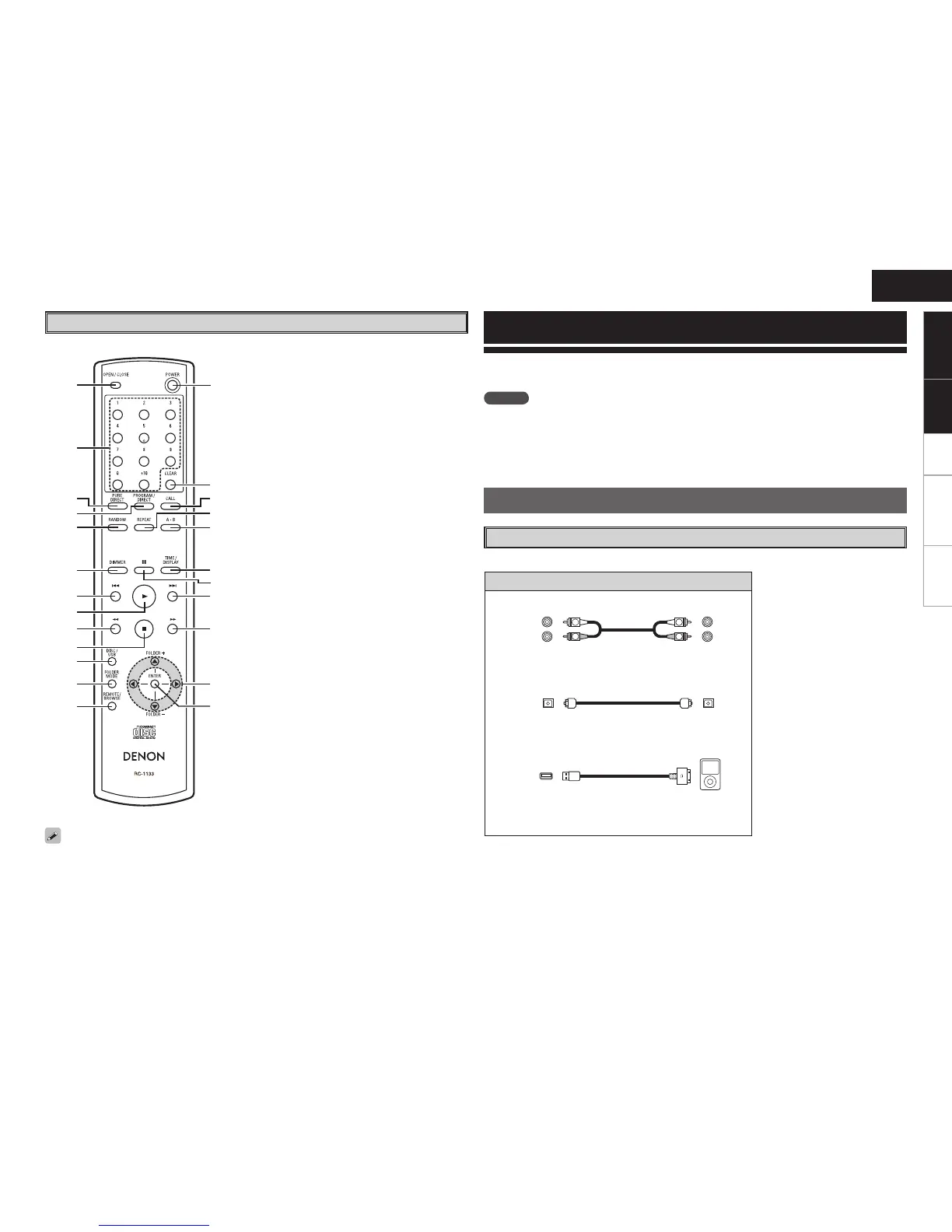
q OPEN/CLOSE button ···································· (7)
w Number buttons ····································· (8, 10)
e PURE DIRECT button ···································· (7)
r PROGRAM/DIRECT button ·························· (9)
t RANDOM button··········································· (9)
y DIMMER button ············································ (7)
u Reverse-skip/Forward-skip buttons
(
8, 9) ········································ (8, 10, 12)
i Play button (1) ····································· (7 ~ 10)
o Fast-reversing/Fast-forwarding buttons
(6, 7) ················································ (8, 12)
Q0 Stop button (2) ······································· (8, 12)
Q1 Playback media mode button
(DISC/USB) ···················································
(7)
Q2 FOLDER MODE button ······························· (10)
Q3 REMOTE/BROWSE button ························· (11)
Q4 POWER button ·············································· (7)
Q5 CLEAR button ··············································· (9)
Q6 CALL button ·················································· (9)
Q7 REPEAT button ·············································· (8)
Q8 Repeat A-B button (A-B) ······························ (8)
Q9 TIME/DISPLAY button ······················ (8, 10, 11)
W0 Pause button (3) ····································· (8, 12)
W1 Cursor / FOLDER +, – buttons ··················· (10)
W2 ENTER button ············································· (10)


 To Next Page