17
ENGLISH
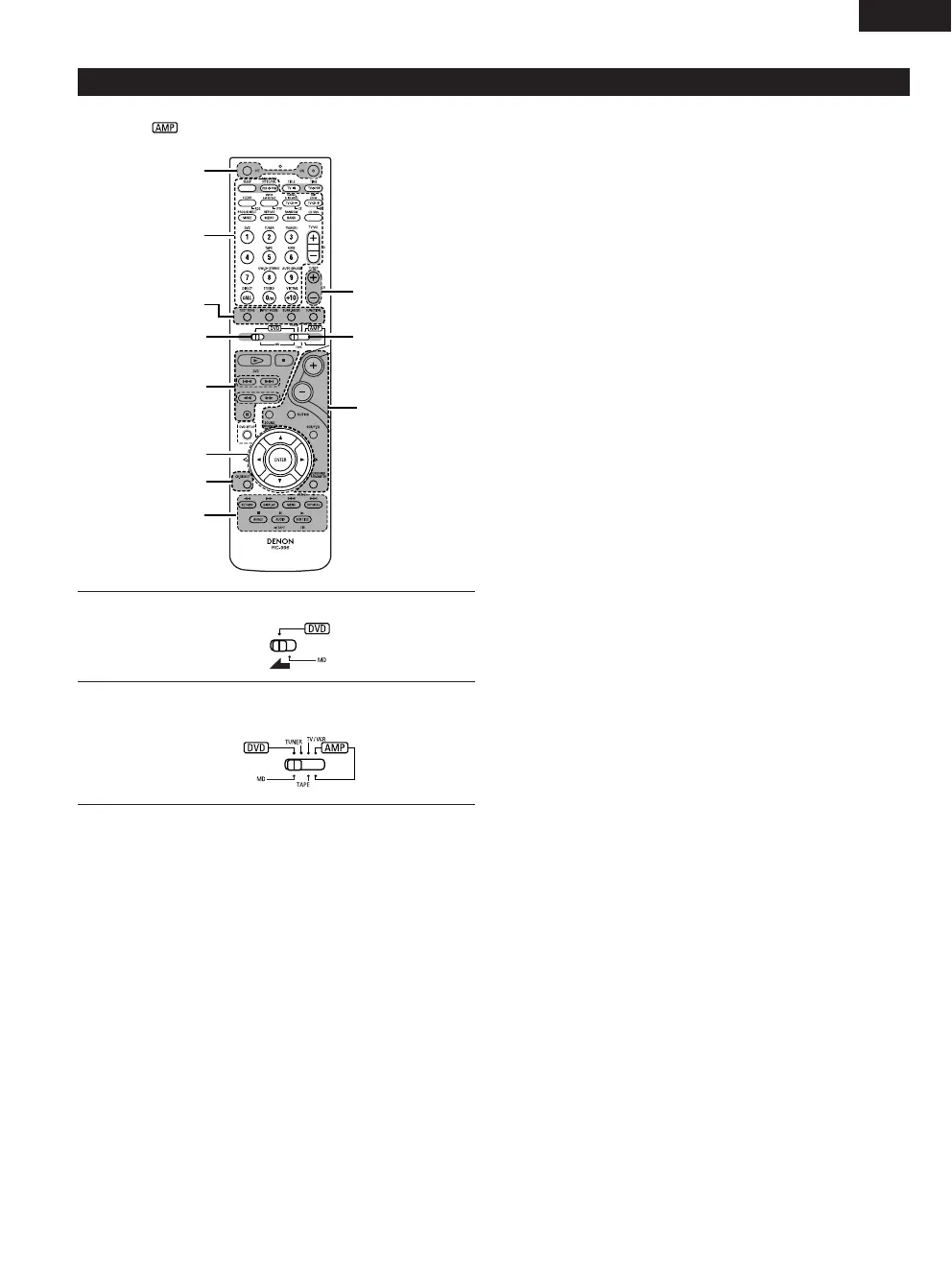
Names and functions of remote control unit buttons on the DHT-M330DV
• Buttons in sections q ~ e can be operated regardless of the position of mode switches 1 and 2.
• Consider as standard positions, and switch as necessary to operate.
1
2
Set mode switch 1 to the “DVD” position.
Set mode switch 2 to the position of the function you want to
operate (DVD, TUNER or AMP.).
q Surround amplifier control buttons
ON : Turns the AVR-M330’s power on.
OFF : Turns the AVR-M330’s power off.
FUNCTION : Function selection (in order)
SURROUND : Surround mode selection
INPUT MODE : Input mode selection
TEST TONE : Test tone on/off
+:Main volume up
–:Main volume down
MUTING : Muting on/off
SOUND ENHANCER
: Sound enhancer selection
SDB/P.EQ : SDB/P.EQ selection and setting
SURROUND : Surround parameter selection and setting
PARAMETER
CH SELECT : Channel level/Delay time selection and setting
w DVD control buttons
1 : Play (auto power on and auto function selection)
2 : Stop
8, 9 : Skip (cueing)
6, 7 : Search (fast-reverse and fast-forward)
3 : Pause and frame-by-frame
e Tuner control buttons
CH +/– : Preset channel up/down
(auto power on and auto function selection)



 To Next Page