Settings
Perform the below operations and settings as needed.
.
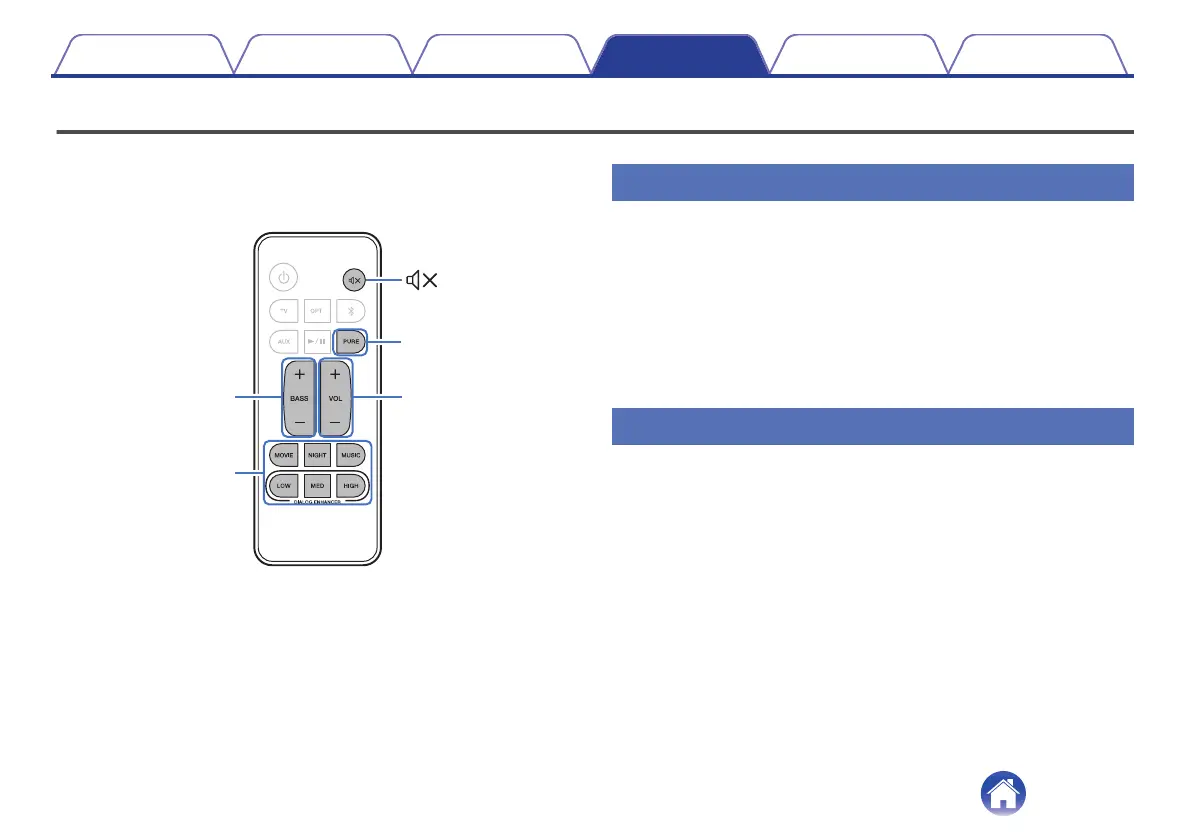
Listening mode
buttons
Listening mode
buttons
BASS
+, –
VOL
+, –
Adjusting the volume
1
Use VOL + or VOL – to adjust the volume.
The status display LEDs change to the volume display when these
buttons are pressed.
Each time a volume button is pressed, the volume LEDs blink and
the number of LEDs that are blinking increases or decreases
according to the volume that is set.
The volume LEDs blink three times when the maximum or minimum
volume is reached.
Adjusting the subwoofer volume
1
Use BASS + or BASS – to adjust the subwoofer volume.
The number of LEDs that are blinking increases or decreases
according to the subwoofer volume that is set.
The volume LEDs blink three times when the maximum or minimum
subwoofer volume is reached.
Contents Connections Playback Settings Tips Appendix
26



 To Next Page