Automatically setting to standby (Auto
standby function)
Switch the auto standby function on or off.
When the auto standby function is turned on, the power supply for this
device automatically switches to standby if no operations have been
performed for approx. 20 minutes or more and audio is not being output.
1
Press and hold the NIGHT button for 5 seconds or
more.
0
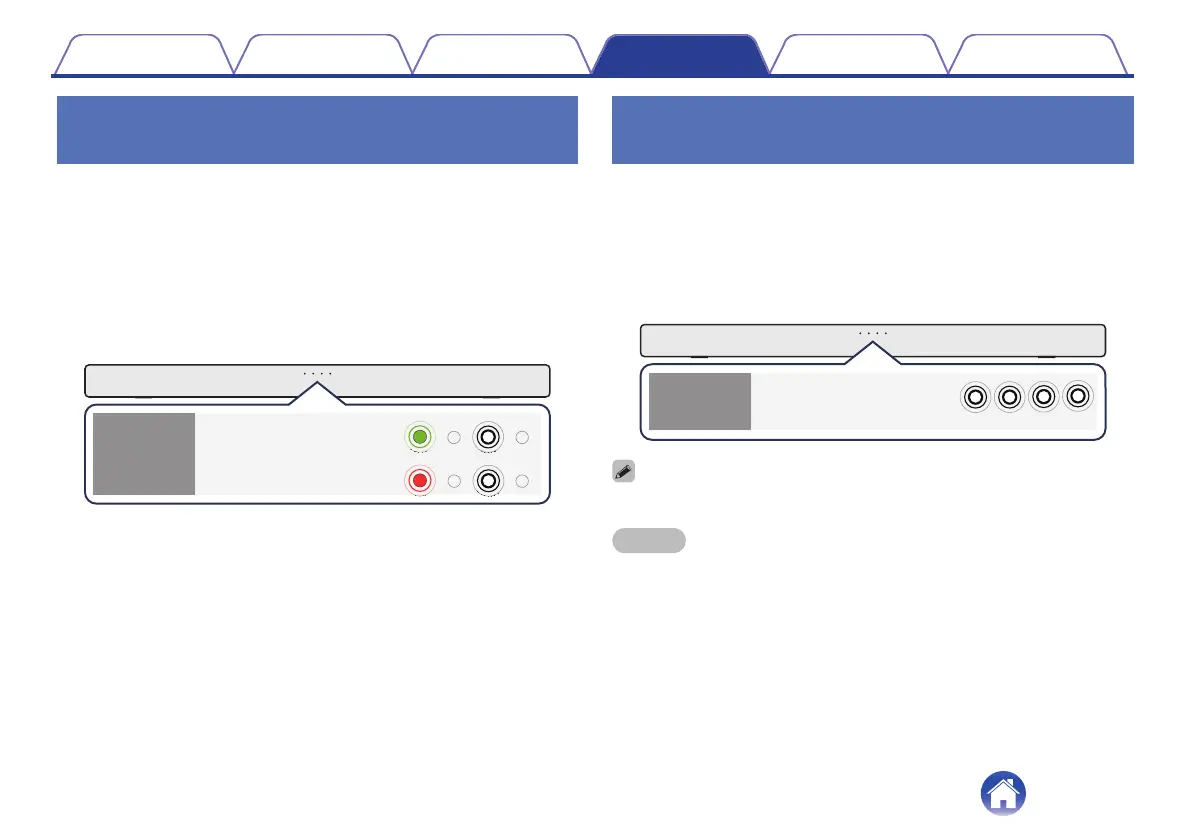
The auto standby function switches on or off and the status
display LED blinks as indicated below.
.
(White)
(White)
(Green)
(Red)
Off
On
(Default)
Auto
standby
function
Reducing the standby power
consumption (Deep standby function)
This unit can be placed into deep standby mode, in which its standby
power consumption is lower than in normal standby mode. Perform the
following steps to put this unit into deep standby mode.
1
Press and hold the c for about 5 seconds or more.
0
All of the status display LEDs blink in white 3 times before turning
off and the unit enters deep standby mode.
.
(White)
Deep
standby
function
0
When you press the c this unit enters normal standby mode.
NOTE
0
When this unit is in deep standby mode, it cannot be turned on by performing
streaming operations with a Chromecast-enabled music app or with a Bluetooth
connection.
0
The automatic software update function is also disabled.
0
When in normal standby mode, if this unit is not connected to a Wi-Fi network for a
continuous period of 60 minutes or more due to a problem with an external device
such as a router or with the Wi-Fi environment, this unit automatically enters deep
standby mode.
Contents Connections Playback Settings Tips Appendix
28



 To Next Page