12
Problem: Solution: Please see:
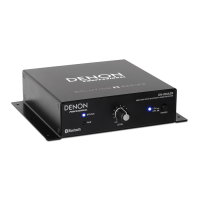
Audio from my
Bluetooth device
does not play
through DN-200BR.
Make sure you have properly paired
your Bluetooth device.
Improve the Bluetooth signal
reception by moving your Bluetooth
device closer to DN-200BR. Also,
remove obstacles (walls, furniture,
etc.) so there is a clear line of sight
between your Bluetooth device and
DN-200BR.
Setup and
Operation
Pairing my Bluetooth
device to DN-200BR
requires a PIN.
Enter 0000 as the PIN. (Some older
Bluetooth devices may require you
to enter a PIN.)
Operation


 To Next Page