EasyManua.ls Logo

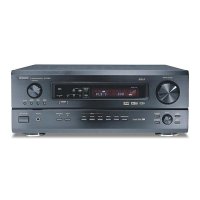
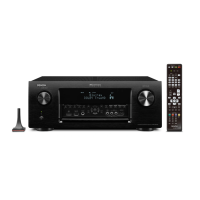
Denon AVR-3806 - User Manual

Denon AVR-3806
236 pages
Print Icon
To Next Page IconTo Next Page
Loading...
AV SURROUND RECEIVER
AVR-3806
OPERATING INSTRUCTIONS
BEDIENUNGSANLEITUNG
MODE D’EMPLOI
ISTRUZIONI PER L’USO
INSTRUCCIONES DE FUNCIONAMIENTO
GEBRUIKSAANWIJZING
BRUKSANVISNING

Table of Contents

Other manuals for Denon AVR-3806

Questions and Answers

  • P
    Parker PollardAug 16, 2025
    What to do if my Denon Receiver isn't responding to the remote?
    • T
      traceybrownAug 17, 2025
      If your Denon Receiver isn't responding to the remote, try these steps: * Replace the batteries with new ones. * Move closer to the unit. * Remove any obstacles between the remote and the receiver. * Ensure you're pressing the correct buttons. * Verify the batteries are inserted with the correct polarity.
  • L
    Lynn SmithAug 19, 2025
    Why does my Denon Receiver turn off and the power light flash red?
    • T
      trevordelgadoSep 12, 2025
      If your Denon Receiver turns off and the power indicator flashes red, it could be due to a few reasons. The unit's internal temperature might have risen, activating the protection circuit. Ensure the receiver is in a well-ventilated area. Also, check the speaker cable connections to make sure the core wires are not touching each other or the receiver's rear panel.
  • J
    Joel MontoyaAug 22, 2025
    Why is there no sound coming from my Denon AVR-3806 Receiver subwoofer?
    • D
      Donald JosephAug 22, 2025
      If no sound is coming from your Denon Receiver's subwoofer, check these things: Ensure the subwoofer is powered on. Verify the subwoofer's initial setting is set to “YES”. Make sure the subwoofer's output is properly connected. Confirm that the subwoofer's channel volume level is not set to “OFF”.
  • X
    xpattersonAug 25, 2025
    Why is there no DTS sound from my Denon AVR-3806?
    • K
      Kevin MillerAug 25, 2025
      If you're not getting DTS sound from your Denon Receiver, ensure the DVD player’s audio output setting is set to bit stream. Confirm that the DVD player is DTS-compatible. Also, check that the receiver’s input setting is set to AUTO or DTS, not analog.
  • S
    Samantha SimmonsAug 27, 2025
    Why are my surround speakers not working on my Denon Receiver?
    • N
      Nancy MooreAug 27, 2025
      If no sound is coming from your surround speakers on your Denon Receiver, it might be because the surround mode is set to “STEREO”. Change it to a mode other than “STEREO”.
  • A
    Amber SchmittAug 30, 2025
    Why is there no sound from my Denon AVR-3806 but the display is on?
    • E
      Edward SmithAug 30, 2025
      If your Denon Receiver's display is lit but no sound is produced, check the following: Ensure the speaker cables are securely connected. Verify that the FUNCTION knob is in the correct position. Increase the volume level from the minimum. Deactivate MUTING if it is on. Also, confirm that a digital signal input source is properly selected.
  • J
    Jennifer NashSep 2, 2025
    How to fix no image with HDMI connection on my Denon Receiver?
    • P
      Paul LopezSep 2, 2025
      If you're not getting an image with an HDMI connection on your Denon Receiver, verify the HDMI connections between the receiver's output terminals and the monitor's input terminals. Ensure that the correct HDMI signal input source is selected. Note that the unit will not output video signal unless the connected equipment supports HDCP. Also, check that the output format of the connected player matches the supported input format of the connected monitor.
  • W
    William MaldonadoSep 5, 2025
    What to do if nothing is displayed on the monitor connected to my Denon Receiver?
    • D
      Darren BrownSep 5, 2025
      If nothing is displayed on the monitor connected to your Denon Receiver, check that the receiver's video output terminals and the monitor's input terminals are correctly connected. Ensure the monitor's input setting is properly selected to the terminals where the video signals are connected. Also, make sure a surround mode other than PURE DIRECT mode is selected.
  • S
    Sergio MartinSep 7, 2025
    How to enable HDMI audio output on my Denon AVR-3806 Receiver?
    • R
      Rebekah KochSep 7, 2025
      If HDMI audio is not outputting on your Denon Receiver, set the HDMI audio playback setting at the “HDMI In Assign” settings to “AMP.” Alternatively, if you want the audio to come from the connected monitor device, set the HDMI audio playback setting at the “HDMI In Assign” settings to “TV.”
  • C
    carollewisSep 10, 2025
    What if the display is not lit and no sound is produced on my Denon AVR-3806?
    • A
      andersonbrandonSep 10, 2025
      If the display isn't lit and no sound is produced when the power switch is on, check that the power supply cord is securely plugged in.

Denon AVR-3806 Specifications

General IconGeneral
HDMI Inputs2
HDMI Outputs1
Component Video Inputs3
Component Video Outputs1
Digital Audio Inputs5 (3 Optical, 2 Coaxial)
THX CertifiedNo
Dimensions (W x H x D)434 x 171 x 429 mm
Frequency Response10 Hz - 100 kHz (+1, -3 dB)
Total Harmonic Distortion0.05%
Input Sensitivity/Impedance200 mV/47 kOhms
Signal-to-Noise Ratio102 dB
Digital Audio Outputs1 optical
Surround Sound FormatsDolby Digital, Dolby Pro Logic IIx, DTS
Video Inputs/OutputsComposite, S-Video, Component
Analog Audio Inputs9 stereo pairs
Multi-Room Zones3
Weight15 kg

Related product manuals