17
ENGLISH
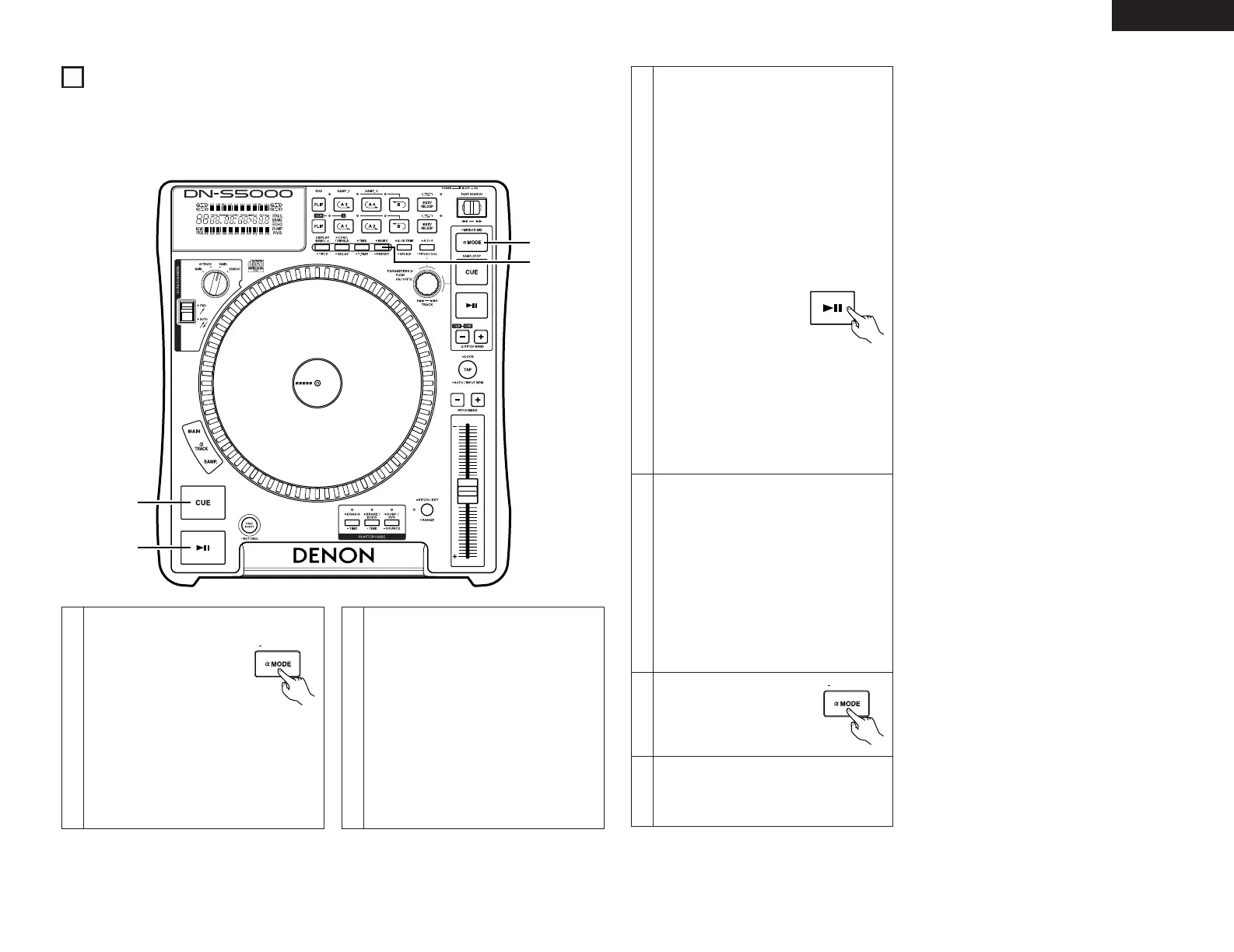
qt e w, r, t
1
Splice point setting mode
q Push the SPLICE button
for more than 1 sec to
enable setting Splice point
using A1, A2 and B
buttons.
• The A button illumination flashes when
the Splice mode is set.
• The Splice point setting cannot be set for
the A point at which Hot Start data is
already loaded.
Splice
2
Set splice start point A
w After starting playback, push
the A1 or A2 button. The
corresponding A button
lights up and that point is set
as splice start point A, and B
LED start flashing.
3
Set splice end point B
e After setting splice start
point A, push the B button.
The B LED lights up and that
point is set as splice end
point B.
5
Temporarily turning off the splice playback
r When the corresponding A
button is pushed after
setting splice points A and B,
the A button illumination
turns off and the Splice play
mode is temporarily turned
off.
• Push the corresponding A button again
to resume splice playback.
• Use this function to skip a section between A and B points. The A point is the point from which jumping starts,
the B point the point at which jumping ends.
• The A1 and A2 Hot Starts and Stutter functions cannot be used if both Splice points are set in the Splice mode.
4
Start splice playback
Start playback from any point before point A.
When point A is reached, the section from
point A to point B is jumped seamlessly and
playback continues.
6
Clearing the splice points
t While pressing the FLIP/(CLR) button, push
the corresponding A button to clear splice
points A and B.
• When the splice points are cleared, the
A button is set back to the Hot Start
mode.



 To Next Page