7
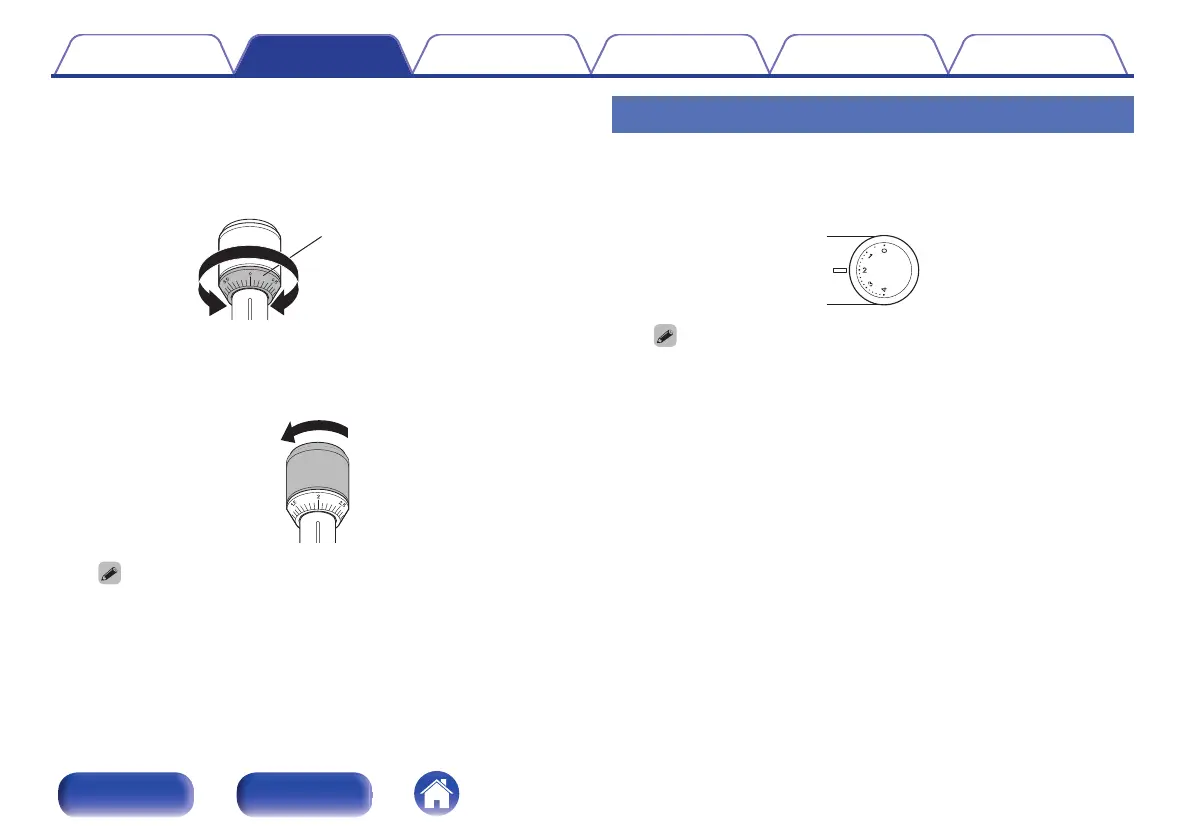
Holding the counterweight with a finger so that it does
not move, turn the stylus pressure adjustment ring so
that its “0” mark is lined up with the line on the tone
arm.
.
Stylus pressure
adjustment ring
8
Turn the counterweight in the direction of the arrow so
that the “2” mark of the stylus pressure adjustment
ring is lined up with the line on the tone arm.
.
0
The appropriate stylus pressure for the cartridge included with this unit is
2.0 g (19.6 mN).
Adjusting anti-skating
Anti-skating adjustment is performed to counter the force which pulls the
stylus tip inside due to the record rotation.
1
Turn the anti-skating dial so that it is lined up with “2”.
.
0
Make sure that the anti-skating value is the same as the stylus pressure
value.
Contents Preparations Connections
Playback and recording
Tips Appendix
17
Front panel Rear panel
I
\
I
_ -
0
V V
~
~
V \



 To Next Page