EasyManua.ls Logo

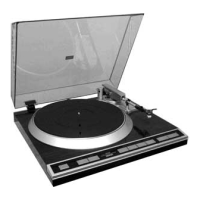
Denon DP-500M - Service Manual

Denon DP-500M
28 pages
Print Icon
To Next Page IconTo Next Page
Loading...
SERVICE MANUAL
DIRECT DRIVE TURN TABLE SYSTEM
MODEL DP-500M
Denon Brand Company, D&M Holdings Inc.
X0193 V.05 DE/CDM 0712
Some illustrations using in this service manual are
slightly different from the actual set.
Please use this service manual with referring to the
operating instructions without fail.
For purposes of improvement, specifications and
design are subject to change without notice.
本文中に使用しているイラストは、説明の都合上現物
と多少異なる場合があります。
修理の際は、必ず取扱説明書を参照の上、作業を行っ
てください。
サービスをおこなう前に、このサービスマニュアルを
必ずお読みください。本機は、火災、感電、けがなど
に対する安全性を確保するために、さまざまな配慮を
おこなっており、また法的には「電気用品安全法」に
もとづき、所定の許可を得て製造されております。
従ってサービスをおこなう際は、これらの安全性が維
持されるよう、このサービスマニュアルに記載されて
いる注意事項を必ずお守りください。
本機の仕様は性能改良のため、予告なく変更すること
があります。
補修用性能部品の保有期間は、製造打切後8年です。
注 意
For U.S.A. model
Ver. 5
Please refer to the
MODIFICATION NOTICE.

Other manuals for Denon DP-500M

Questions and Answers

  • J
    Jason GravesAug 15, 2025
    Why is there no sound produced by my Denon DP-500M?
    • M
      Michael AdamsAug 15, 2025
      If no sound comes from your Denon Turntable, check these things: * Make sure the cartridge and head shell are properly connected. * Confirm the output cords are correctly connected to the amplifier. * Ensure the amplifier's settings are correct.
  • U
    utownsendAug 18, 2025
    How to fix the stylus when it does not lower onto record on my Denon DP-500M?
    • C
      Carrie PooleAug 18, 2025
      To solve the issue of the stylus not lowering onto the record on your Denon Turntable, verify if the stylus pressure is properly adjusted and if the arm’s horizontal balance is properly adjusted.
  • W
    William CampbellAug 21, 2025
    Why is there a booming sound coming from my Denon DP-500M?
    • K
      Kevin SmithAug 21, 2025
      If you hear a booming sound from your Denon Turntable, check: * If the ground wire on the output cord is connected to the amplifier. * That the output cord's plugs are securely connected. * If the head shell's lock nut is securely tightened.
  • R
    Robert RayAug 26, 2025
    How to adjust sound if it's too weak or strong on Denon DP-500M?
    • L
      Lisa BrownAug 26, 2025
      If the sound from your Denon Turntable is too weak or too strong, verify that the amplifier's connection selector is set to the correct setting for the type of cartridge being used.
  • J
    Jason LloydAug 28, 2025
    What to do if the stylus skips on my Denon DP-500M Turntable?
    • W
      William BernardAug 28, 2025
      If the stylus on your Denon Turntable is skipping, check if the stylus pressure is properly adjusted. Also, inspect the record for warps or scratches, and ensure the stylus is free of dust.
  • P
    Paul PerryAug 31, 2025
    Why is a booming sound heard from my Denon DP-500M Turntable?
    • R
      rosetracieAug 31, 2025
      If you are experiencing a booming sound with your Denon Turntable, check that the ground wire on the output cord is connected to the amplifier and that the output cord’s plugs are securely connected. Also, verify that the head shell’s lock nut is securely tightened.
  • T
    Terry ReedSep 4, 2025
    What to do if the arm stops halfway across the record on my Denon Turntable?
    • J
      Jerry JonesSep 4, 2025
      If the arm of your Denon Turntable stops halfway across the record, check if the record is scratched or if the arm is hitting any object. If the counterweight touches the inside of the dust cover when playing the inner area of the record, remove the dust cover.
  • R
    Robert OliverSep 7, 2025
    Why is no sound produced from my Denon DP-500M?
    • K
      kingsavannahSep 7, 2025
      To troubleshoot the lack of sound from your Denon Turntable, verify that the cartridge and head shell are properly connected. Also, ensure that the output cords are correctly connected to the amplifier, and that the amplifier’s adjustments and settings are correct.
  • R
    rochavictoriaSep 12, 2025
    How to fix a Denon DP-500M Turntable when the stylus does not lower onto the record?
    • B
      Beth WallaceSep 12, 2025
      To address the issue of the stylus not lowering onto the record on your Denon Turntable, ensure that the stylus pressure and the arm’s horizontal balance are properly adjusted.

Summary

General Information and Safety Warnings

Safety Precautions

Service Safety Procedures

Covers checks, handling, and inspections for safe servicing.

Important Safety Parts

Part Identification and Usage

Identifies critical parts marked with ▲ and emphasizes using designated replacements.

Disassembly Steps

Platter and Bottom Base Removal

Instructions for removing the platter and bottom base assembly.

PWB and Motor Assembly Removal

Steps to remove the main PWB, tone arm, D.D. motor, and transformer assemblies.

Button Assembly and Disassembly

Procedures for removing and disassembling the button assembly.

Block Diagram

System Overview

Illustrates the functional blocks and key integrated circuits in the system.

Adjustment Procedures

Wow and Flutter Adjustment

Guide for adjusting wow and flutter using R134 for speed accuracy.

Semiconductor Components

IC Descriptions and Pinouts

Details pin configurations for IC303 (MAX003) and IC304 (W27E512).

Component Diagrams and Descriptions

NJM-2147 D IC Description

Provides the schematic and pinout for the NJM-2147D integrated circuit.

HEDS9700 F51 IC Description

Illustrates the internal structure of the HEDS9700F51 optical encoder.

Electronic Component Identification

Transistor and Diode Descriptions

Presents pinouts and basic diagrams for US1881, DTC124TS, 2SB1340, and 2SD1889.

Printed Wiring Board Layouts (Part 1)

Main PWB Unit Layout

Shows foil and component sides of the main printed circuit board.

Other PWB Units Layout

Displays layouts for Output, 33/45, AC, and Start/Stop PCBs.

Printed Wiring Board Layouts (Part 2)

D.D. Motor PWB Unit Layout

Illustrates the component and foil sides of the D.D. Motor PCB.

Parts List Usage Notes

Resistor and Capacitor Conventions

Explains how to interpret resistor and capacitor part numbers and values.

Parts List - Main PWB Unit

Semiconductors, Resistors, Capacitors

Lists semiconductor devices, resistors, and capacitors for the main PWB.

Parts List - DC, 33;45 & Start;Stop PWB Units

Semiconductors and Other Parts

Lists components for DC, 33/45, and Start/Stop PCBs, including semiconductors and connectors.

Parts List - Output & Power PWB Units

Capacitors and Other Parts

Lists capacitors and various other parts for output and power PCBs.

Parts List - D.D. Motor PWB Unit

Semiconductors and Fuses

Lists semiconductor components and fuses for the D.D. motor PCB.

Parts List - Resistors for D.D. Motor PWB

Resistor Details

Lists various resistors used in the D.D. Motor PWB.

Parts List - Capacitors (C101-C141, C901-C908)

Capacitor Details

Provides detailed listings for numerous capacitor components.

Parts List - Other Components

Capacitors and Miscellaneous Parts

Lists remaining capacitors and miscellaneous parts like beads and screws.

Exploded View and Component Identification

Assembly Diagram and Part Numbers

Visual representation of assemblies with corresponding reference numbers for parts.

Exploded View Parts List - Chassis and Assemblies

Major Assemblies and Chassis Components

Lists parts for chassis, base, platter, buttons, motor, transformer, and PWB assemblies.

Exploded View Parts List - Accessories

Labels, Cords, and Accessories

Lists various labels, power cords, and accessories included with the product.

Maintenance - Points of Greasing

Greasing Locations and Specifications

Details specific points requiring grease and the type/amount to use.

Packing and Accessories List

Packaging Materials and Components

Lists items used for packaging the product and included accessories.

Connections Diagram

Printed Circuit Board Interconnections

Illustrates how the various PWB units are connected to each other.

Schematic Diagram Conventions

Symbol and Unit Explanations

Clarifies symbols, resistance, capacitance, voltage, and current notations used in schematics.

Schematic Diagrams (Part 1)

D.D. Motor Unit Schematic

Circuit diagram for the direct drive motor control section.

AC Power Unit Schematic

Circuit diagram for the AC power supply section.

DC Unit Schematic

Circuit diagram for the DC power regulation section.

Schematic Diagrams (Part 2)

Main, 33;45, Start;Stop, Output Units Schematics

Circuit diagrams for main, speed control, start/stop, and output units.

Denon DP-500M Specifications

General IconGeneral
Drive SystemDirect Drive
Speeds33 1/3, 45 RPM
Power Consumption10 W
CartridgeNot included
PlatterAluminum
Overhang15 mm
Signal to Noise Ratio70 dB
Power SupplyAC 100 V, 50/60 Hz
Frequency Response20Hz ~ 20kHz

Related product manuals