EasyManua.ls Logo

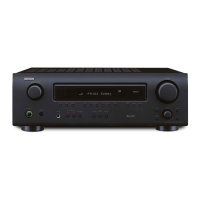
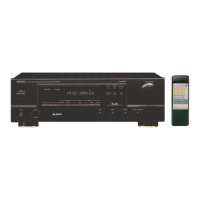
Denon DRA-CX3 - Service Manual

Denon DRA-CX3
37 pages
Print Icon
To Next Page IconTo Next Page
Loading...
SERVICE MANUAL
MODEL
DRA-CX3
AM-FM STEREO RECEIVER
For Europe model
X0314 V.02 DE/CDM 0703
注 意
サービスをおこなう前に、このサービスマニュアルを
必ずお読みください。本機は、火災、感電、けがなど
に対する安全性を確保するために、さまざまな配慮を
おこなっており、また法的には「電気用品安全法」に
もとづき、所定の許可を得て製造されております。
従ってサービスをおこなう際は、これらの安全性が維
持されるよう、このサービスマニュアルに記載されて
いる注意事項を必ずお守りください。
本機の仕様は性能改良のため、予告なく変更すること
があります。
補修用性能部品の保有期間は、製造打切後
8年です。
Some illustrations using in this service manual are
slightly different from the actual set.
Please use this service manual with referring to
the operating instructions without fail.
For purposes of improvement, specifications and
design are subject to change without notice.
修理の際は、必ず取扱説明書を参照の上、作業を行って,
ください。
本文中に使用しているイラストは、説明の都合上現物
と多少異なる場合があります。
Denon Brand Company, D&M Holdings Inc.
TOKYO, JAPAN
Ver. 2
Please refer to the
MODIFICATION NOTICE.
w
w
w
.
x
i
a
o
y
u
1
6
3
.
c
o
m
Q
Q
3
7
6
3
1
5
1
5
0
9
9
2
8
9
4
2
9
8
T
E
L
1
3
9
4
2
2
9
6
5
1
3
9
9
2
8
9
4
2
9
8
0
5
1
5
1
3
6
7
3
Q
Q
TEL 13942296513 QQ 376315150 892498299
http://www.xiaoyu163.com

Other manuals for Denon DRA-CX3

Questions and Answers

  • C
    careyalexisSep 10, 2025
    How to stop buzzing noise in FM broadcasts on Denon DRA-CX3 Stereo Receiver?
    • A
      Aaron LewisSep 10, 2025
      To address buzzing noises during FM broadcasts on your Denon Stereo Receiver: * Ensure the antenna cable is properly connected. * Try repositioning the equipment, connection cables, or antenna to avoid interference from nearby electronic devices or a weak radio signal. * Consider connecting an outdoor antenna.
  • W
    William GilbertAug 22, 2025
    How to fix no sound from one side on Denon Stereo Receiver?
    • S
      Shelley TranAug 23, 2025
      If you're not getting sound from one side of your Denon Stereo Receiver, here's what to check: * Make sure the speaker cables are securely connected. * Verify that the input cables are properly connected. * Adjust the left/right balance to ensure it's properly set.
  • W
    Wendy FrazierAug 25, 2025
    Why is my Denon DRA-CX3 power on but no sound?
    • C
      Carly HarveyAug 25, 2025
      If your Denon Stereo Receiver's power indicator is on but you're not getting any sound, here are a few things to check: * Make sure the speaker cables are securely connected. * Ensure you've selected the correct function (input). * Verify that the volume isn't set too low; adjust it to an audible level.
  • K
    kimberlywalshAug 27, 2025
    Why does my Denon Stereo Receiver only have sound on one side?
    • S
      Shawn AndersonAug 27, 2025
      If you're only getting sound from one side of your Denon Stereo Receiver, check these potential causes: * Ensure the speaker cables are properly and securely connected. * Verify the input cables are also securely connected. * Adjust the left/right balance to center the sound.
  • R
    Robin DawsonAug 28, 2025
    What to do if the Denon DRA-CX3 remote control does not operate?
    • A
      Ashley HardyAug 28, 2025
      If your Denon Stereo Receiver remote control isn't working, try these steps: * Replace the batteries with new ones. * Move closer to the main unit when operating the remote. * Ensure there are no obstructions between the remote and the main unit. * Operate the remote directly in front of the main unit, not at an angle greater than 30°. * Make sure the batteries are inserted correctly.
  • K
    Katherine BrownAug 29, 2025
    Why is there a buzzing noise in FM broadcasts on my Denon DRA-CX3?
    • E
      eromeroAug 29, 2025
      If you're getting a buzzing noise in FM broadcasts on your Denon Stereo Receiver, it could be due to a few reasons: * The antenna cable might not be properly connected, so ensure it's securely attached. * There may be interference from nearby electronic devices, or the radio signal could be weak. Try repositioning the equipment, connection cables, or antenna. * Consider connecting an outdoor antenna to improve signal reception.
  • H
    hmartinSep 18, 2025
    Why is there a humming noise in AM broadcasts on my Denon Stereo Receiver?
    • S
      stevensmithSep 18, 2025
      If you hear a humming noise during AM broadcasts on your Denon Stereo Receiver, it could be due to interference from current in power supply cords. Connect an outdoor antenna.
  • T
    Tim MarshallSep 12, 2025
    Why Denon Stereo Receiver power indicator is off and there is no sound?
    • C
      Christina AriasSep 12, 2025
      If the power indicator on your Denon Stereo Receiver doesn't light up and there's no sound, the power supply cord’s plug might not be fully plugged in. Check the insertion of the power supply cord plug and connect securely.
  • D
    Diamond EdwardsSep 8, 2025
    What to do if the Denon Stereo Receiver remote control is not working?
    • R
      rodney09Sep 8, 2025
      If the remote control for your Denon Stereo Receiver isn't working, try the following: 1. Replace the batteries with new ones. 2. Make sure you're operating the remote closer to the main unit. 3. Remove any obstacles between the remote and the receiver. 4. Ensure you're operating the remote directly in front of the main unit, not at an angle greater than 30 degrees. 5. Check that the batteries are inserted correctly.
  • M
    mccarthyjacobSep 5, 2025
    Why is there a humming noise in AM broadcasts with my Denon DRA-CX3 Stereo Receiver?
    • T
      Timothy FieldsSep 5, 2025
      If you hear a humming noise in AM broadcasts on your Denon Stereo Receiver, it could be due to interference from current in power cords. Try connecting an outdoor antenna to resolve this issue.

Summary

Denon DRA-CX3 Service Manual

Safety Precautions and General Notices

Important safety warnings, operating instructions, and disclaimers for service.

Servicing Safety Precautions

Leakage Current Check

Procedure to check for leakage current before returning unit to customer.

Handling and Assembly Cautions

Precautions for electric shock, disassembly, and part handling.

Post-Servicing Safety Inspection

Checks required after servicing to ensure safety and proper function.

Important Safety Parts

Guidelines for using designated parts with special safety properties.

Servicing Procedures and Initialization

Troubleshooting Guide

Troubleshooting Power Issues

Diagnosing and resolving problems with unit power and indicator lights.

Troubleshooting Audio Output Issues

Diagnosing and resolving no sound output problems in both or single channels.

Printed Wiring Board Layout

Printed Wiring Board Layout (Foil Side)

P.W.B. Unit Parts List - Semiconductors

P.W.B. Unit Parts List - Passive Components

P.W.B. Unit Parts List (Continued)

Exploded View

Exploded View Parts List

Exploded View Parts List (Continued)

Schematic Diagram Notes

Schematic Diagrams (1;3)

Schematic Diagrams (2;3)

Schematic Diagrams (3;3)

WEEE Recycling Information

Recycle Parts Details (Continued)

WEEE Exploded View

Denon DRA-CX3 Specifications

General IconGeneral
Impedance8 Ω
Frequency range5 - 40000 Hz
Input sensitivity150 mV
Audio output channels2.0 channels
Signal-to-Noise Ratio (SNR)84 dB
Total Harmonic Distortion (THD)0.7 %
Power output per channel (1KHz@8 Ohm)150 W
Power output per channel (20-20KHz@8 Ohm)75 W
Line-inYes
Audio (L/R) in5
Headphone connectivity6.3 mm
S-Video outputs quantity1
Connectivity technologyWired
Speakers connectivity typeBinding post
Ethernet LANNo
AM band range522 - 1611 kHz
FM band range87.5 - 108 MHz
Supported radio bandsAM, FM
Preset stations quantity40
DisplayVFD
Product colorSilver
Audio decodersNot supported
Volume controlRotary
Apple docking compatibilityiPhone, iPod
Number of products included1 pc(s)
AC input voltage230 V
AC input frequency50 Hz
Power consumption (standby)0.5 W
Power consumption (typical)105 W
Remote control typeRC-1060
Weight and Dimensions IconWeight and Dimensions
Depth341 mm
Width300 mm
Height80 mm
Weight5500 g

Related product manuals