EasyManua.ls Logo

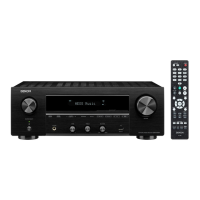
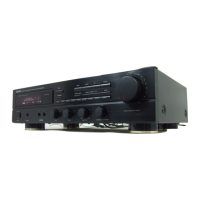
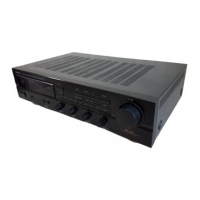
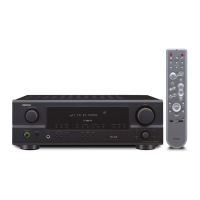
Denon DRA-297 - User Manual

Denon DRA-297
40 pages
Print Icon
To Next Page IconTo Next Page
Loading...
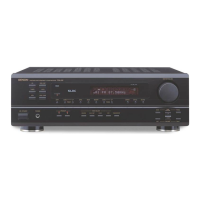
DENON
AM-FM
STEREO RECEIVER
DRA-297
OPERATING INSTRUCTIONS
MODE D'EMPLOI

Table of Contents

Other manuals for Denon DRA-297

Questions and Answers

  • C
    Christina SmithAug 15, 2025
    Why is there no sound from the subwoofer connected to my Denon Stereo Receiver?
    • A
      Austin GlassAug 15, 2025
      If no sound is coming from the subwoofer connected to your Denon Stereo Receiver, check the following: * Ensure the subwoofer’s power is turned on. * Verify the subwoofer’s output is properly connected. * Check that the subwoofer’s channel volume level is not set to “–12 dB”; turn the channel volume up.
  • J
    Jessica MillerAug 18, 2025
    What to do if Denon Stereo Receiver remote control is not working?
    • G
      gerald59Aug 18, 2025
      If your Denon Stereo Receiver isn't responding to the remote, several things could be the cause: * The batteries might be dead. Try replacing them with new ones. * You might be too far away. Move closer to the unit. * There could be something blocking the signal. Make sure there's nothing between the remote and the receiver. * Ensure you are pressing the correct button. * Check that the batteries are inserted correctly, with the positive and negative ends properly aligned.
  • D
    Daniel RamirezAug 21, 2025
    Why is my Denon Stereo Receiver power indicator blinking red?
    • D
      Donald KiddAug 21, 2025
      A blinking red power indicator on your Denon Stereo Receiver signals that the protection circuit has been activated. This could be due to a few reasons: * The unit's internal temperature may have risen too high. Ensure the receiver is in a well-ventilated area. * The speaker wires might be touching each other or the receiver's rear panel. Inspect all speaker cable connections. In addition, you can try turning off the power and allowing the unit to cool down completely before turning it back on.
  • J
    Justin RossAug 25, 2025
    How to fix 'CHECK ANTENNA' on my Denon Stereo Receiver?
    • R
      Rodney StoneAug 26, 2025
      If your Denon Stereo Receiver displays “CHECK ANTENNA” in XM mode, ensure that the receiver's XM connectors and the XM Mini-Tuner and Home Dock are properly connected. Check all connections to make sure they are correct.
  • A
    Audrey AbbottAug 28, 2025
    What to do if my Denon Stereo Receiver display is not lit?
    • D
      David MontgomeryAug 28, 2025
      If the display is not lit and no sound is produced when the power switch is set to on, check that the power supply cord is securely plugged in.
  • K
    Kimberly AyersAug 31, 2025
    How to fix no picture on monitor from Denon Stereo Receiver?
    • D
      Douglas FrankAug 31, 2025
      If nothing is displayed on the monitor when using your Denon Stereo Receiver, check the following: * Ensure that the receiver’s video output terminals and the monitor’s input terminals are correctly connected. * Verify that the monitor’s input setting is set to the correct terminals to which the video signals are connected.
  • A
    Amber BurkeSep 4, 2025
    What to do if Denon Stereo Receiver shows 'NO SIGNAL' in XM mode?
    • J
      Justin EspinozaSep 4, 2025
      If your Denon Stereo Receiver displays “NO SIGNAL” in XM mode, it means the signal cannot be received. Try repositioning your XM Mini-Tuner and Home Dock.
  • H
    Heather MillerSep 7, 2025
    What does 'OFF AIR' mean on my Denon Stereo Receiver?
    • Y
      Yolanda BradleySep 7, 2025
      If your Denon Stereo Receiver displays “OFF AIR” in XM mode, it indicates that the selected channel is not currently broadcasting. Select another channel.
  • T
    tyler97Sep 12, 2025
    Why am I only receiving XM channels 0 and 1 on my Denon Stereo Receiver?
    • V
      victoriapowellSep 12, 2025
      If you are only receiving XM channels 0 and 1 on your Denon Stereo Receiver, it is likely that the XM Tuner is not activated. Contact XM Radio to resolve this issue.

Summary

Safety Precautions and Warnings

Electrical Shock Hazard Warning

Warning about electrical shock risk and not removing the cover.

Fire and Moisture Warning

Warning to protect against fire or electric shock by keeping away from rain and moisture.

Unit Interface Overview

Front Panel Controls Explained

Identification and function of all buttons and jacks on the front panel.

Panel Layout and Remote Control

Rear Panel Connections Diagram

Diagram and labels for all input/output terminals on the rear panel.

Remote Control Front Functions

Detailed layout and function of buttons on the front of the remote.

Speaker and Subwoofer Setup

Connecting Speakers and Banana Plugs

Instructions for connecting speakers, including banana plugs and impedance notes.

Advanced Connectivity Options

Connecting the XM Satellite Radio System

Guide for connecting the XM Passport System for satellite radio.

Connecting Your iPod

Instructions for connecting an iPod via the Control Dock.

Basic Unit Operation

Initial Setup Before Operation

First steps before powering on the unit and starting operation.

Audio Playback and Sound Control

Playing Selected Input Sources

Selecting and playing audio sources from connected components.

Radio Tuning and Memory Functions

Listening to Radio Stations

Tuning into AM and FM broadcast stations.

Auto and Manual Radio Presets

Automatically scanning and storing FM radio stations, and manual tuning.

XM Satellite Radio Features

Checking XM Signal Strength and ID

Verifying signal quality and antenna location for XM radio, and checking Radio ID.

XM Channel Selection and Access

Navigating and selecting channels for XM Satellite Radio.

XM and iPod Control Features

Setting iPod Input Assignment

Assigning iPod input terminals for audio/video signals.

iPod Music Playback Control

Listening to Music via iPod

Controlling iPod playback, including search, stop, repeat, and shuffle modes.

Navigating iPod Music in Browse Mode

Navigating and selecting music files on the iPod.

iPod Media Viewing and System Reset

Viewing iPod Pictures and Videos

Displaying photos and videos from the iPod on a monitor.

Microprocessor Initialization Procedure

Resetting the unit's microprocessor to default settings.

Remote Control Operation: DENON Systems

Remote Control Operation: Stored Components

Troubleshooting Common Issues

Product Technical Specifications

Denon Limited Warranty Policy

Warranty Coverage and Claim Procedures

What is covered, not covered, and how to obtain warranty service.

Denon DRA-297 Specifications

General IconGeneral
Total Harmonic Distortion (THD)0.08%
Tuner TypeAM/FM
Number of Channels2
Speaker load impedance4 - 16 ohms
Frequency Response10 Hz - 100 kHz
Input Sensitivity150 mV (line)
OutputSpeaker

Related product manuals