EasyManua.ls Logo

Denon DRA-201SA - User Manual

Denon DRA-201SA
122 pages
Print Icon
To Next Page IconTo Next Page
Loading...
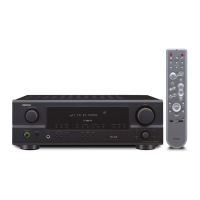
STEREO RECEIVER
DRA-201SA
RC-906
REMOTE CONTROL UNIT
CLEAR
123
546
789
+1010
CD SRS
MDTAPECD-R
TUNING
REV.
MODE
Dolby NR
REPEAT
CALL
PROG/
DIRECT
RANDOM
BAND
RDS
DIMMER
TIME/
PANEL
TIME EDIT
SYSTEM
POWER
OFF ON
STOP PLAY
VOLUME
/SELECT
SLEEP MODE
TAPE
FUNCTION
PRESET
+
-
TUNER
CD
CD-R
MD
TAPE
CH
MHz
TUNED STEREO AUTO
TIMER
BAND
/ RDS
MEMORY
/ SET DOWN UP
PRESET / TUNING
PHONES FUNCTION
VOLUME
SOURCE DIRECT
MODEON / STANDBY
STEREO RECEIVERER DRA-201SA
OPERATING INSTRUCTIONS
BEDIENUNGSANLEITUNG
MODE D’EMPLOI
ISTRUZIONI PER L’USO
INSTRUCCIONES DE OPERACION
GEBRUIKSAANWIJZING
BRUKSANVISNING
FOR ENGLISH READERS PAGE 004 ~ PAGE 020
FÜR DEUTSCHE LESER SEITE 021 ~ SEITE 037
POUR LES LECTEURS FRANCAIS PAGE 038 ~ PAGE 054
PER IL LETTORE ITALIANO PAGINA 055 ~ PAGINA 071
PARA LECTORES DE ESPAÑOL PAGINA 072 ~ PAGINA 088
VOOR NEDERLANDSTALIGE LEZERS PAGINA 089 ~ PAGINA 105
FOR SVENSKA LÄSARE SIDA 106 ~ SIDA 121

Table of Contents

Questions and Answers

  • A
    Anna CastroAug 17, 2025
    Why does my Denon Stereo Receiver POWER LED light up but no sound is produced?
    • A
      Amanda SchwartzAug 17, 2025
      If the POWER LED is lit but you're not getting any sound from your Denon Stereo Receiver, consider these potential causes: * The speaker cords might not be properly connected. Ensure they are securely connected. * The INPUT SELECTOR might not be set to the correct position. Adjust it accordingly. * The VOLUME control might be turned down. Increase the volume to an audible level.
  • D
    Daniel KentAug 19, 2025
    What to do if my Denon Stereo Receiver remote control is not working properly?
    • H
      hubbardwilliamAug 20, 2025
      If your Denon Stereo Receiver isn't responding to the remote control, here are a few things to check: * Make sure the batteries aren't dead. If they are, replace them with new ones. * Ensure you're not too far from the unit; try moving closer. * Check for any obstructions between the remote and the receiver and remove them. * Verify you're pressing the correct button. * Confirm the batteries are inserted with the correct polarity (+ and - ends).
  • A
    Amy HorneAug 22, 2025
    Why is sound only coming from one side of my Denon Stereo Receiver?
    • S
      Sheila SmithAug 22, 2025
      If sound is only coming from one side of your Denon Stereo Receiver, check the following: * Ensure that the speaker cords are securely connected. * Verify that the input cords are properly connected. * Adjust the BALANCE control to ensure it is properly set.
  • A
    Andrew HernandezAug 25, 2025
    What to do if my Denon DRA-201SA Stereo Receiver POWER LED does not light up?
    • R
      Richard DavisAug 26, 2025
      If the POWER LED on your Denon Stereo Receiver doesn't light up and no sound is produced when you turn the power switch on, make sure the power supply cord is properly connected and plugged in.
  • J
    James BaxterAug 28, 2025
    How to stop booming sound when playing records on Denon DRA-201SA Stereo Receiver?
    • D
      Diamond FlowersAug 28, 2025
      To stop a booming sound when playing records on your Denon Stereo Receiver, check these items: * Ensure the turntable’s ground wire is securely connected. * Verify the input cords are properly connected to the PHONO terminals. * Consider if a TV or other electrical device is causing interference; if so, change the turntable's position.
  • K
    Keith CarpenterAug 31, 2025
    How do I eliminate hissing noise when tuning into an FM station on my Denon DRA-201SA Stereo Receiver?
    • R
      Robert GonzalezAug 31, 2025
      To reduce hissing noise when tuning into an FM station on your Denon Stereo Receiver: * Make sure the antenna cable is properly connected. * Check for interference from electronic devices or a weak signal. Try repositioning the equipment, connection cords, or antenna. * Consider connecting an outdoor antenna.
  • I
    Isabel KnappSep 2, 2025
    How to stop howling when playing records on Denon DRA-201SA?
    • E
      Eric WheelerSep 3, 2025
      To prevent howling when the volume is turned up while playing records on your Denon Stereo Receiver: * Move the speaker systems as far away from the turntable as possible. * If the floor is soft and vibrates easily, use cushions to absorb vibrations. If the turntable lacks insulators, use audio insulators.
  • C
    Christopher KleinSep 5, 2025
    How do I get rid of scratchy noise on my Denon Stereo Receiver when tuning into AM stations?
    • J
      jonesdylanSep 5, 2025
      To address scratchy or hissing noise when tuning into an AM station on your Denon Stereo Receiver: * Turn off any nearby TV sets to eliminate potential interference. * Change the position or direction of the AM antenna. * Connect an outdoor antenna.
  • M
    Mallory JohnstonSep 7, 2025
    Why is the volume different between tuner and records on my Denon DRA-201SA Stereo Receiver?
    • J
      Jenna GutierrezSep 8, 2025
      If the volume level differs when listening to the tuner versus records on your Denon Stereo Receiver, the tuner and record outputs may be different. If your tuner has an output control, adjust the tuner output to match the turntable’s output.
  • J
    jeffreyburkeSep 12, 2025
    How do I fix inverted instrument positions on my Denon Stereo Receiver?
    • M
      matthew32Sep 12, 2025
      If the instrument positions are inverted for stereo sources on your Denon Stereo Receiver, check the left/right connections of the speakers or input cords.

Summary

Notes on Use and Safety

General Safety Precautions

Important safety warnings for electrical shock, fire, ventilation, and general appliance care.

Important Safety Information

Fire and Shock Hazard Warning

Warning to prevent fire or shock hazard by avoiding exposure to rain or moisture.

Making Connections

System Operations

System Connection Requirements

System operations require stereo audio and system cords to be connected between all components.

Connecting Speaker Systems

Instructions on connecting speaker systems, including impedance and cord connection.

Part Names and Functions

Front Panel Controls Overview

Details of power switch, jacks, dials, buttons, and display on the front panel.

Rear Panel Connections Overview

Details of antenna, input, output, speaker, and system connectors on the rear panel.

System Remote Control

Using the Remote Control Unit

Remote Control Buttons

Details of buttons like RDS, PANEL, and CT display function.

Front Panel and Remote Buttons

Remote Control Buttons Explained

Details on number, power, band, preset, function, sleep, and mode buttons.

System Control Buttons

Explains system power, dimmer, panel, volume/select, mode, and tuning buttons.

Operating the Unit

Playback Procedure

Steps for playback, including power-on, volume adjustment, and sound settings.

Recording Procedure

Steps for recording, including preparation, starting, and control notes.

Sound Mode Adjustments

Guide to adjusting bass, treble, balance, and loudness settings.

Listening to Radio

Tuning Stations

Steps for tuning FM and AM stations, including auto tuning.

Tuner Operations

Presetting AM and FM Stations

Detailed steps for storing AM and FM stations into memory presets.

Tuning Preset Stations

Steps for tuning in stations stored at preset numbers.

Using RDS Functions

Steps for using RDS functions like PTY Search and RT display.

Receiving RDS Broadcasts

PTY Search

Search for radio programs by specific program types (PTY).

Using the Timer

Setting the Timer

Detailed steps for setting the timer for automatic power on/off.

Timer Settings and Operations

Using the Timer

Explains the timer function for automatic power on/off and sleep timer.

System Functions

Troubleshooting

Specifications

Denon DRA-201SA Specifications

General IconGeneral
TypeStereo Receiver
Tuning rangeFM, MW
Power Output100 W/ch (8 ohms)
Total Harmonic Distortion (THD)0.08%
Frequency Response10 Hz - 100 kHz
Input Sensitivity150 mV / 47 kOhm
Signal-to-Noise Ratio100 dB
Dimensions434 x 151 x 399 mm
Weight8.1 kg
OutputSpeaker terminals
Speaker load impedance8Ω to 16Ω

Related product manuals