EasyManua.ls Logo

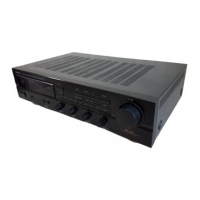
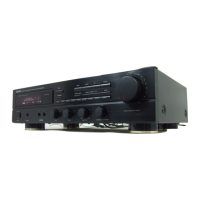
Denon DRA-F109 - User Manual

Denon DRA-F109
33 pages
Print Icon
To Next Page IconTo Next Page
Loading...
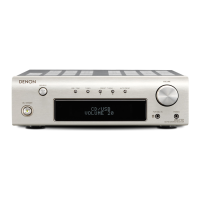
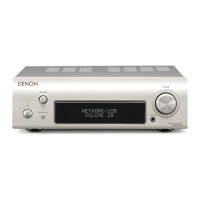
DRA-F109
STEREO RECEIVER
Owners Manual
Preparations
Operations
Informations
CD

Other manuals for Denon DRA-F109

Questions and Answers

  • A
    Amy DouglasJul 26, 2025
    What to do if my Denon DRA-F109 power is on but there's no sound?
    • A
      Andrea LopezJul 26, 2025
      If the power indicator is on but your Denon Stereo Receiver isn't producing sound, check the following: * Ensure the speaker cables are securely connected. * Verify that you've selected the correct input source. * Increase the volume to a suitable level.
  • M
    Makayla RobinsonJul 31, 2025
    How to fix no sound from one side of my Denon DRA-F109 Stereo Receiver?
    • A
      antonio77Jul 31, 2025
      If you're only getting sound from one side of your Denon Stereo Receiver, make sure the speaker cables and input cables are securely connected. Also, check and adjust the left/right balance settings.
  • M
    Mary WallerAug 5, 2025
    Why is my Denon Stereo Receiver remote not working properly?
    • A
      Austin GoodmanAug 5, 2025
      If your Denon Stereo Receiver isn't responding to the remote, first, replace the batteries with new ones. If that doesn't work, make sure you're within the remote's operational range and that there are no obstacles blocking the signal between the remote and the receiver. Check that the batteries are inserted correctly, matching the polarity marks. Finally, strong light sources can interfere with the remote sensor, so try moving the unit away from direct sunlight or bright lights.
  • S
    Susan BrownAug 10, 2025
    Why is my Denon DRA-F109 Stereo Receiver making a buzzing noise on FM broadcasts?
    • A
      Amber MurrayAug 10, 2025
      If you're hearing a buzzing noise during FM broadcasts on your Denon Stereo Receiver, ensure the antenna cable is properly connected. If the issue persists, try repositioning the receiver, connection cables, or antenna to avoid interference from nearby electronic devices or a weak radio signal.
  • D
    dsmithAug 15, 2025
    What to do if my Denon DRA-F109 Stereo Receiver won't turn on?
    • J
      Juan McdowellAug 16, 2025
      If your Denon Stereo Receiver's power indicator doesn't light up and there's no sound when you turn it on, check that the power cord is securely plugged into both the receiver's AC inlet and the wall power outlet.
  • M
    Maureen WalkerAug 20, 2025
    Why are the stereo sounds inverted on my Denon DRA-F109?
    • A
      Angela PhillipsAug 21, 2025
      If the instrument positions sound inverted on your Denon Stereo Receiver when playing stereo sources, the speaker or input cables might be incorrectly connected. Double-check the connections and correct them as needed.

Summary

Safety Precautions

Important Safety Instructions

Essential safety guidelines and warnings for operation, electrical hazards, and fire prevention.

Warning Labels and Symbols

Explanation of symbols indicating dangerous voltage and important operating instructions.

Use and Installation Cautions

Preparations

Connecting the Speakers

Step-by-step guide to connecting speaker cables to the receiver, ensuring correct polarity.

Connecting the Power Cord

Procedure for connecting the unit to the AC power outlet, including model-specific notes.

Operations

Basic Operation

Fundamental operations including turning power on/off, setting time, and basic playback controls.

Troubleshooting

General and Tuner Issues

Solutions for common problems like no power, no sound, and tuner reception issues.

Denon DRA-F109 Specifications

General IconGeneral
TypeDirect drive audio turntable
Hi-FiYes
OperationFully automatic
Product colorBlack
AC input voltage230 V
AC input frequency50 Hz
Power consumption (standby)0.3 W
Power consumption (typical)65 W
USB ports quantity-
Connectivity technologyWired
FM antenna ports quantity1
DisplayLED
Number of tuners1 tuner(s)
Receiver typestereo
Output impedance4 Ω
Audio output channels2.1 channels
Total Harmonic Distortion (THD)0.7 %
HDMI in0
Digital audio coaxial in2
Headphone connectivity6.3 mm
FM band range87.5 - 108 MHz
Supported radio bandsFM
Ethernet LANNo
Weight and Dimensions IconWeight and Dimensions
Depth250 mm
Width283 mm
Height82 mm
Weight2600 g

Related product manuals