EasyManua.ls Logo

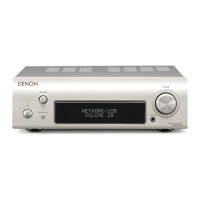
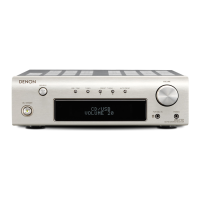
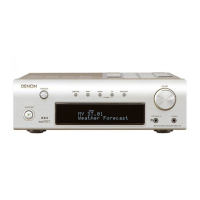
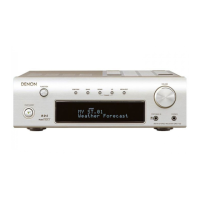
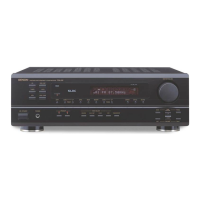
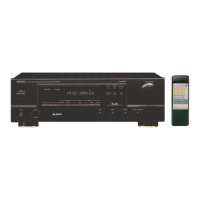
Denon DRA-F101 - Service Manual

Denon DRA-F101
37 pages
Print Icon
To Next Page IconTo Next Page
Loading...
Hi-Fi AM-FM Stereo Receiver
SERVICE MANUAL
MODEL
DRA-F101
AM-FM STEREO RECEIVER
Some illustrations using in this service manual are slightly different from the actual set.
For Europe & U.K. model
16-11, YUSHIMA 3-CHOME, BUNKYOU-KU, TOKYO 113-0034 JAPAN
Telephone: 03 (3837) 5321
X0151 NC 0207

Other manuals for Denon DRA-F101

Questions and Answers

  • T
    Troy ZamoraAug 15, 2025
    Why is my Denon Stereo Receiver POWER LED on but there is no sound?
    • J
      Jeffrey LoganAug 15, 2025
      If your Denon Stereo Receiver's POWER LED is on but you're not getting any sound, check the speaker cords to ensure they are securely connected. Also, verify that the INPUT SELECTOR is set to the correct position and that the VOLUME control is turned up to an audible level.
  • A
    Alexander DavisAug 18, 2025
    Why is sound only coming from one side of my Denon Stereo Receiver?
    • M
      Michael MonroeAug 18, 2025
      If you're only getting sound from one side of your Denon Stereo Receiver, start by checking the speaker cords and input cords to ensure they are securely connected. Then, adjust the BALANCE control to ensure it's properly set.
  • D
    Destiny HigginsAug 21, 2025
    What to do if my Denon DRA-F101 Stereo Receiver remote control is not working?
    • R
      Ryan WilliamsAug 21, 2025
      If your Denon Stereo Receiver isn't responding to the remote, first, try replacing the batteries with new ones. If that doesn't work, make sure you're not too far from the unit and that there's nothing blocking the signal. Ensure you're pressing the correct button and that the batteries are inserted with the correct polarity.
  • S
    Sara CampbellAug 25, 2025
    How to stop booming sound when playing records on Denon DRA-F101 Stereo Receiver?
    • J
      jacksonpaulAug 25, 2025
      To address a booming sound when playing records on your Denon Stereo Receiver, first, ensure the turntable’s ground wire is securely connected. Next, check that the input cords are properly connected to the PHONO terminals. Finally, consider if there's interference from nearby electrical devices like a TV, and if so, change the installation position.
  • J
    Joshua CarterAug 27, 2025
    Why is there a hissing noise when tuning into FM stations on my Denon Stereo Receiver?
    • D
      David EwingAug 27, 2025
      If you're hearing a hissing noise when tuning into an FM station on your Denon Stereo Receiver, make sure the antenna cable is properly connected. Also, check for interference from electronic devices with microprocessors or a weak FM signal. Try repositioning the equipment, connection cords, or antenna. Consider connecting an outdoor antenna.
  • S
    santanajosephAug 30, 2025
    What causes inverted instrument positions on my Denon DRA-F101?
    • T
      Timothy RoweAug 30, 2025
      To fix inverted instrument positions on your Denon Stereo Receiver for stereo sources, check the left and right speaker or input cord connections to ensure they are not inverted.
  • K
    Kevin DavisSep 2, 2025
    What to do if Denon DRA-F101 Stereo Receiver produces howling when playing records?
    • J
      Jonathan WalkerSep 2, 2025
      If you experience howling when turning up the volume while playing records on your Denon Stereo Receiver, the turntable and speaker systems might be too close. Move the speaker systems as far away as possible. Additionally, if the floor is soft and vibrates easily, use cushions to absorb vibrations transmitted from the floor to the speakers. If your turntable lacks insulators, consider using audio insulators.
  • C
    Charles TaylorSep 5, 2025
    Why won't my Denon DRA-F101 Stereo Receiver turn on?
    • B
      Barry RiceSep 5, 2025
      If your Denon Stereo Receiver's POWER LED doesn't light up and no sound is produced when you turn on the power switch, make sure the power supply cord is properly connected.
  • A
    aprilarellanoSep 8, 2025
    How to eliminate scratchy noise when tuning AM on my Denon DRA-F101 Stereo Receiver?
    • T
      Timothy RossSep 8, 2025
      To address a scratchy or hissing noise when tuning into an AM station on your Denon Stereo Receiver, check for interference from a TV set or another broadcast station. Try turning off the TV, changing the position or direction of the AM antenna, or connecting an outdoor antenna.
  • M
    Michele FisherSep 12, 2025
    How do I stop humming noise on my Denon DRA-F101 when using AM?
    • J
      John SullivanSep 12, 2025
      To resolve a humming noise when tuning into an AM station on your Denon Stereo Receiver, try inserting the power plug in the opposite direction. Additionally, consider connecting an outdoor antenna.

Summary

Safety Precautions

Leakage Current Check

Safety check before unit return to customer.

Specifications

Power Amplifier Section

Rated output power and output terminals.

Pre Amplifier Section

Rated output, input sensitivity, impedance, RIAA deviation.

Overall Characteristics

SN ratio, frequency response, tone control range.

Tuner Section

Reception frequency, sensitivity, isolation, S/N, distortion.

Clock;Timer Section

Clock system, precision, timer functions.

Others

Power supply, consumption, dimensions, net mass.

Remote Control Unit (RC-927)

Remote system, power, dimensions, mass.

Disassembly Procedures

Top Cover Removal

Procedure to remove the top cover.

Front Panel Removal

Steps to remove the front panel assembly.

Display and Encoder PWB Removal

Detaching display and encoder boards.

System Connector PWB Removal

Removing the system connector circuit board.

Tuner Pack Removal

Procedure to disconnect and remove the tuner pack.

Power PWB and Heat Sink Removal

Removing the power board and heat sink.

Shield Plate, Back Panel, and Main PWB Removal

Removing shield plate, back panel, and main PWB.

Block and Level Diagram

Adjustment Procedures

Idling Current Adjustment

Procedure for setting and adjusting the idling current.

Check Procedures

Connection Diagram for Check

Diagram showing signal connections for testing.

Semiconductors

IC μPD780208 GF-142-3 BA Terminal Function

Pinout and function for the main IC.

FL Display Information

Grid Assignment

Layout and mapping of the FL display segments.

Pin Connection

Pinout description for the FL display connector.

Anode Connection

Anode connection mapping for display modes.

Printed Wiring Boards

Notes for Parts List

Parts List of PWB Unit Assembly

Semiconductors Group

List of semiconductor components on the PWB.

Resistors Group

List of resistors with part numbers and values.

Capacitors Group

List of capacitors with part numbers and specifications.

Other Parts Group

Exploded View

Parts List of Exploded View

DRA PWB Unit Parts

Components and assemblies for the DRA PWB.

Screws and Nuts

List of all screws and nuts used in assembly.

Packing View

Parts List of Packing & Accessories

List of packaging parts and accessories.

Wiring Diagram

Schematic Diagrams (Part 1)

1 U-3458-1 Main Unit Schematic

Detailed schematic for the main control and processing unit.

1 U-3458-5 System Control Unit Schematic

Schematic for the system control unit.

1 U-3458-6 Power Amp Unit Schematic

Schematic for the power amplifier section.

Schematic Diagrams (Part 2)

1 U-3458-2 Display Unit Schematic

Detailed schematic for the front panel display and control interface.

1 U-3458-3 V. Encoder Unit Schematic

Schematic for the volume encoder unit.

1 U-3458-4 F. Encoder Unit Schematic

Schematic for the function encoder unit.

Denon DRA-F101 Specifications

General IconGeneral
Number of Channels2
Frequency Response10 Hz - 100 kHz
Signal-to-Noise Ratio100 dB
Input sensitivity200 mV
Power consumption120 W
Total Harmonic Distortion (THD)0.1%
Input Impedance47k ohms
FM Tuning Range87.5 - 108 MHz
AM Tuning Range522 - 1611 kHz

Related product manuals