EasyManua.ls Logo

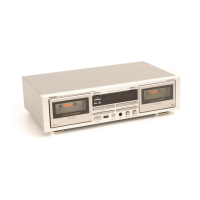
Denon DRM-650S - Key Features

Denon DRM-650S
15 pages
Print Icon
To Next Page IconTo Next Page
To Previous Page IconTo Previous Page
Loading...
Thank
you
very
much
for
purchasing
the
DENON
component.
Stereo
cassette
tape
deck.
DENON
proudly
presents
this
advanced
tape
deck
to
audiophiles
and
music
lovers
as
a
further
proof
of
DENON's
non-compromising
pursuit
of
the
ultimate
in
sound
quality.
The
high
quality
performance
and
easy
operation
are
certain
to
provide
you
with
many
hours
of
outstanding
lis-
tening
pleasure.
TABLE
OF
CONTENTS
FEATURES?
«
oscoy
ic
hod
oy
ae
NS
aida
ts
tai
aerate
ee
5
CONNECTION
seisite
hated
ee
cect
sca
coune
ingested
eM
ate
Puente
eats
weeds
5
NAMES
AND
FUNCTIONS
OF
PARTS
..........020-0
02000
6,7
CASSERTETARES
aaliicuttuctaian
nes
ibis
Mevtiatd
antstvesn
Siet
iyteel
ite
is
7
AUTO
TAPE
SELECT
FEATURE
.......
0...
c
ccc
cece
eee
7
PLAYBACK
is.
a
gin
suhesiielee
gietintes
dade
Winsetina
ht
Magee
ductal
yd
Goddess
8
RECORDING
ices
eareas.
A
tute
bts
Rance dames
Daieieawa
ging
Mae
ghteae
Ne
-8
ROTOATUNING
©
csracsiooct
cay
anunarewra
2
iabhisla
agen
Mearpociss
oa
TREES
8,9
PROPER
RECORDING
LEVEL
........
2.0.0.
c
cece
eee
eee
eee
9
RECORDING
BIAS
ADJUSTMENT
0...
6.
eee
eee
eee
9
REC/REC
MUTE
AND
REC
PAUSE
BUTTON
..................
9
SYNCHRONIZED
RECORDING
FUNCTION
..............0.05.
10
TAPE
COUNTER
AND
MEMORY
STOP
.............-.05-
10,
11
TIMER
RECORDING/PLAYBACK
.
2.0.0.0...
000
c
cee eee
eee
11
DIMMER
ADJUSTMENT
1.0.0...
cece
cence
ees
12
MUSIC
SEARCH
SYSTEM
2...
occ
eee
eee
nee
12
DOLBY
B,
C
AND
S
NOISE
REDUCTION
SYSTEM
............
12
DOLBY
HX
PRO
HEADROOM
EXTENSION
SYSTEM
..........
12
MAINTENANCE?
\.5
gare
dtaneantdtatatceuwa
eleswbers
eds
dels
13
TROUBLESHOOTING)
esse
een
cee
ea
eee
tee
de ae
eee
ees
14
SPECIFICATIONS.
3:...avcnginctiacactoaaiay
ae
aaeeerone
wend
14
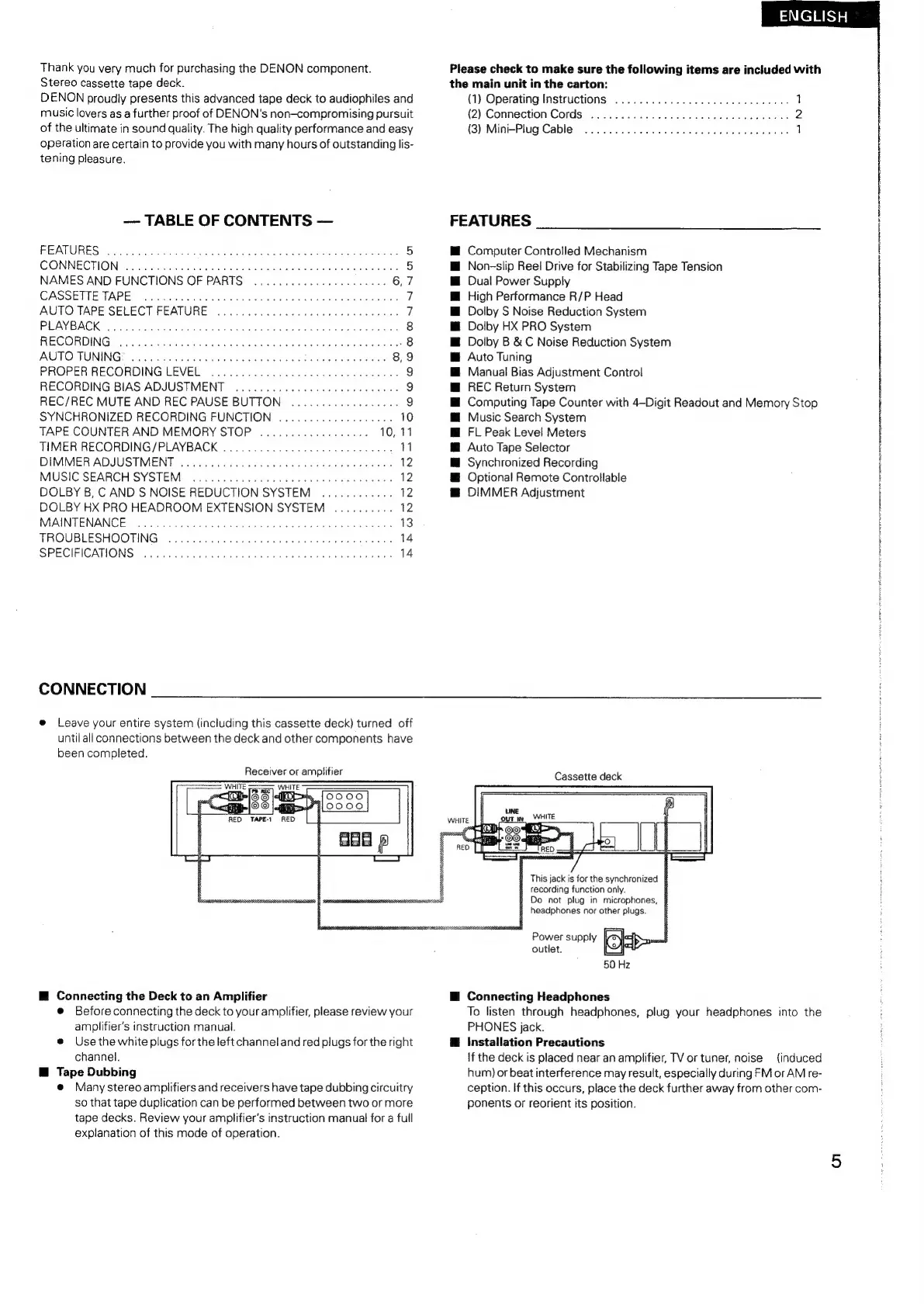
CONNECTION
e@
Leave
your
entire
system
(including
this
cassette
deck)
turned
off
until
all
connections
between
the
deck
and
other
components
have
been
completed.
Receiver
or
amplifier
EH
Connecting
the
Deck
to
an
Amplifier
@
Before
connecting
the
deck
to
your
amplifier,
please
review
your
amplifier’s
instruction
manual.
e@
Use
the
white
plugs
for
the
left
channel
and
red
plugs
for
the
right
channel.
@
Tape
Dubbing
@
Many
stereo
amplifiers
and
receivers
have
tape
dubbing
circuitry
so
that
tape
duplication
can
be
performed
between
two
or
more
tape
decks.
Review
your
amplifier's
instruction
manual
for
a
full
explanation
of
this
mode
of
operation.
Please
check
to
make
sure
the
following
items
are
included
with
the
main
unit
in
the
carton:
(1)
Operating
Instructions
...........
0.0...
c
cee
eee
eee
1
(2)
Connection
Cords
«0.0...
0...
ccc
cece
cence
ees
2
(3)
Mini
Plug
Cables
oi
ci0s0
eas
weed
og
tadenevied
ewes
nero
1
FEATURES
Computer
Controlled
Mechanism
Non-slip
Reel
Drive
for
Stabilizing
Tape
Tension
Dual
Power
Supply
High
Performance
R/P
Head
Dolby
S
Noise
Reduction
System
Dolby
HX
PRO
System
Dolby
B
&
C
Noise
Reduction
System
Auto
Tuning
Manual
Bias
Adjustment
Control
REC
Return
System
Computing
Tape
Counter
with
4—Digit
Readout
and
Memory
Stop
Music
Search
System
FL
Peak
Level
Meters
Auto
Tape
Selector
Synchronized
Recording
Optional
Remote
Controllable
DIMMER
Adjustment
Cassette
deck
8
This
jack
is
for
the
synchronized
B
recording
function
only.
@
Do
not
plug
in
microphones,
§
headphones
nor
other
plugs.
Power
supply
Ok
om
outlet.
QO)
50 Hz
H
Connecting
Headphones
To
listen
through
headphones,
plug
your
headphones
into
the
PHONES
jack.
@
Installation
Precautions
\f
the
deck
is
placed
near
an
amplifier,
TV
or
tuner,
noise
{induced
hum)
or
beat
interference
may
result,
especially
during
FM
or
AM
re-
ception.
If
this
occurs,
place
the
deck
further
away
from
other
com-
ponents
or
reorient
its
position.

Related product manuals