EasyManua.ls Logo

Denon DRM-710 - Page 10

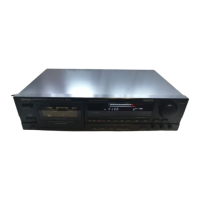
Denon DRM-710
58 pages
Print Icon
To Next Page IconTo Next Page
To Previous Page IconTo Previous Page
Loading...
|
ENGLISH
DOLBY
HX-PRO
HEADROOM
EXTENSION
SYSTEM
This
deck
is
equipped
with
the
DOLBY
HX-PRO
headroom
extension
system.
Since
the
system
functions
automatically
during
recording,
no
switching
operation
or
adjustment
is
required.
The
system
is
effective
with
any
type
of
Normal,
CrO:
or
Metal
tapes.
The
Dolby
HX-PRO
headroom
extention
system
functions
during
recording
to
lift
up
the
saturation
level
in
the
treble
range.
Therefore,
most
of
the
treble
range
components
distorted
or
lost
during
recording
on
conventional
cassette
decks
are
more
faithfully
recorded
on
the
new
DRM
-710
cassette
deck.
MAINTENANCE
Features
of
the
DOLBY
HX-PRO
headroom
extension
system
(1)
Performance
of
Normal
and
CrO;
tapes
can
be
up-
graded
closer
to
that
of
Metal
tapes.
(2)
The
dynamic
range
in
the
treble
is
improved
signifi-
cantly.
(3)
Since
no
decoding
in
playback
is
necessary,
the
improvement
can
be
obviously
heard
on
any
hi-fi
playback
system
including
portable
components
and
car
systems.
(4)
The
system
functions
whether
the
Dolby
B/C
NR
is
engaged
or
not.
B
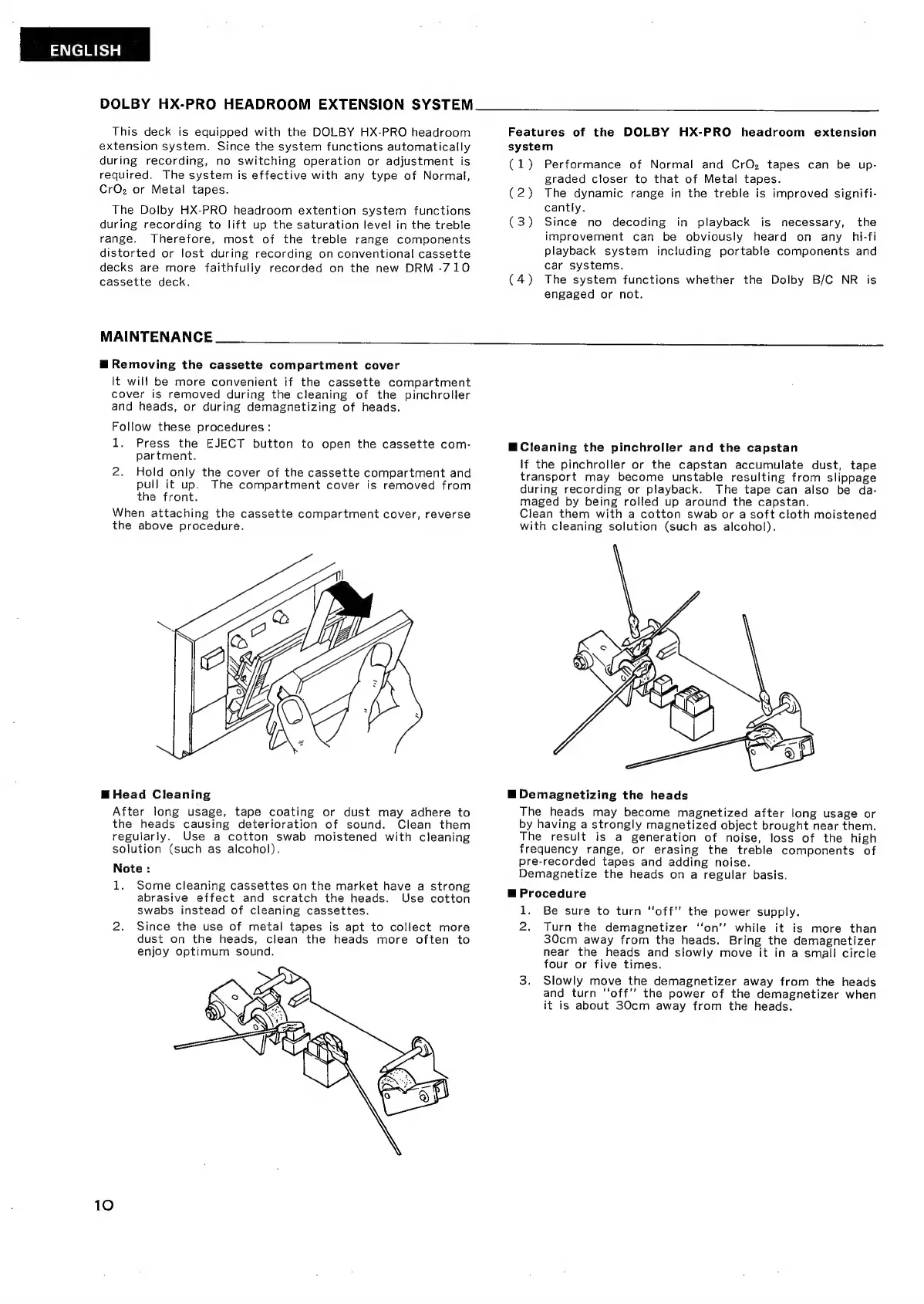
Removing
the
cassette
compartment
cover
It
wil!
be
more
convenient
if
the
cassette
compartment
cover
is
removed
during
the
cleaning
of
the
pinchroller
and
heads,
or
during
demagnetizing
of
heads.
Follow
these
procedures:
l.
Press
the
EJECT
button
to
open
the
cassette
com-
partment.
2.
Hold
only
the
cover
of
the
cassette
compartment
and
pull
it
up.
The
compartment
cover
is
removed
from
the
front.
When
attaching
the
cassette
compartment
cover,
reverse
the
above
procedure.
MW
Cleaning
the
pinchroller
and
the
capstan
If
the
pinchroller
or
the
capstan
accumulate
dust,
tape
transport
may
become
unstable
resulting
from
slippage
during
recording
or
playback.
The
tape
can
also
be
da-
maged
by
being
rolled
up
around
the
capstan.
Clean
them
with
a
cotton
swab
or
a
soft
cloth
moistened
with
cleaning
solution
(such
as
alcohol).
M
Head
Cleaning
After
long
usage,
tape
coating
or
dust
may
adhere
to
the
heads
causing
deterioration
of
sound.
Clean
them
regularly.
Use
a
cotton
swab
moistened
with
cleaning
solution
(such
as
alcohol).
Note
:
1.
Some
cleaning
cassettes
on
the
market
have
a
strong
abrasive
effect
and
scratch
the
heads.
Use
cotton
swabs
instead
of
cleaning
cassettes.
2.
Since
the
use
of
metal
tapes
is
apt
to
collect
more
dust
on
the
heads,
clean
the
heads
more
often
to
enjoy
optimum
sound.
10
B
Demagnetizing
the
heads
The
heads
may
become
magnetized
after
long
usage
or
by
having
a
strongly
magnetized
object
brought
near
them.
The
result
is
a
generation
of
noise,
loss
of
the
high
frequency
range,
or
erasing
the
treble
components
of
pre-recorded
tapes
and
adding
noise.
Demagnetize
the
heads
on
a
regular
basis.
E
Procedure
1.
Be
sure
to
turn
“off”
the
power
supply.
2.
Turn
the
demagnetizer
“on”
while
it
is
more
than
30cm
away
from
the
heads.
Bring
the
demagnetizer
near
the
heads
and
slowly
move
it
in
a
small
circle
four
or
five
times.
3.
Slowly
move
the
demagnetizer
away
from
the
heads
and
turn
“off”
the
power
of
the
demagnetizer
when
it
is
about
30cm
away
from
the
heads.

Related product manuals