EasyManua.ls Logo

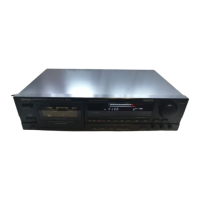
Denon DRM-710 - Specifications

Denon DRM-710
58 pages
Print Icon
To Next Page IconTo Next Page
To Previous Page IconTo Previous Page
Loading...
ENGLISH
SYMPTOMS
OFTEN
MISTAKEN
AS
BREAKDOWNS
Make
sure
of
the
followings
before
you
consider
as
any
If
the
tape
deck
still
does
not
function
properly,
check
malfunctions
:
it
again,
using
the
check
list
below.
1f
the
symptom
does
1.
Are
all
the
connections
correct?
not
correspond
to
the
check
list,
please
contact
your
DENON
Ë
dealer.
2.
Is
the
set
being
operated
correctly
in
accordance
with
the
operating
instructions?
3.
Are
the
speakers
and
amplifiers
functioning
cor-
rectly?
Tape
does
not
run.
Power
cord
is
off.
Check
power
cord.
Tape
is
completely
wound
up.
Tape
is
loose.
Cassette
is
not
loaded
properly.
Rewind
tape.
Tighten
tape
with
pencil,
etc.
Load
cassette
properly.
Defective
cassette.
Replace
cassette.
Tape
is
not
recorded
when
No
cassette
is
loaded.
Load
cassette.
recording
button
is
pressed.
Erase
prevention
tab
is
broken
off.
Cover
hole
with
plastic
tape.
Sound
is
warbled
or
dis-
Heads,
capstan
or
pinchroller
are
con-
Clean
them.
torted.
taminated.
Tape
is
wound
too
tight.
Fast
forward
or
rewind
to
loosen
tape
winding.
Adjust
recording
input
level.
Replace
tape.
Recording
input
level
is
too
high.
Tape
is
worn
out
and
has
“drop-outs”.
Tape
is
worn.
Heads,
capstan
or
pinchroller
are
con-
Excessive
noise.
Replace
tape.
Clean
them.
taminated.
Heads
are
magnetized.
Demagnetize
heads.
Recording
input
level
is
too
low.
Adjust
recording
input
level.
High
frequency
(treble)
is
Dolby
NR
button
is
set
improperly.
Set
Dolby
NR
button
properly.
emphasized.
High
frequency
(treble)
is
Heads
are
contaminated.
Clean
them.
lost.
Tape
is
worn.
Replace
tape.
When
a
CrO:
or
metal
tape
The
cassette
housing
is
of
an
older
design
Use
the
latest
cassette
with
tape
type
is
placed
in
the
deck,
a
dif-
without
tape
type
detection
holes.
detection
holes.
ferent
tape
indicator
comes
on.
The
cassette
tape
cannot
be
If
the
power
switch
is
turned
off
in
either
removed.
the
recording
or
playback
mode,
and
the
unit
is
stopped,
there
may
be
case
when
the
cassette
cannot
be
removed,
even
if
the
EJECT
button
is
pressed.
Turn
the
power
switch
ON
again,
and
then
press
the
stop
(W)
button.
Then,
in
the
stop
mode,
press
the
EJECT
button
to
remove
the
cassette
tape.
SPECIFICATIONS
Type
rennen
Vertical
tape
loading
4-track
2-channel
*
Outputs
stereo
cassette
deck
line...
620
mV
(O
dB)
output
level
at
maxi-
e
Heads..............
Record
&
Playback
(combination
head)
mum:
(with
47
kohm
load,
recorded
x
;
i
level
of
200
pwb/mm)
Erase
(Double
gap
ferrite
head)
x
1
headhone
........
1.2
mW
output
level
at
maximum
Motors.............
Capstan
(DC
servo
motor)
x
1
(optimum
load
impedance
8
ohm~
Reel
(DC
motor)
x
1
1.2
kohm)
Actuator
(DC
motor)
x
1
e
Accessories
........
Parallel
pin
cord
x
2
e
Tape
Speed........
4.8
cm/sec.
«
Fast
forward,
*
Power
supply
......
50
Hz/60
Hz
compatible,
voltage
is
rewind
time........
Approx.
100
sec.
with
a
C-60
cassette
shown
on
rating
label
*
Recording
bias.....
Approx.
105
kHz
*
Power
consumption.16
W
Re
E
Se
S
VAT
*
Dimensions
........
434
(W)
x
124
(H)
x
275
(D)
mm
at
396
evel)
..Dolby
on
...
more
an
"
i
(CCIR/ARM)
Weight.............
4.2
kg
*
Overall
frequency
response
...........
20~20,000
Hz
+3
dB
(at
—20
dB
METAL
tape)
e
Channel
separation.
more
than
40
dB
(at
1
kHz)
WAbove
specifications
and
design
styling
are
subject
to
change
for
improvement.
+
Crosstalk
..........
more
than
65
dB
(at
1
kHz)
E
Dolby
noise
reduction
and
HX
Pro
headroom
extension
«Wow
flutter
.....
0.03896
wrms
(JIS
method),
+0.1%
manufactured
under
license
from
Dolby
Laboratories
+
Inputs
w.
peak
Licensing
Corporation.
HX
Pro
originated
by
Bang
&
line
eoe
cera
80
mV
(—20
dBm)
input
level
at
Olufsen.
maximum
“DOLBY”,
the
double-D
symbol
DO
and
"HX
PRO”
are
Input
impedance
:
50
kohm
unbalanced
trademarks
of
Dolby
Laboratories
Licensing
Corporation.
Best
results
will
be
obtained
with
use
of
DENON
DX
and
HD
Series
cassette
tapes.
11

Related product manuals