EN7
Use and care of the remote control
Installing the battery
Slidethetrayoutonthebackoftheremotecontrolandinsertthebatterywiththe(+)andminus(-)polespointing
intheproperdirection.
• Whenuseforthersttime,pulloutthelmprotrudingthetray.
CAUTIONS
• Removethebatteryiftheremotecontrolisnotusedforamonthorlonger.
• Donotrecharge,disassemble,heatordisposethebatteryonre.
• Donotstorethebatterywithmetallicmaterials.
• Intheeventofbatteryleakage,wipetheremotecontrolcompletelycleanandinstallanewbattery
• When disposing of used batteries, please comply with government regulations or environmental public
institution’srulethatapplyinyourcountry/area.
• Alwayscheckcarefullythatyouareloadingthebatterywithplus(+)andminus(-)polesfacingtheproper
directions.
Using the remote control
Pointtheremotecontrolinthedirectionofthefrontpaneltooperate.
IMPORTANT
• Donotstoretheremotecontrolinhightemperaturesordirectsunlight.
• Donotlettheremotecontrolfallontotheoor,whereitmaybecomejammedunderthebrakeoraccelerator
pedal.
GENERAL OPERATIONS
Turning the unit ON/OFF ( )
Press “ ” button to turn on unit. To turn off, press and hold the button again.
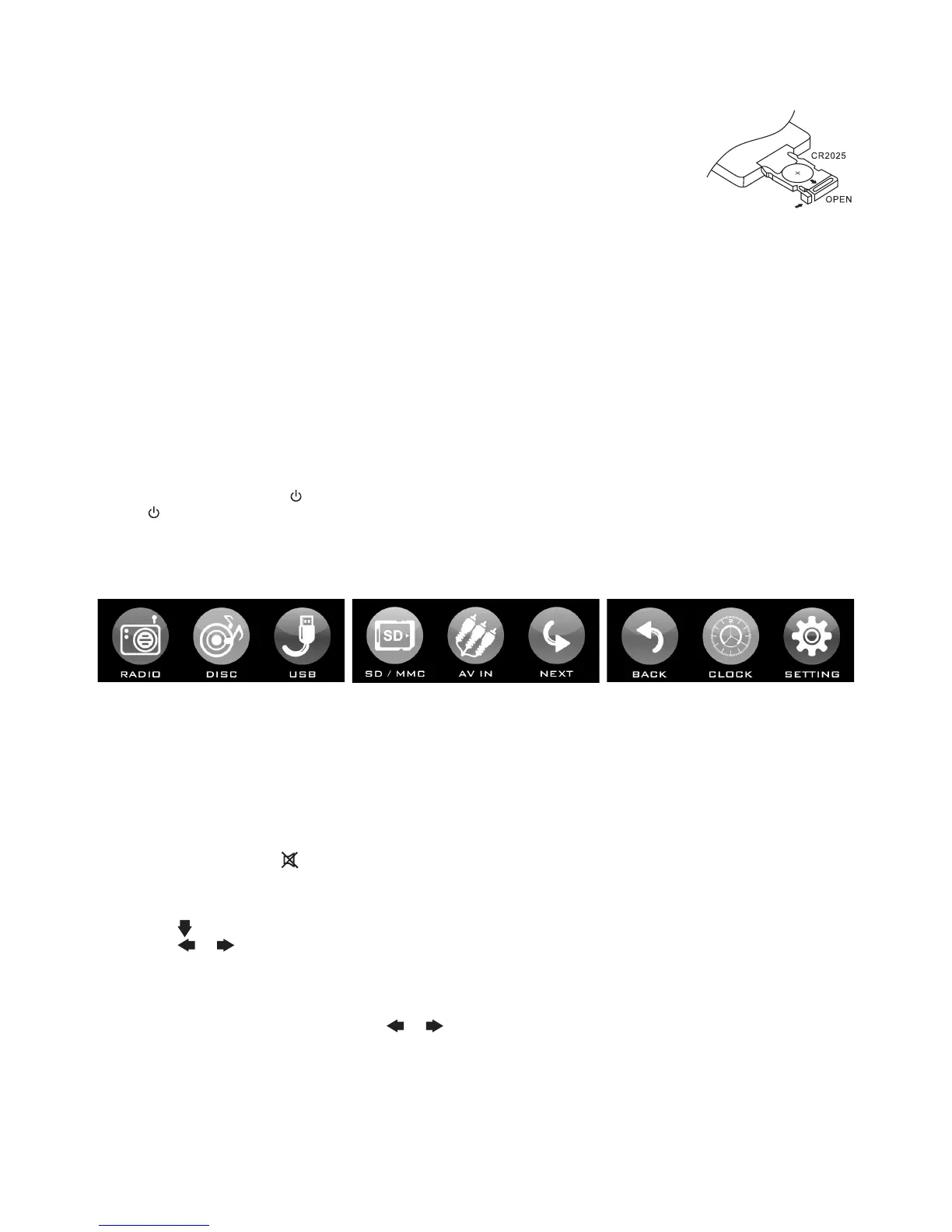
MAIN MENU
Thisisrootofthescreenhierarchyandyoucansimplyaccessallfeaturesbytappingonthetouchscreenbuttons.
PressMODEontheremotecontroltoshowtheMAINMENU.
Selecting a source (MODE)
PressMODE repeatedlytoswitchbetweenTUNER,CD/DVD,AUX,USBorSD/MMCmode.
Adjusting Volume
• HeadUnit:RotateVOL knobrightorlefttoincreaseordecreasevolume.
• RemoteControl:PressVOL+ or VOL- toincreaseordecreasevolume.
Mute Button
• HeadUnit:PressMU buttontomutethesoundatonce.Pressagaintoreturntopreviousvolumelevel.
• RemoteControl:Press button.
Loud Button (LD)
1. PressEQonremote.
2. Press( )toselectLoudness.
3. Press( / onremote)toturnfeatureON/OFF.
Tips:You can also press and hold LD button on remote control.
Equalizer (EQ)
1.PressEQonremote.
2.WithDSPPresetshighlighted,press( / onremote)toselectthedesiredequalizermode.
Tips:You can also press EQ once to enter EQ mode, then repeatedly press EQ button to select the desired EQ
mode.
CLOCK
Toshowclock,switchto
RADIO
modeandpressCLKonremotecontrol.
Tips: You can also tap any area on screen with no function key to show the clock.



 To Next Page