EN8
How to Set Clock
1.PressCLOCKonmainmenu
2.Press( / )tosetthetime.
3.PressXtosaveandexit.
DUAL SETTINGS
DUAL isafeaturethatletsuserlistentoradiowhilethepassengeratthebackcanwatchvideo.Thisunitsupports
connectionofexternalAVdevicesuchasportableTVthroughtheAUDIOOUTandVIDEOOUTport.
1.ConnecttheAUDIOOUTandVIDEOOUTportatthebackofheadunittotheLINEINofexternalAVdevice.
2.PressandholdMODE.SelectDISC,USBorSD/MMCsource.
3.PressDUALkeyonremotecontroltoselectwhichmodeyouwanttocontrol.
T=TUNER,C=CARD,U=USB
Note: You will need to connect an external portable TV or monitor when using this feature. After selecting the
function (T/C/U), adjust the volume through volume knbo (2).
VIEWING PHOTO
1. Insertdisc,USBmemorystickorSD/MMCcardcontainingpictureleformat.
2. Usingremote( / ),selectPHOTOfunctionandpressEnter.
3. Usingremote( / ),selectaletoviewandpressEnter.
4. Duringphotoplayback,touchanywhereonscreentobringuprotatefunction.Thisfunctionallowsuserto
rotatepictureup/down/left/rightbytouchingtherespectivebuttononscreen.
Note: Press Menu on remote control to exit photo playback.
Press Menu on remote control will also go back one level or return to previous menu.
RESET
Resetbuttonisplacedonthehousing.Toreset,useasharppointobjectandpressandholdtheRESETbutton
for2seconds.
Theresetbuttonistobeactivatedforthefollowingreason:
• Initialinstallationoftheunitwhenallwiringiscompleted.
• Allthefunctionbuttonsdoesnotoperate.
• Errorsymbolonthedisplay.
LISTENING TO RADIO
Band (BD)
Pressingthiskeyrepeatedlywilltogglecyclicallybetweeneachband.FM1---FM2---FM3.
Automatic or Manual tuning (SEEK UP / SEEK DN)
Whenpressedshort,thesekeysareoperatedasMANUALtuningmode.
Whenpressedlongerthan1sec.,theyareoperatedasAUTOMATICtuningmode.
Auto Seek/Preset scan (AS/PS)
Preset Scan (PS) -Bypressingshortly,theradioplayseachpresetstationfor5seconds.
Auto Seek (AS) -Bypressinglongerthan1sec,autoseekisactivated.The6strongeststationsarepreset
andstoredinthecorrespondingpresetnumber.WhenAutoSeek
operationisnished,theradioexecutesthepresetscan.
Storing and Recalling Frequencies
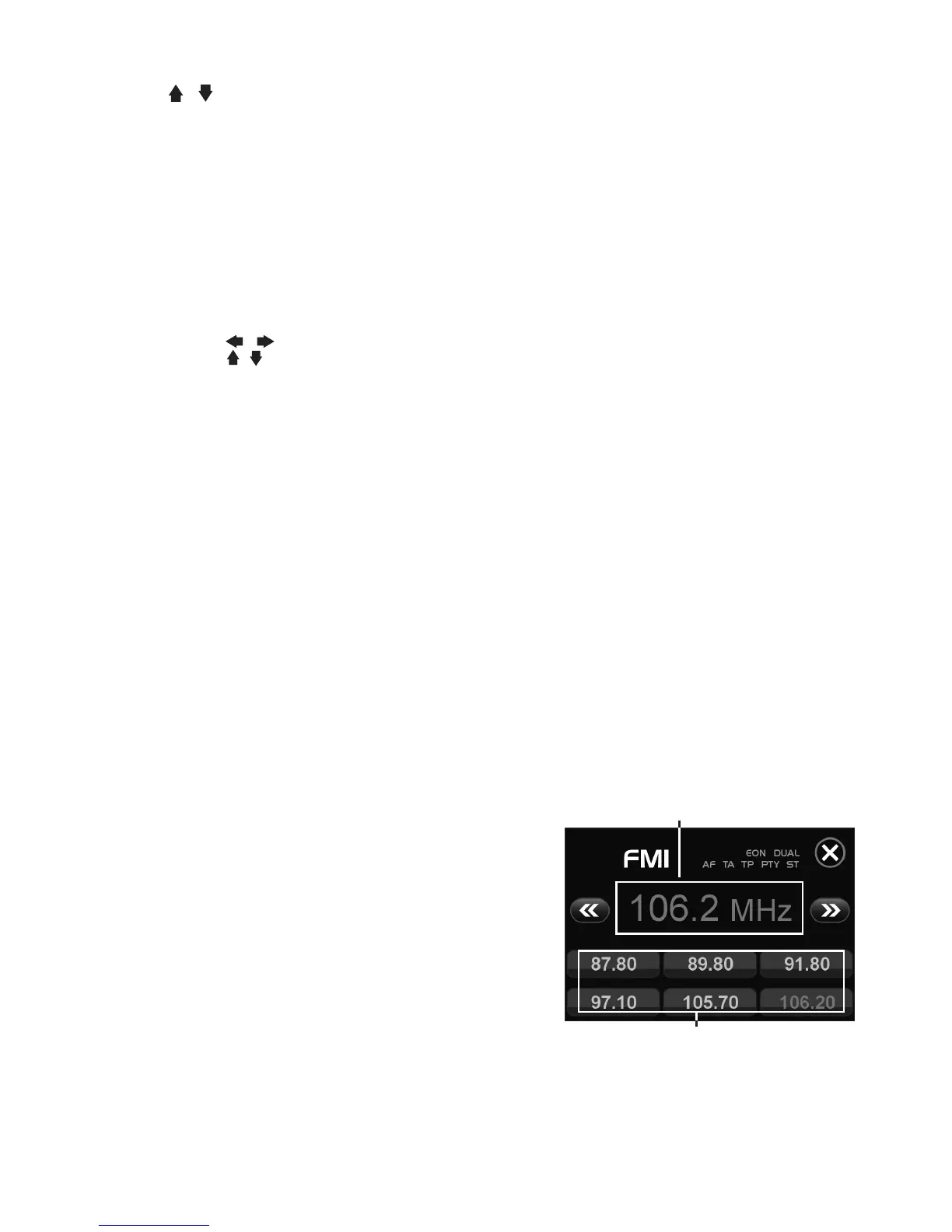
IfyoupressanyoftheNUMBER(1-6)youcaneasilystoreupto
sixbroadcastfrequenciesforlaterrecallwiththetouchofabutton.
1.ChooseadesiredBAND.
2.Whenyoundafrequencythatyouwanttostoreinmemory,
pressaNUMBER(1-6)andholduntilthepresetnumbershows
andlitinthedisplay.
3.Theselectedradiostationfrequencyhasbeenstoredinmemory.
ThenexttimeyoupressthesameNUMBER(1-6)theradiostation
frequencyisrecalledfrommemory.
Note: Up to 18 FM stations can be stored in the memory.
USING THE RDS FUNCTION
What is RDS?
TheRDS(RadioDataSystem)isadigitalinformationsystemdevelopedbytheEBU(EuropeanBroadcastUnion).
Piggy-backedonnormalFMbroadcasts,RDSoffersavarietyofinformationservicesandautomaticretuning
functionsforRDS-compatiblecarstereos.In1988,RDSbecameavailableintheUnitedKingdom,France,West
Germany,IrelandandSweden.
PresetMemoryStation1-6
CurrentlyTunedStation



 To Next Page
 Loading...