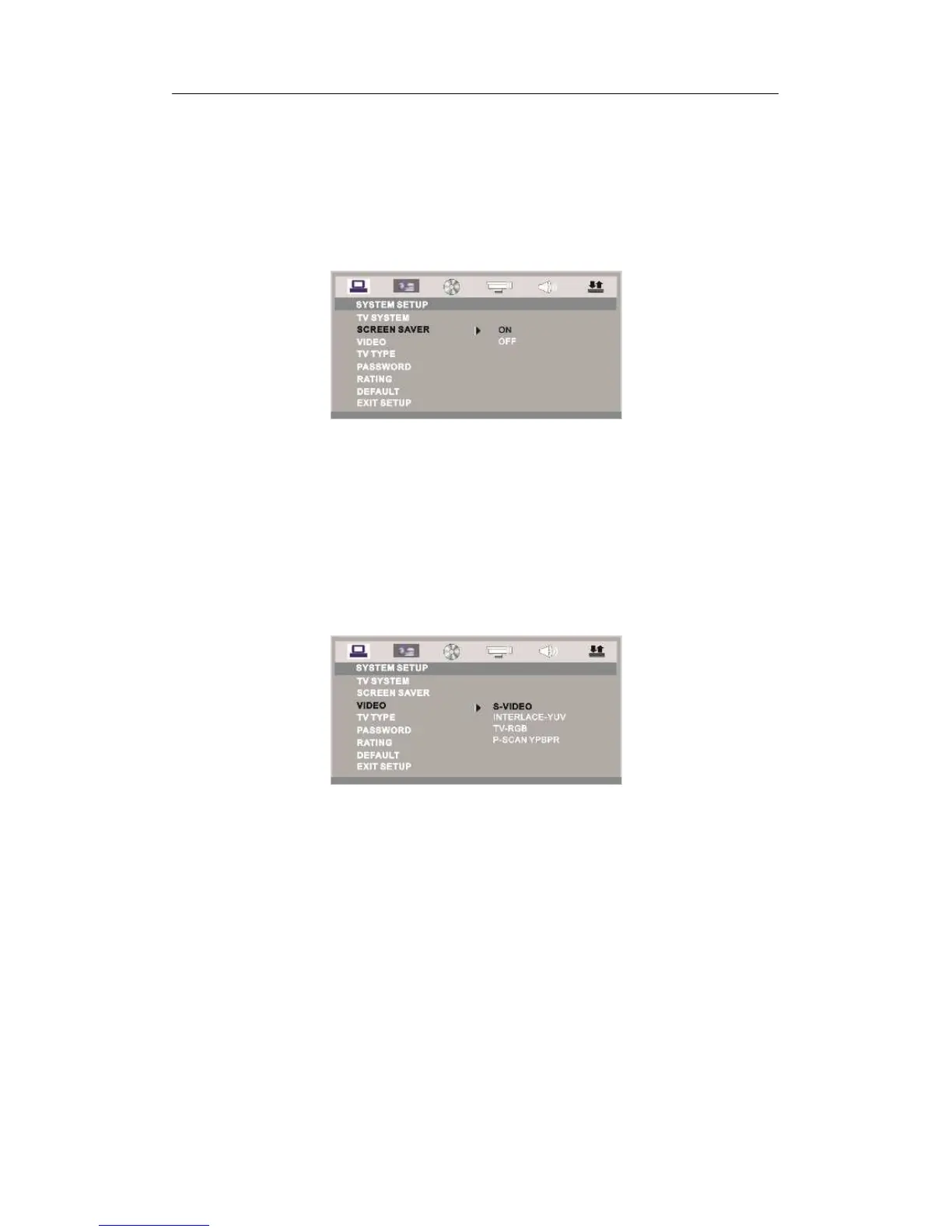
SCREEN SAVER
If the screen saver is on, when your DVD player is in Stop, Open, or No Disc state, or
there is a frame frozen for more than 15 sec, the screen saver will be displayed. This feature
can protect the screen from damage.
ON: Choose this setting to activate the screen saver.
OFF: Choose this setting to cancel the screen saver
The default setting is ON.
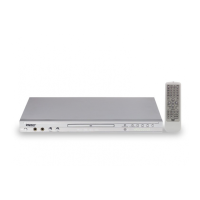
VIDEO
S-VIDEO: You can choose this option if the DVD Player connects to the TV
through S-Video adapter or compound video output.
Interlace-YUV: Choose this setting if your DVD player is connected to a TV with Y,
Cb, Cr video cables.
TV-RGB: Choose this setting if your DVD player is connected to a TV with an
Scart cable or composite video cables.
P-SCAN: Choose this setting if your DVD player is connected to a progressive
scan TV with Y, Cb, Cr video cables.
Notes:
When the MPEG 4 DVD player output is composite video, you can choose the
setting randomly.
Choose TV-RGB / P-SCAN if the MPEG 4 DVD player is connected to a
progressive scan TV.
The default setting is S-VIDEO.
TV TYPE
16 : 9 (Wide Screen): Choose this setting if the MPEG 4 DVD player is connected
to a wide screen TV. If you choose this setting and you don’t have a wide screen TV,
the images on the screen may appear distorted due to vertical compression.
4 : 3 LB (Letter Box): Choosing this setting if the MPEG 4 DVD player is
connected to a normal ratio TV. Connector. You’ll see the movies in their original
aspect ratio (height-to-width ratio). You’ll see the entire frame of the movie, but it



 To Next Page