Chapter 5
The Card Reader & USB Function Operation
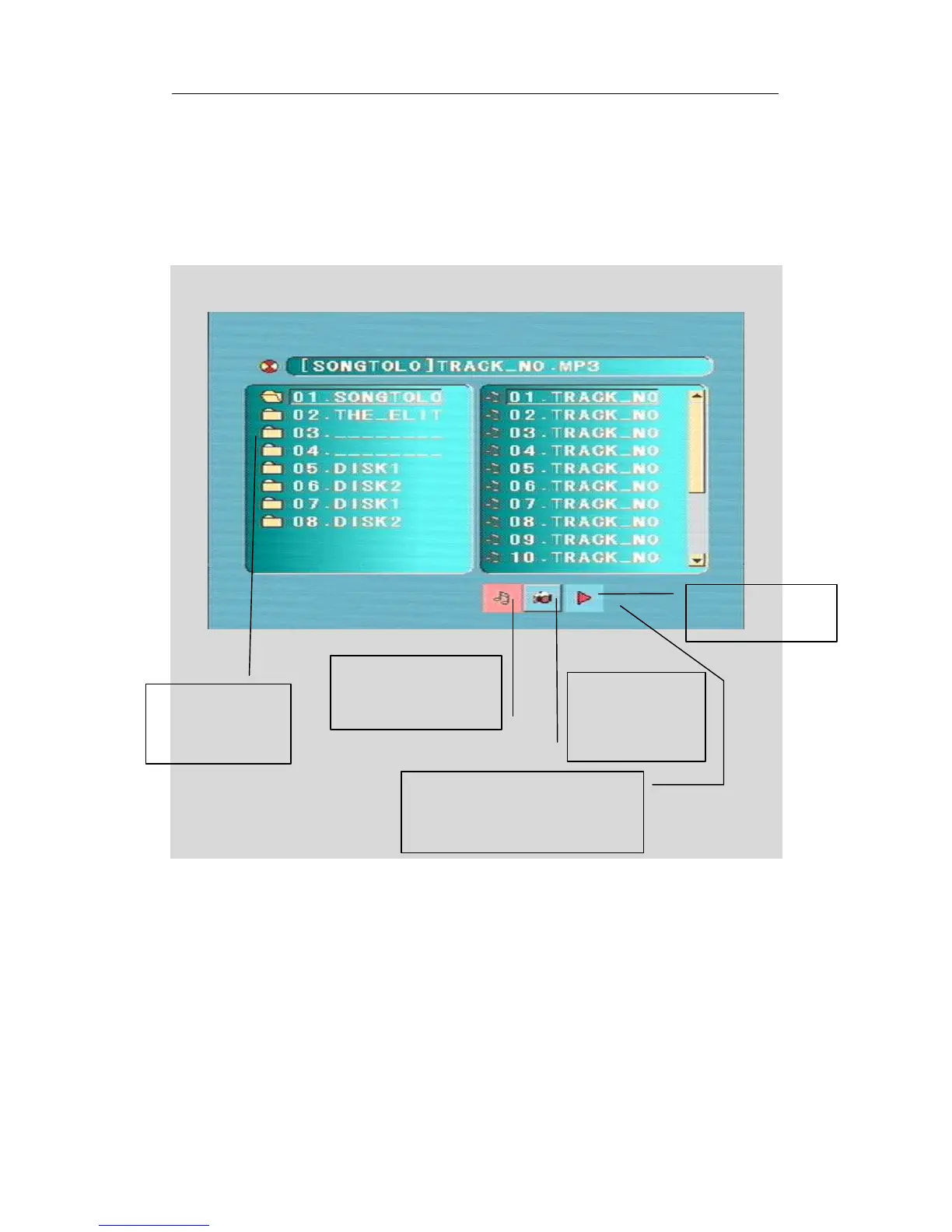
After insert SD/MS/MMC Card or USB, and the player will auto search the directories saved
MP3 / JPEG / BMP / GIF files. After searching, it will auto go to the first directory saved
MP3 files (to the disc containing both mp3 and jpeg files; To the disc containing single type of
files, it will auto go to the first directory) and play the first song in the directory (“01:” is
highlighted).The screen displays as the picture below:
Choose the table of contents you want to play by moving the direction keys. Play the first
track under this contents list. You may choose the file you want to play by moving the direction
keys.
Notice:
If the SD/MS/MMC or USD interface can’t read file when playing a disc, you have to stop
playing and insert SD/MS/MMC card or USB, then the file can be read.
The playing file is a
MP3/WMA music.



 To Next Page