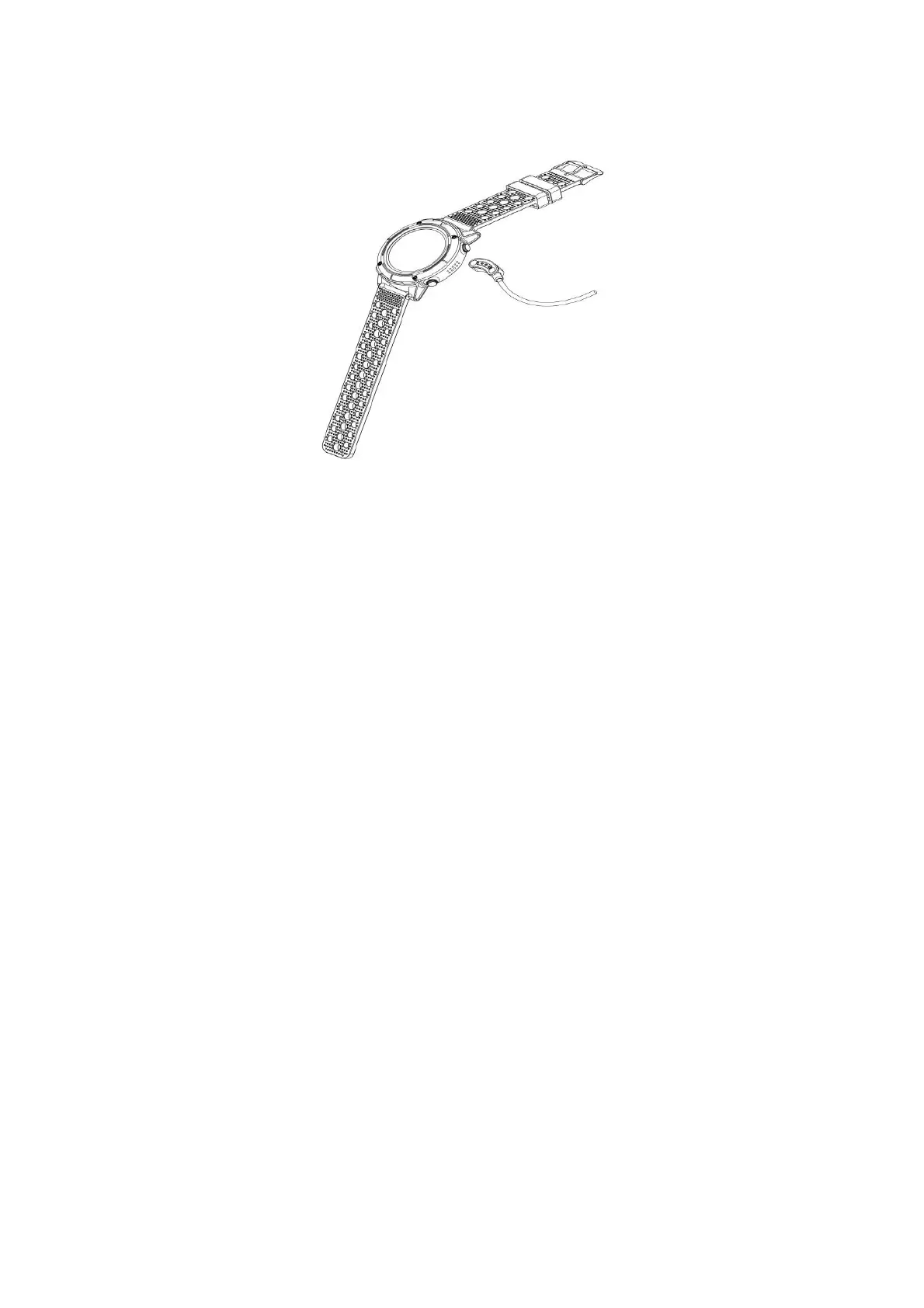
• It takes 2-hours to fully charge the smart watch, please
follow steps below to charge.
1. Make sure the POGO-pins on the charging cable fit correctly
onto the charging terminals on the back of smart watch.
2. Plug the big end of the USB cable to a power source.
How to use
Turn on: Hold press power button in 3 seconds
Go to main menu: Swipe from right to left on watch face
interface
Switch main menu: Swipe up/ down
Confirm: Tap the icon
Exit: Swipe from left to right
Return to watch face interface: Short press power button on any
interfaces
Sport mode shortcuts: Short press the shortcut key for sport
mode
Check notifications: Swipe from left to right on watch face
interface
Switch submenu/ shortcuts: Swipe up/ down
Turn off: Hold press power button in 3 seconds
•
ENG-3


 To Next Page