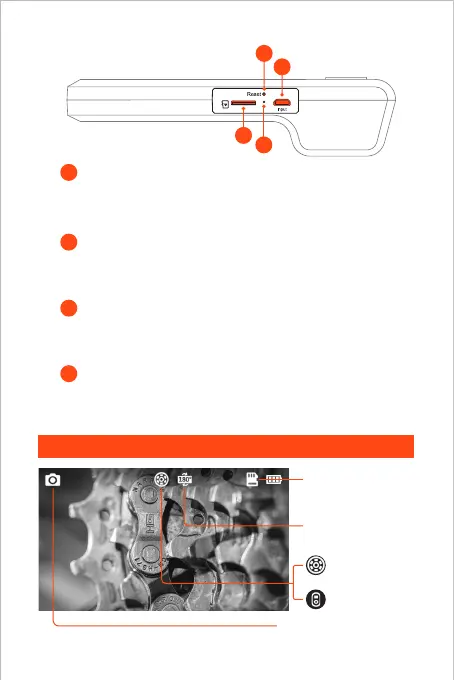
Charging Status LED indicator
TF Card Slot
10
11
• Short click the reset button with the reset pin to shut
down the device
Reset Button
8
9
• Support up to 32G TF card
• Please format it for the first time of usage
Micro-USB Charging Port
• For charging (Micro-USB cable connected to the adapter)
• For data transmission (Micro-USB cable connected to PC client)
03
UI Introduction
• Red LED indicator flash: Charging status
• Red LED indicator stay on: Charging finished
Photo Shoot / Video Record
Main Lens
TF Card Status
Side Lens
Screen Rotation 180°
9
8
11
10



 To Next Page