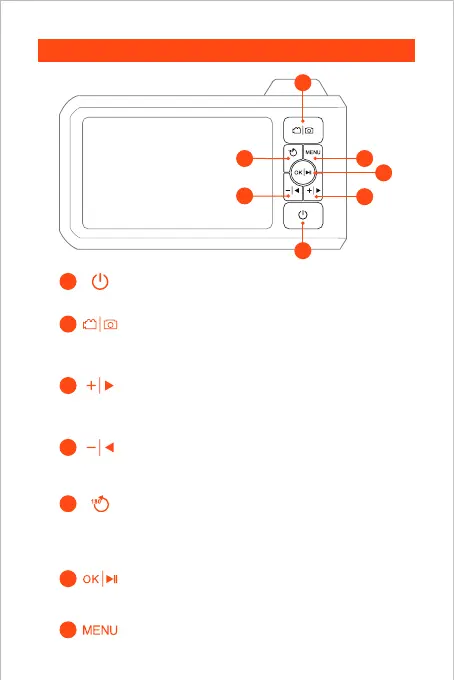
Product Introduction
3
4
5
6
2
1
• Hold this button for 2s to power on/off the endoscope
• Single press to take a photo
• Hold this button for 2s to start or end video record
• Click to dim the LED lights of the camera
• Move the cursor up(In the menu)
• Click to rotate the real-time image 180°
• Hold this button for 2s to switch main/side camera
(Only applicable to dual-lens products)
• Click to brighten the LED lights of the camera
• Move the cursor down(In the menu)
• Hold this button for 2s to enter/exited the album
• Click to confirm choices(In the menu)
7
• Click to enter the menu
02
6
1
3
7
5
4
2



 To Next Page