Aesthetic Technology Limited
24 25
PL-027 (Rev 7) PL-027 (Rev 7)
19.3 Startup & Shutdown
19.3.1 Startup
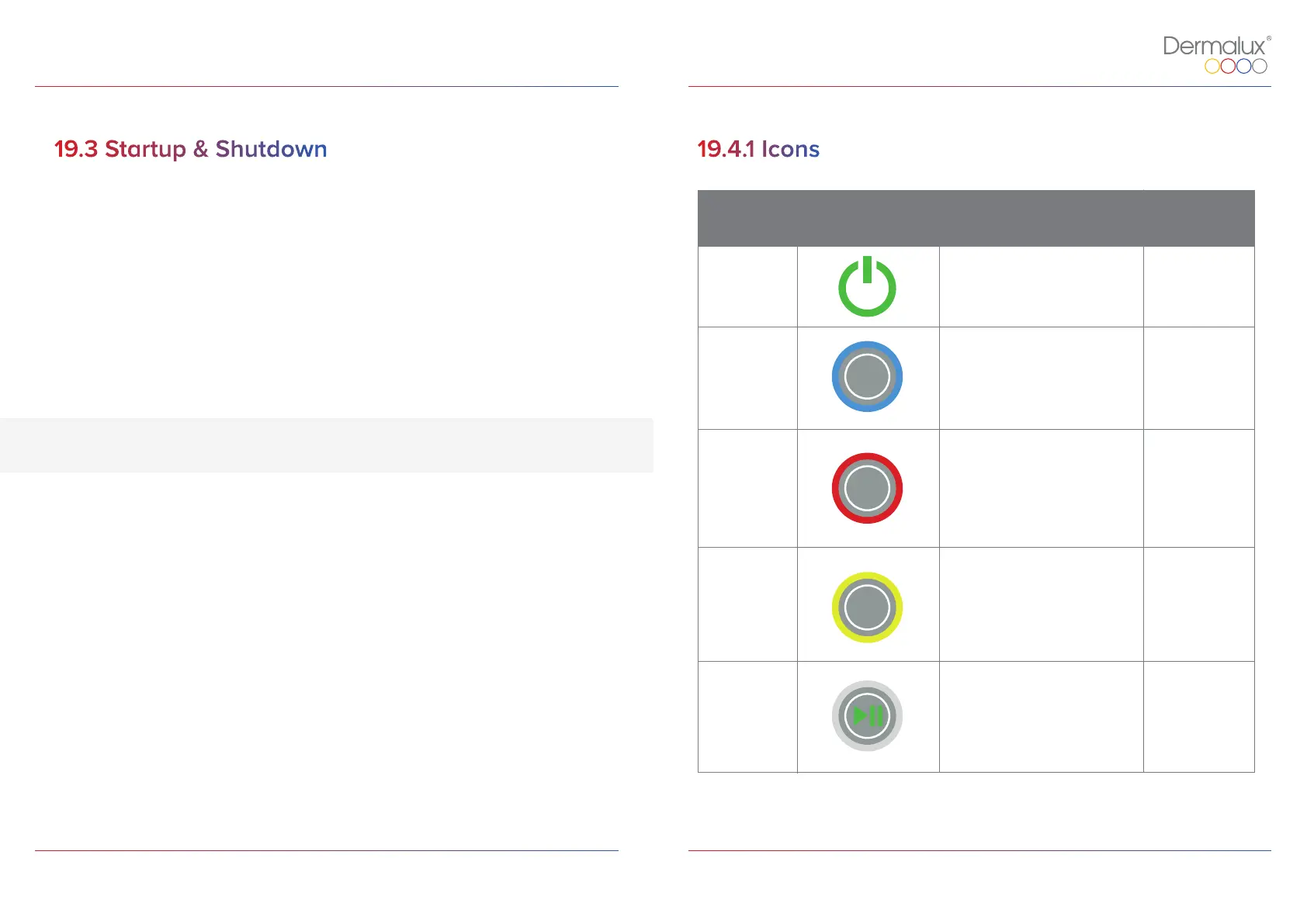
Once the Dermalux® Flex MD is connected to a mains socket, switch on using the power
button on the Controller (the button will light up in green). Refer to icon in Table 2 on page
25. Button Reference ID 1.
19.3.2 Shutdown
To initiate a shutdown, press the power button on the Controller. When not in use unplug
from the mains power socket. Refer to icon in Table 2 on page 25. Button Reference ID 1.
19.4 Selecting a Program
The following table identifies the universal icons that shall be used throughout the
Controller display software.
The Flex MD device does not require a cool down period
19.4.1 Icons
Name
Icon Description
Button
Reference ID
Power
Turn device on and o
1
Blue
Activates Blue LED’s for
treatment
2
Red
Activates Red LED’s for
treatment
3
NIR
Activates Near Infra-Red
LED’s for treatment
4
5Play
Initiates 30 minute
treatment with pre-selected
LED wavelengths.
*Note the key functions will be labelled throughout the document as their button reference number.
BLUE
RED
NIR
Table 2: Flex MD Control Buttons.


 To Next Page