Aesthetic Technology Limited
32 33
PL-027 (Rev 7) PL-027 (Rev 7)
19.4.7 Blue & NIR Treatment
* Navigation: Home - Blue & NIR Treatment
Button/ ID Function
Requirement
2
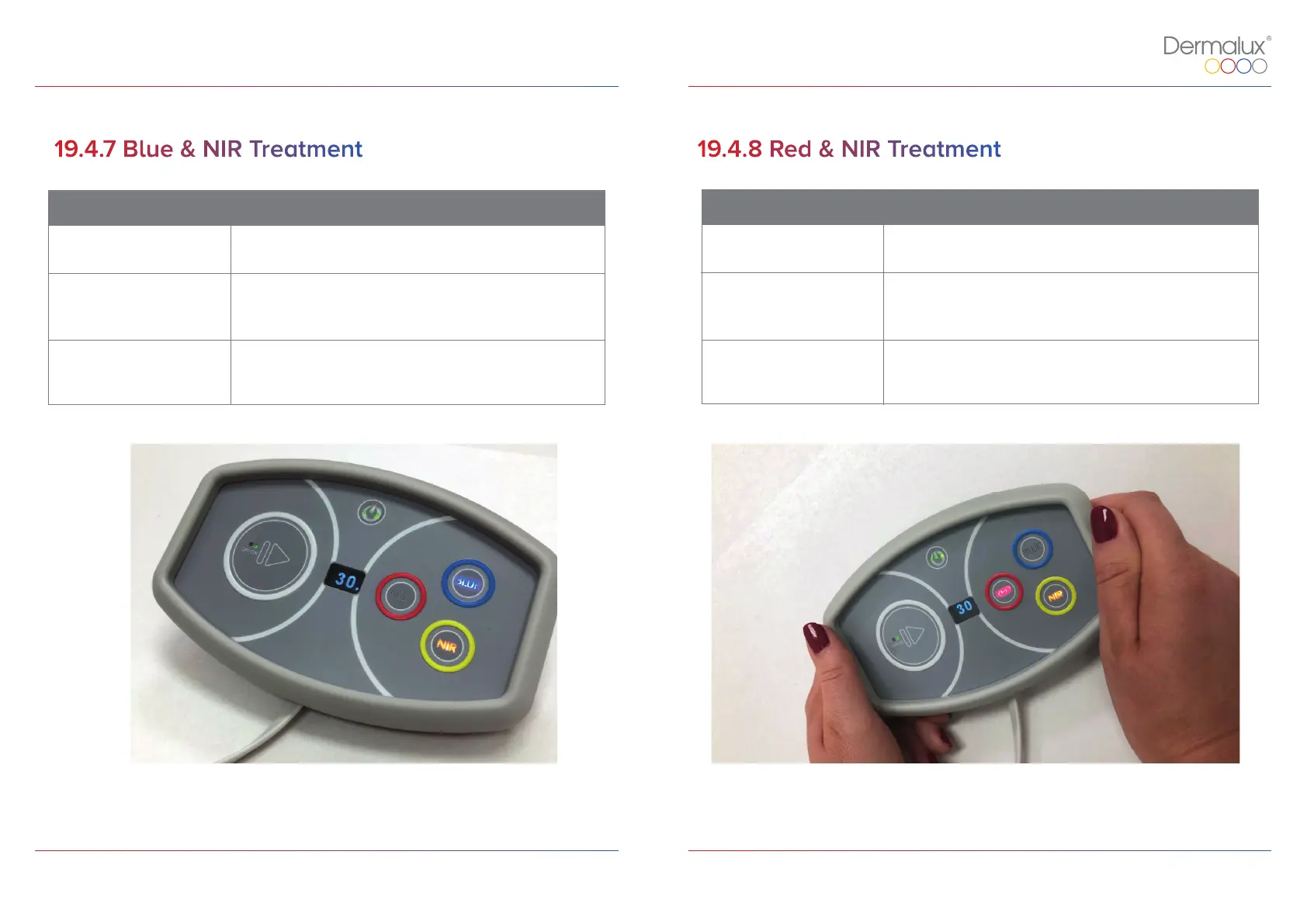
Press the BLUE button to activate blue LED’s.
This is indicated by the button illuminating in blue.
4
Press the NIR button to activate near infra-red LED’s.
This is indicated by the button illuminating in yellow.
5
In the BLUE & NIR TREATMENT screen, if the PLAY button
is pressed the treatment is in progress or paused.
Figure 13: Controller Overview for Blue & NIR Treatment.
19.4.8 Red & NIR Treatment
Button/ ID Function
Requirement
3
Press the RED button to activate red LED’s.
This is indicated by the button illuminating in red.
4
Press the NIR button to activate near infra-red LED’s.
This is indicated by the button illuminating in yellow.
* Navigation: Home - Red & NIR Treatment
5
In the RED & NIR TREATMENT screen, if the PLAY button is
pressed the treatment is in progress or paused.
Figure 14: Controller Overview for Red & NIR Treatment.


 To Next Page