Aesthetic Technology Limited
26 27
PL-027 (Rev 7) PL-027 (Rev 7)
19.4.2 Detailed Software Walk Through
1. If the POWER button is pressed at any time the device will turn off and any treatment
will be cancelled.
2. If the PLAY button is pressed any treatment in progress will pause until resumed
(by pressing PLAY again) or cancelled (by pressing the POWER button).
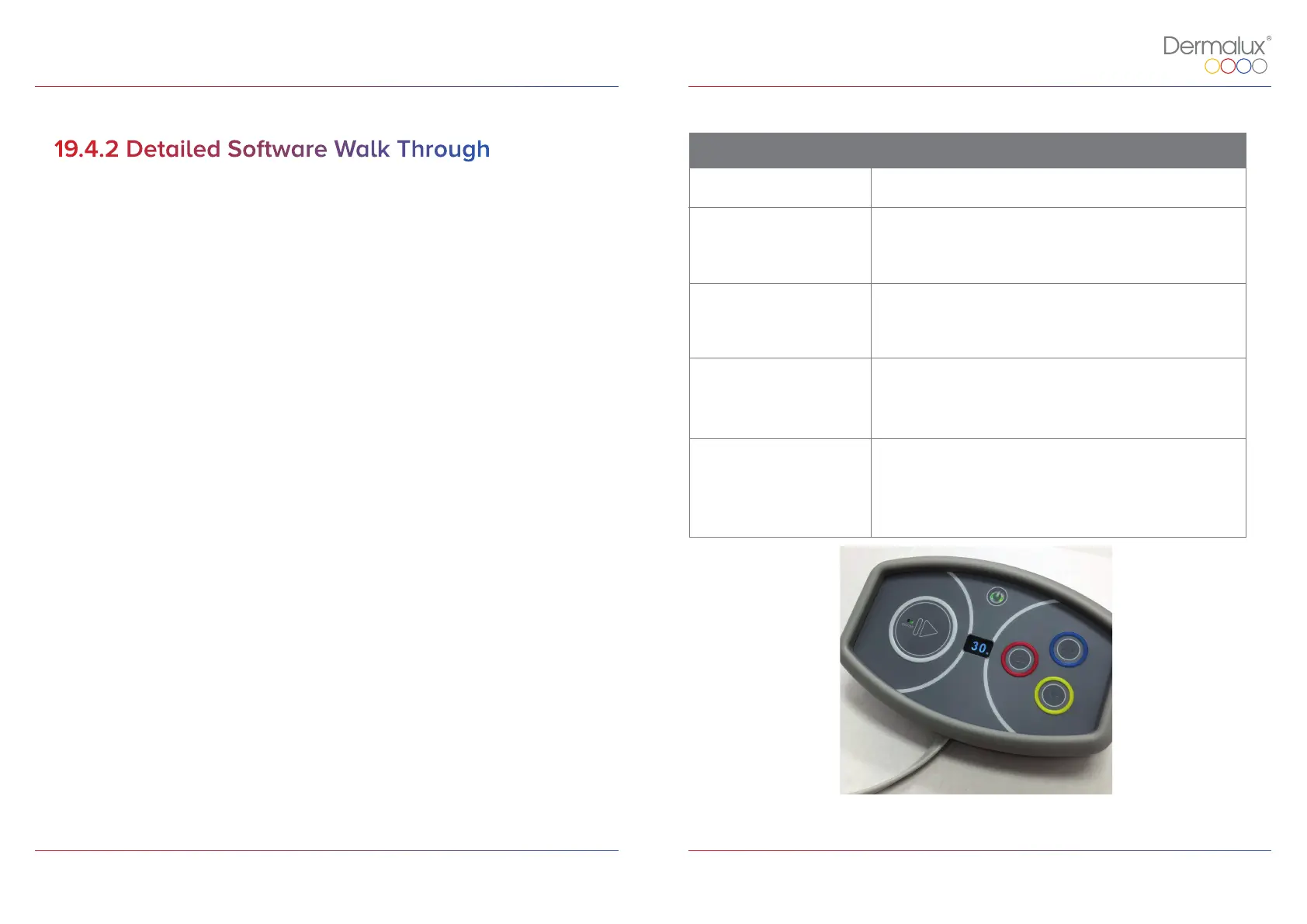
3. If the BLUE, RED or NIR buttons are pressed at any time during a treatment,
the corresponding wavelengths will be selected or deselected.
Button/ ID Function
Requirement
N/A
Upon successful completion of initialisation, the POWER
button will illuminate in green.
2
In the HOME screen, if the BLUE button is pressed, the blue
LED’s will be selected for the treatment and the button will
illuminate Blue.
*To deselect blue LED’s press BLUE button again.
3
In the HOME screen, if the RED button is pressed, the red
LED’s will be selected for the treatment and the button will
illuminate Red.
*To deselect red LED’s press RED button again.
4
In the HOME screen, if the NIR button is pressed the near
infra-red LED’s will be selected for the treatment and the
button will illuminate Yellow.
*To deselect near infra-red LED’s press NIR button again.
5
In the HOME screen, if the PLAY button is pressed the
treatment will initiate with whichever LED wavelengths
were previously selected.
*If no wavelengths have been selected (BLUE, RED, NIR) the
PLAY button cannot be selected.
* Navigation: Home
Table 3: Flex MD Function
Overview.
Figure 8: Controller Overview, Home.


 To Next Page