24
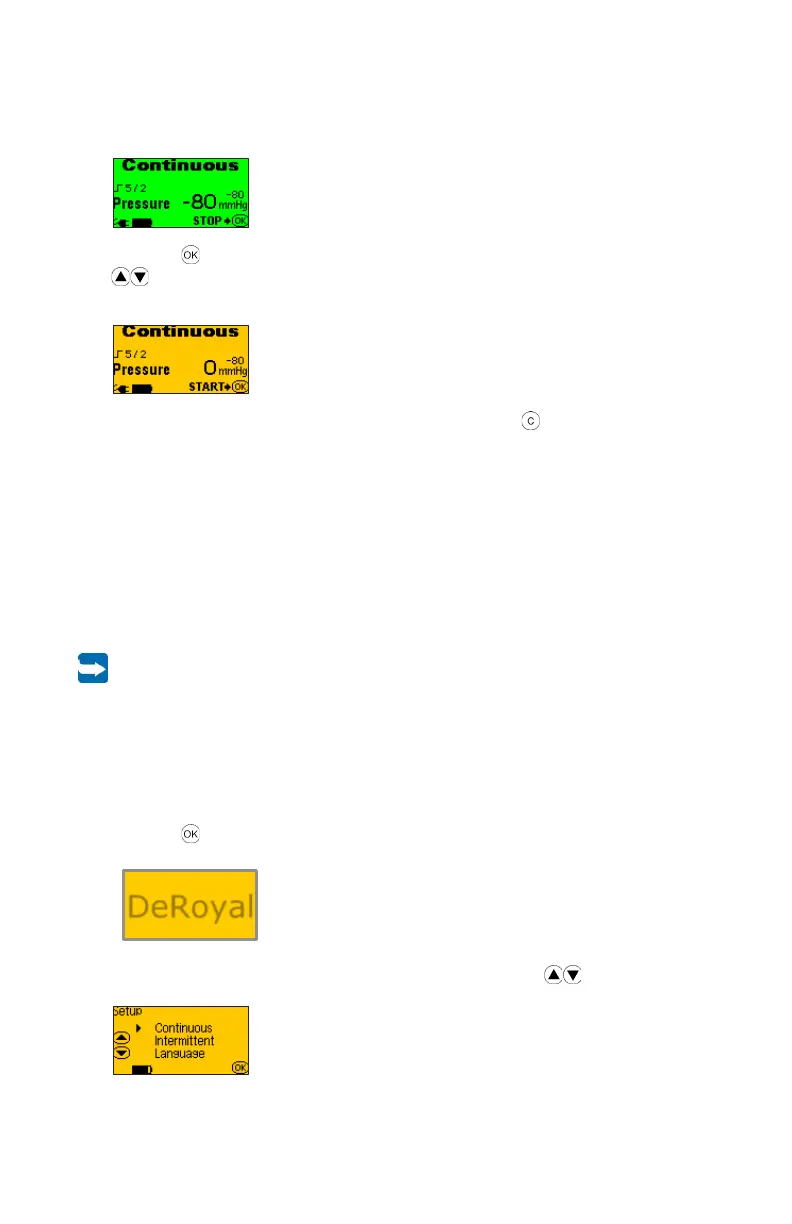
9. If the bar graph screen is no longer displayed, the following therapy screen is
displayed:
10. Press the button again to stop the therapy. User may have to unlock screen using
arrow buttons.
11. You get back to the overview screen:
12. Switch off the PRO-II
®
or PRO-III
®
device by pressing the button for 3 seconds.
3.2.3 Intermittent operation
In the intermittent operating mode, the PRO-II
®
and PRO-III
®
devices alternates between a
high and a low vacuum within predefined time intervals.
The time intervals for high or low vacuum can be set separately from 2 to 10 minutes in
increments of 0.5 minutes.
The low vacuum can be set in a range from -20 mmHg to -100 mmHg in increments of
5 mmHg. The high vacuum can be set in a range from -30 mmHg to -200 mmHg in
increments of 5 mmHg.
The setting of the low vacuum cannot be set higher than the setting of the high
vacuum.
The following values are preset:
High Vacuum -80 mmHg
Low Vacuum -40 mmHg
Max Time 10 minutes
Min Time 2 minutes
1. Press the button for 1-2 seconds to switch on the PRO-II
®
or PRO-III
®
. The
following start screen is displayed for 5 seconds:
2. While the start screen is displayed, simultaneously press the arrow buttons. The
menu Setup is displayed.
DeRoyal
25
3. Use the arrow buttons to select the Intermittent menu.
4. Use the button to confirm your choice.
5. Use the arrow buttons to set the prescribed high vacuum value.
6. Confirm the setting by pressing the button.
7. Use the arrow buttons to set the prescribed low vacuum value.
8. Confirm the setting by pressing the button.
9. Use the arrow buttons to set the prescribed time value for the high vacuum.
10. Confirm the setting by pressing the button.
11. Use the arrow buttons to set the prescribed time value for the low vacuum.
12. Confirm the setting by pressing the button.
13. The display shows the set parameters in an overview again.
14. Press the button to start the therapy. A timing bar will appear to visually display
the amount of time remaining for the prescribed pressure level prior to changing to the
secondary pressure level.
or
15. Press the button to stop the therapy again.



 To Next Page