26
16. You get back to the overview screen.
17. Switch off the PRO-II
®
or PRO-III
®
devices by pressing the button for 3 seconds.
3.2.4 Language selection
The PRO-II
®
and PRO-III
®
devices allow the user to select a language at initial startup. The
selected language is stored and automatically loaded at each startup. To customize the
language, follow these steps:
1. Press the button for 1-2 seconds to switch on the PRO-II
®
or PRO-III
®
devices. The
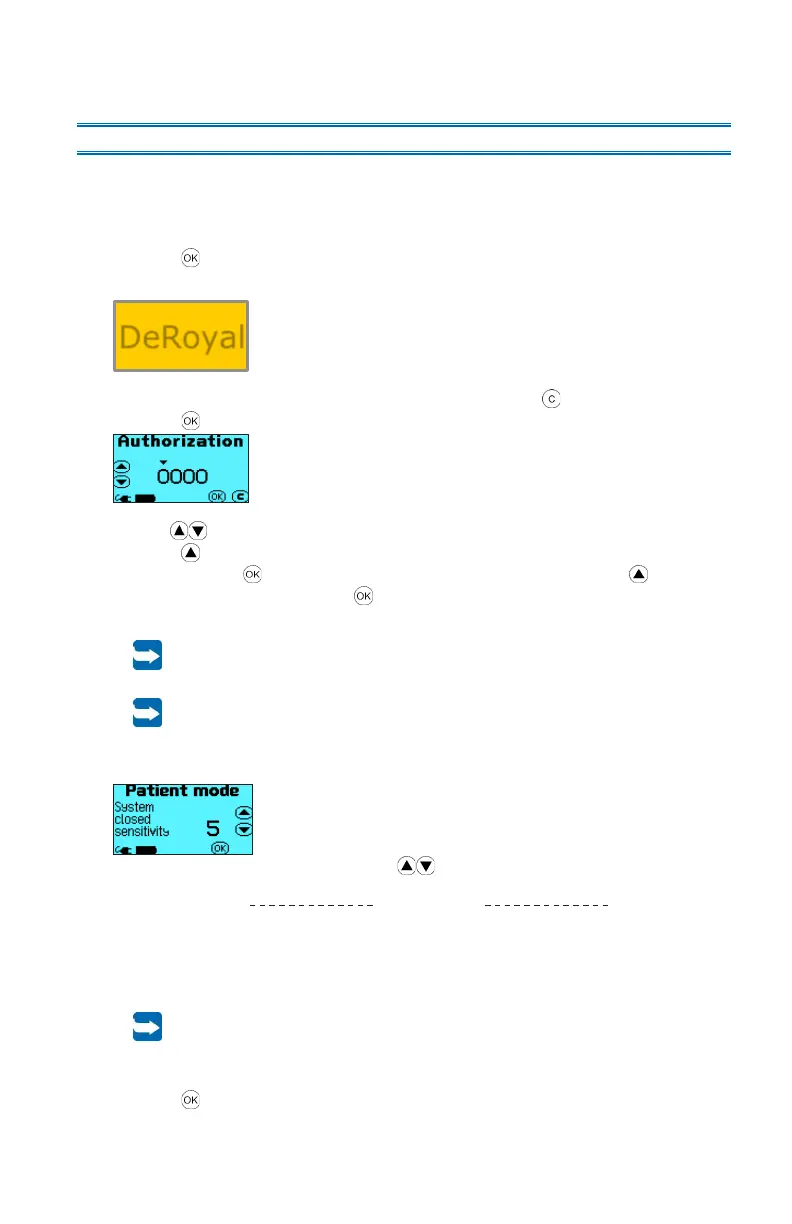
following start screen is displayed for 5 seconds:
2. While the start screen is displayed, simultaneously press the arrow buttons. The
menu Setup is displayed.
3. Use the arrow buttons to select the Language menu.
4. Use the button to confirm your choice.
5. Use the arrow buttons to select the desired language:
6. Use the button to confirm your choice.
3.2.5 Alarm delay at startup
At startup of the PRO-II
®
or PRO-III
®
device, the alarm “System closed” for
kinked tubing or too tight wound dressing and the alarm “Check dressing seal”
are delayed for 60 seconds to ensure that the wound dressing can be placed
without activating alarms.
27
3.3 Patient Mode
The PRO-II
®
and PRO-III
®
devices allow the user to select patient mode at startup. In
patient mode, the settings for the alarm sensitivities “System closed” and “Check dressing
seal” as well as the patient runtime can be viewed and reset. To select the patient mode,
follow these steps:
1. Press the button for 1-2 seconds to switch on the PRO-II
®
or PRO-III
®
device. The
following start screen is displayed for 5 seconds:
2. While the start screen is displayed, press and hold down the button and additionally
press the button for 1-2 seconds. The Authorization screen is displayed.
3. Use the arrow buttons to enter the “1111” code.
Press the arrow button until the desired digit of the code is displayed and confirm
the entry with the button. Select the other digits of the code with the arrow
button and confirm them with the button as well.
The authorization code may only be passed to specially trained personnel.
You will get the training and the authorization code by DeRoyal or an
authorized distribution partner of DeRoyal.
Passwords must be treated as confidential information to prevent misuse.
4. After the authorization, the sensitivity setting of the alarm “System closed” is
displayed.
The sensitivity can be adjusted with the arrow buttons.
(delayed triggering of the
alarm)
(rapid triggering of the alarm)
When the sensitivity is set to “1,” the device detects a full canister or a
blocked filter only.
For this setting, it is highly recommended to reduce the interval time for
checking the dressing seal by the healthcare personnel to detect potential
blockings in the aspirating system promptly.
5. Press the button to confirm the entry.
DeRoyal



 To Next Page