9 / 43
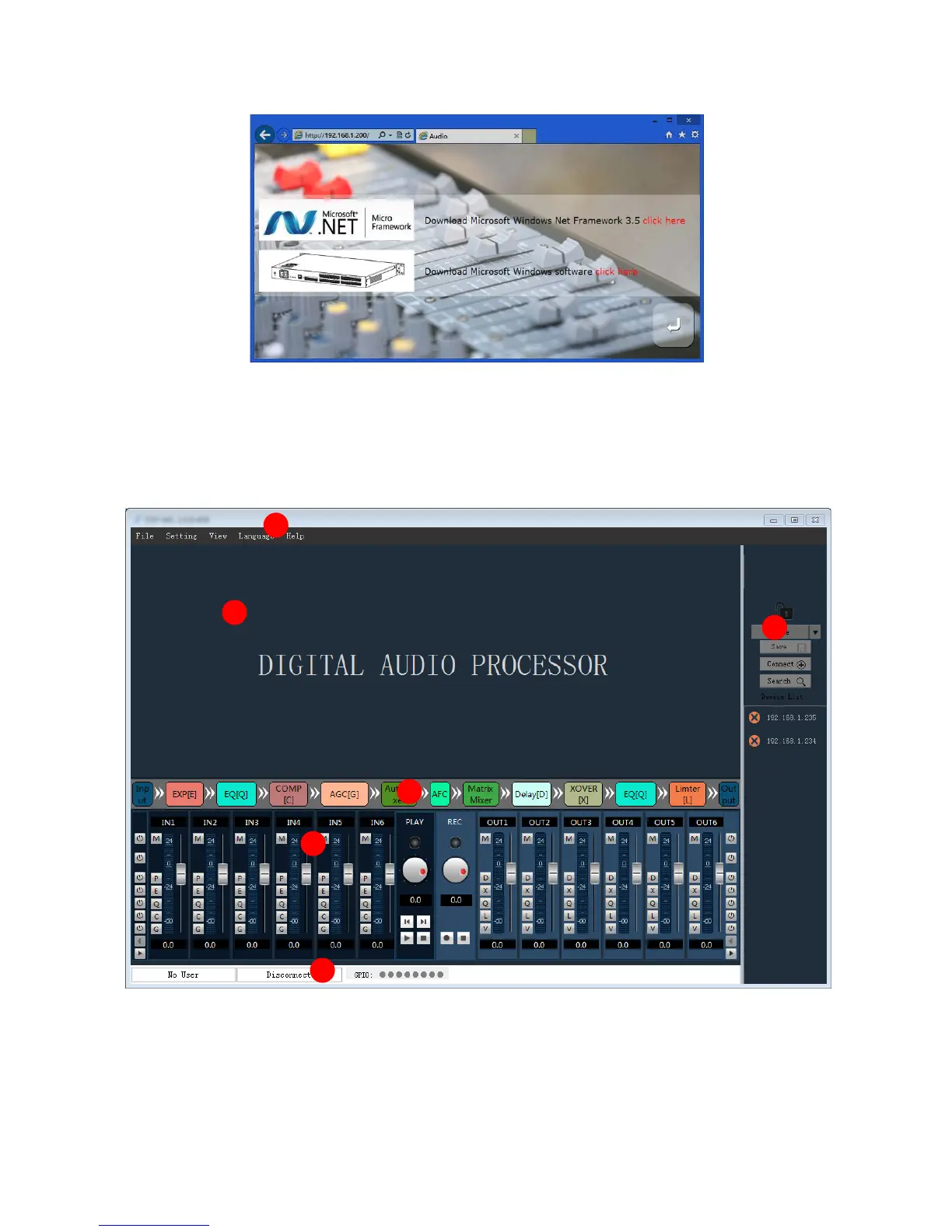
Download:Download the control software, the software supports XP, Win7, Win8 operating system.
Before you install the software, please ensure that the PC terminal has been installed Net Framework3.5 or
above version.
Note: in some systems (such as WIN8) to install the software, will pop-up operation "user account control
information", please click "OK" to run upgrade the software permission.
Software installation is completed, open the PC control software are as follows:
1.The menu bar and toolbar menu bar: various functions of software menu
2. The processor parameters control area: the hidden part can drag or scroll the mouse display, supports copy
/ paste function.
3. Process control area: audio data flow chart, click icon to set the parameters of each treatment with.
4. Input / output channel rapid control area: display level and gain of each channel, and each processor
quickly enable the on / off set, to support the copy / paste function.
1



 To Next Page