32 / 43
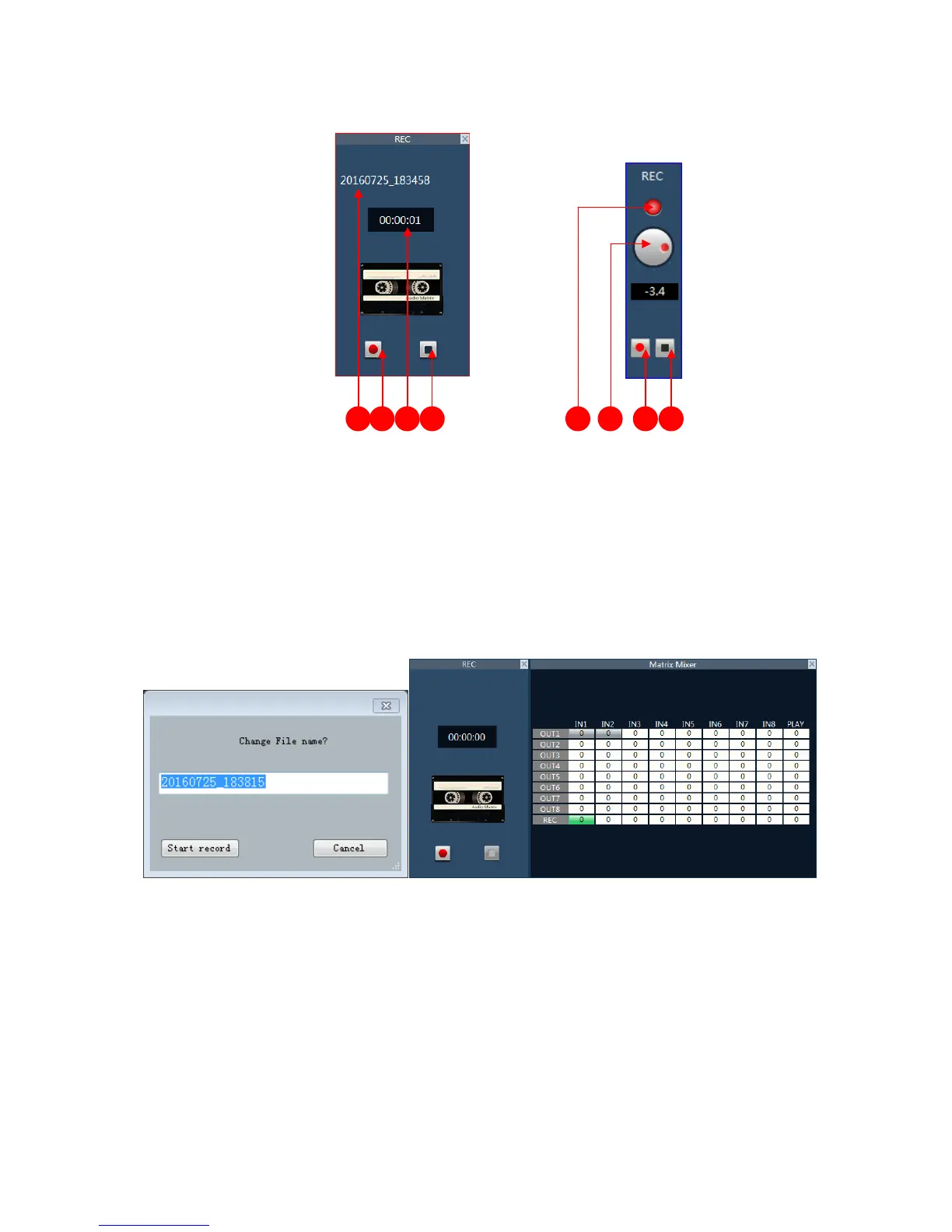
USB recording interface:
1 file name. 2 start recording pause button.
3 recording time. The 4 button to stop recording.
5 lights have three states: Gray said the device don’t connected the U disk, red said the device
connected to the U disk, flashing that is recording.
6 record volume control button.
Example:Record the sound of the input channel 1 to the U disk.
1. in the REC output line interface mixing matrix selected input 1 corresponding points.
2. Click the start recording button, enter the recording file name, and then click start.
3.5.13 Phone model(Optional)
Interface:



 To Next Page