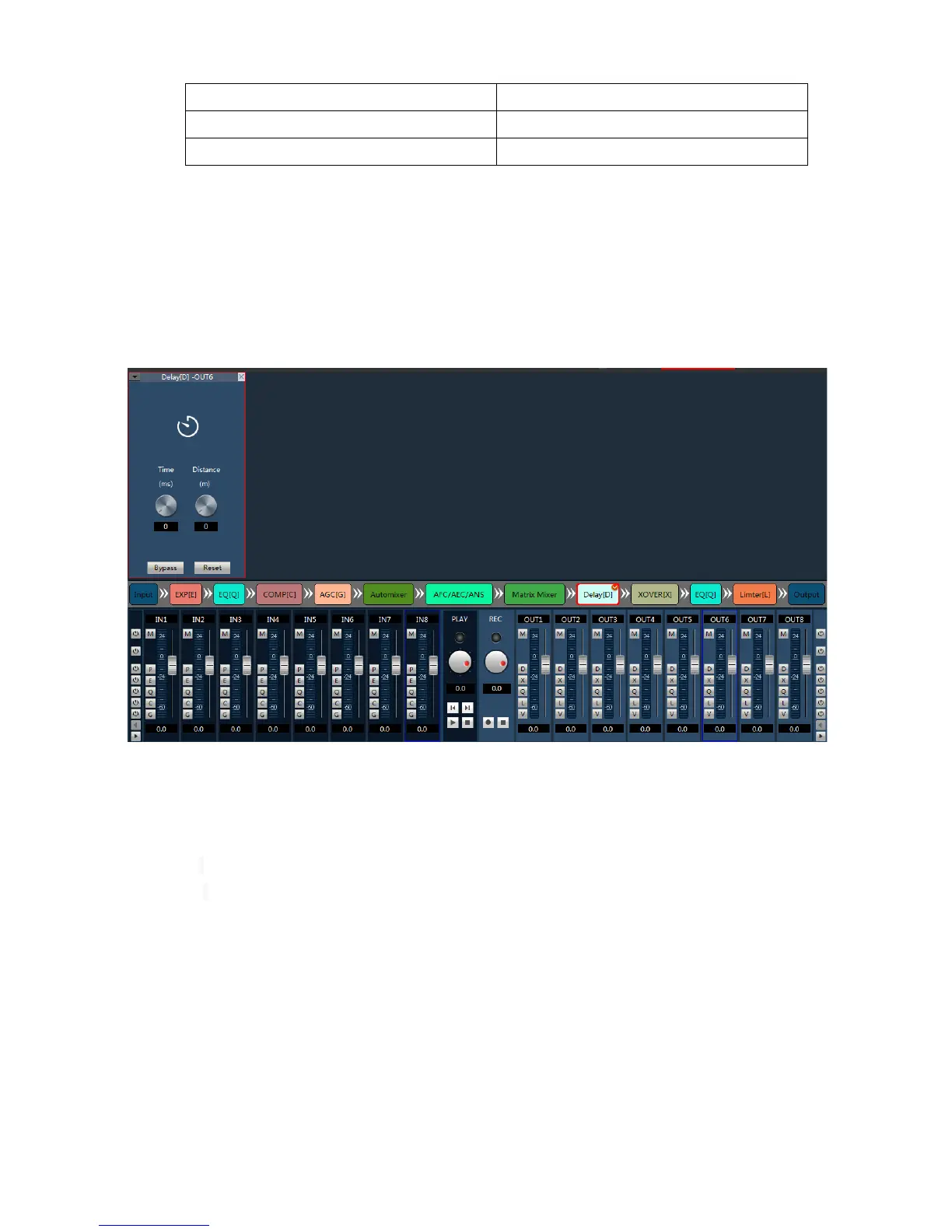
4)Along on the left button said rapid control of all input channels corresponding to the opening and closing
of function on the right side of the button said rapid control of all output channel corresponding to the opening and
closing of function at the bottom of the left and right arrows can quickly switch output channel.
5)Level meter shows the input level of the current input channel.
6)Digital gain adjusting current input channel fader.
7)Drag or rolling around middle mouse button can display hidden channels.
Example: open delay mode of all output channel.
3.4 Menu and Status
3.4.1 Files
1. New : Create a new scene, parameters for the factory configuration, available offline.
2. Open : Open the local scene file, available offline.
3. Save as:Save the current configuration to a local file, available offline.
4.0Exit:Close the software.
3.4.2 Setting
1. Center control
Central command generator can be often used operation into a 16 characters command code, call for an
external equipment. Within each command contains three groups of different parameters.
Control command types: Scene, Input, Output, Mixer, PEQ, GEQ, EXP, COMP, AGC, Delay, XOVER, Limiter.



 To Next Page