31 / 43
3.5.12 USB function(Optional)
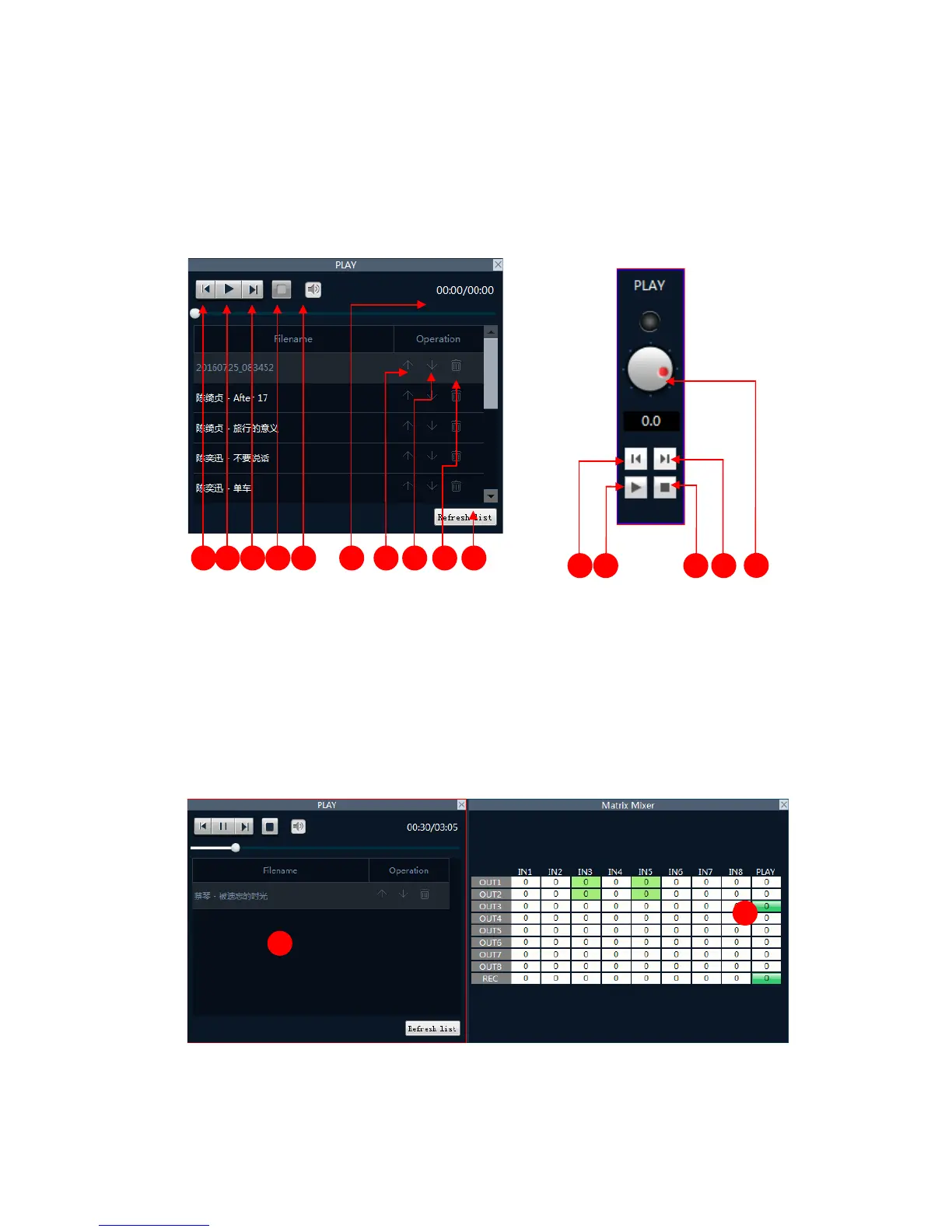
1) USB Playback:The processor read automatically and select USB drive MP3 and WAV format audio
files.
USB interface open mode:
USB Playback:
1. Previous 2. play and pause button
3. Next 4. stop button
5. Mute and volume control button 6. Play list
7. Up button 8. Down button
9. Delete button 10. Refresh play list
11. Volume control button
Example: Play the song on the U disk and send the sound to the output channel 1.
1. Choose "1" switch output corresponding to the matrix in the mixing interface "play" column
2. Double click the name of the song or play button and start playing the song.
2) USB sound recording



 To Next Page