24 / 43
3.5.3 EQ
The equalizer is used to compensate and modify the frequency characteristics, so that it can achieve the
characteristic of relatively flat frequency response Different models of equalizers are of different types, and the
specific type shall be subject to the actual model of the device.
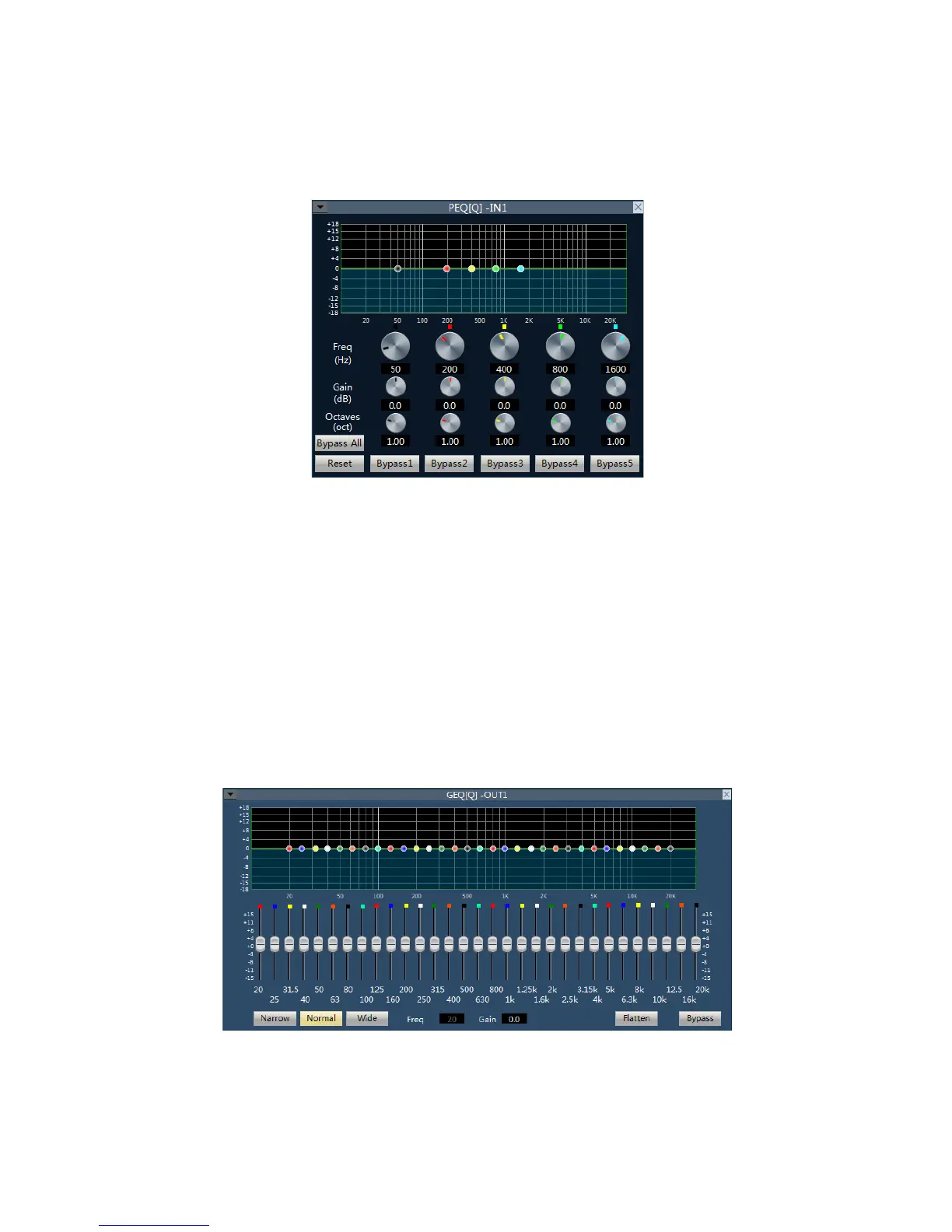
5 band paragraph EQ
r is to compensate and correct the frequency characteristics to make it reach a true and straight frequency
response characteristic.
Bypass All: bypass all bands, the signal directly to the next processing module. Press down shows that EQ is
disabled, when popped up shows the EQ is enabled.
Band Bypass: Range through-pass: after equalizer adjustment, you can cancel the bypass of certain set
frequency ranges. As long as you click to select the corresponding frequency range button, you can restore the
original 0dB status, inactivating the bypass of this band without affecting others.
Center frequency: the frequency that needs equalization processing shall be between 20Hz and 20000Hz.
When we change the value, the icon of equalizer will also react synchronously.
Gain: the gain/attenuation at the center of frequency. When the value is 0, the center frequency and Q value
shall be invalid.
Q value: It means the bandwidth of frequency point. The more the value, the larger the bandwidth will be.
31 band graphics EQ
31 frequency points can be individually adjusted gain, so as to achieve the purpose of strengthening and
weakening of some frequency points, to achieve different effects.
Bypass: the signal input is bypassed and not be processed.
Gain: the gain/attenuation at the center of frequency. When the value is 0, the center frequency and Q value



 To Next Page