24
6.3.3. DELETING ALL FINGERPRINTS / RESET FINGERPRINT READER (RESET)
If you want to delete all enrolled fingerprint readers (including masters) , follow the steps below:
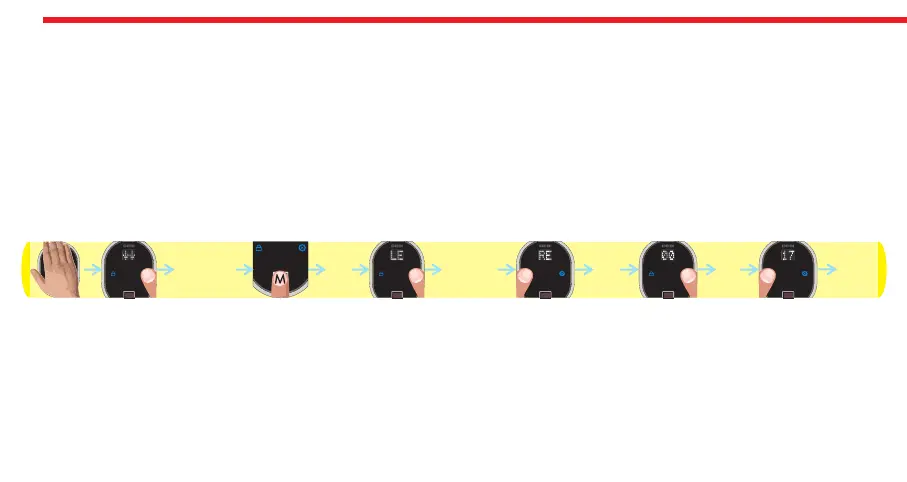
- Touch to device with your palm to wake it up. Two arrows will appear on display. Touch “Button #2”. ADMIN will be shown.
- Put one of the master fingers onto the reader. First “OK” and then “LEARN” will be shown.
- Touch “Button #2" till “RESET” appears and touch “Button #1" when “RESET” is on display. ”00" will be shown.
- Touch “Button #2" till you see “17" and touch “Button #1".
- “OK” will be shown.
In this way, all the finperprints (including masters) will be deleted. Schematic representation of operation is as follows:
NOTE: If you pass “17" by mistake, don’t touch any button and wait a few seconds till display goes off. After that restart the
procedure.
DESi
OK
00 17 OK
ADMIN RESET


 To Next Page