25
6.3.4. ADJUSTING MOTORIZED CYLINDER ACCORDING TO LOCK’S NUMBER OF ROTATION TO LOCK/UNLOCK
To adjust your motorized cylinder according to lock’s number of rotation, follows the steps below:
- First of all, close the door.
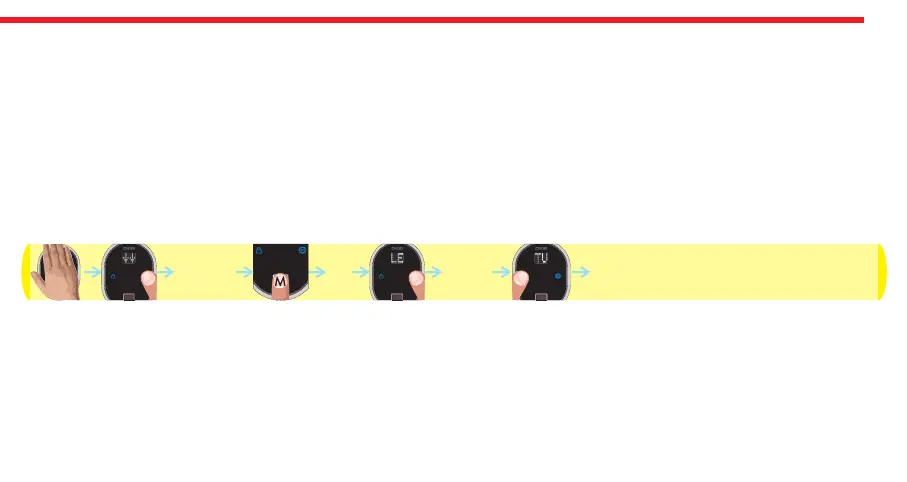
- Touch to device with your palm to wake it up. Two arrows will appear on display. Touch “Button #2”. ADMIN will be shown.
- Put one of the master fingers onto the reader. First “OK” and then “LEARN” will be shown.
- Touch “Button #2" till “TURN” appears and touch “Button #1" when “TURN” is on display. ”OK" will be shown and cylinder
will automatically lock and unlock the door.
In this way, motorized cylinder will learn how many rotations is needed to lock / unlock the door. Schematic representation
of operation is as follows:
DESi
OK
OK
ADMIN TURN


 To Next Page