27
6.3.6. REPORTING TOTAL NUMBER OF ENROLLED FINGERS
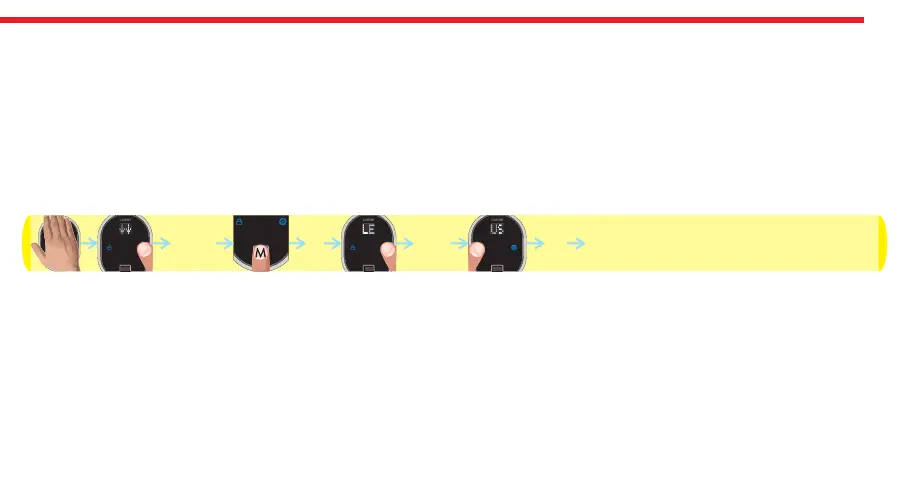
To learn total number of fingerprints enrolled to the reader, follows the steps below:
- Touch to device with your palm to wake it up. Two arrows will appear on display. Touch “Button #2”. ADMIN will be shown.
- Put one of the master fingers onto the reader. First “OK” and then “LEARN” will be shown.
- Touch “Button #2" till “USER” appears and touch “Button #1" when “USER” is on display.
In this way, number of enrolled fingerprints will be displayed. Schematic representation of this operation (which shows 8
fingerprints enrolled to reader) is as follows:
DESi
OK
OK
ADMIN USER
08



 To Next Page