32
ENROLLING A NEW (USER) MOBILE PHONE
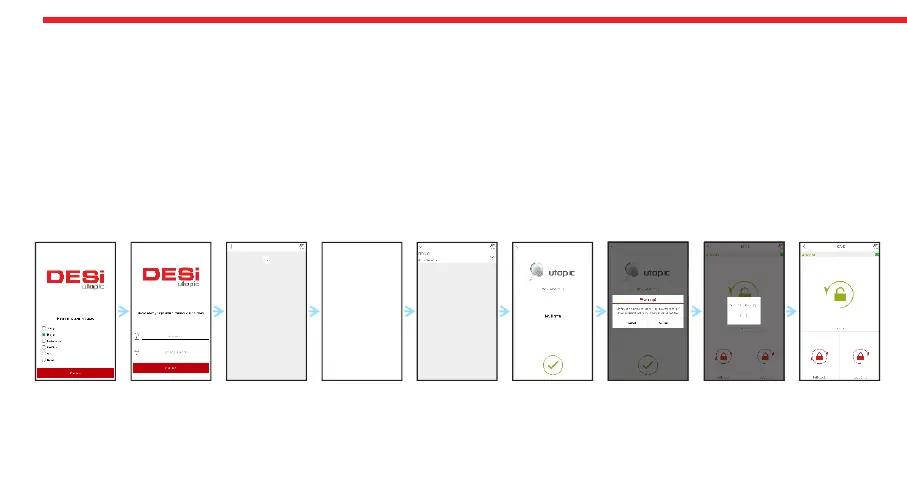
- With the phone that you want to enroll to your motorized cylinder, search “Desi Utopic” on stores. Download, install and
run the application.
- Choose desired language and define a password.
- Shift the motorized cylinder to enrolling mode as explained previous page and touch “+” in the top left corner to see the
list of Utopic motorized cylinders around.
- Touch the UTOPIC line and enter a name for your device and touch the “green tick”. Confirm the pop-up window. Device
recognition process will start. If the matching is successful, you will hear 2 short tones from motorized cylinder and your
device will be enrolled to the motorized cylinder as a user controller.
NOTE: For Android phones, application will ask to reach location services. This is needed for using Bluetooth properly.
Shift your
cylinder to
Enrolling
Mode as
explained
in previous
page.


 To Next Page