5.2. SYSTEM SETTINGS CHAPTER 5. LOCK MENU
G800FP
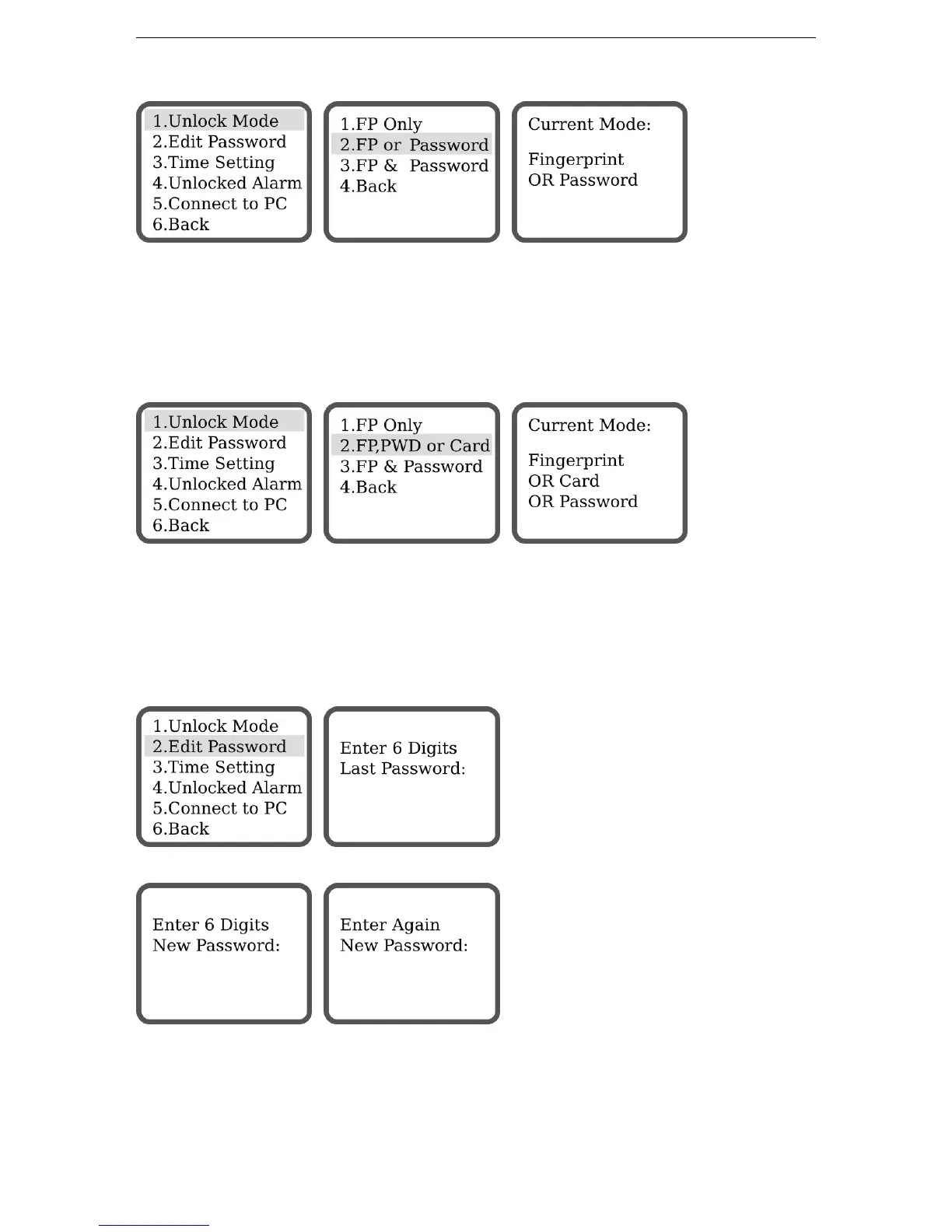
There are 3 modes offered by G800FP lock to open the door:
• Fingerprint Only - Identification with fingerprint only
• Fingerprint OR Password - Identification with either fingerprint OR password
• Fingerprint AND Password - Identification with fingerprint AND password
G800FPC
There are 3 modes offered by G800FPC lock to open the door:
• Fingerprint Only - Identification with fingerprint only
• Fingerprint OR Card OR Password - Identification with either fingerprint OR password OR Card
• Fingerprint AND Password - Identification with fingerprint AND password
5.2.2 Set Password
Enter the last password in use and press ENTER. (Default: 888888)
Enter the new password (must be 6 digits, no more, no less), press ENTER, confirm it again, press ENTER.
12


 To Next Page