6.6. FACTORY RESET CHAPTER 6. LOCK FUNCTIONS
6.6 Factory Reset
Attention
Factory reset will delete all the datas in the system:
• Admin Fingerprints
• User Fingerprints
• Password
• Log-in Record
• Time
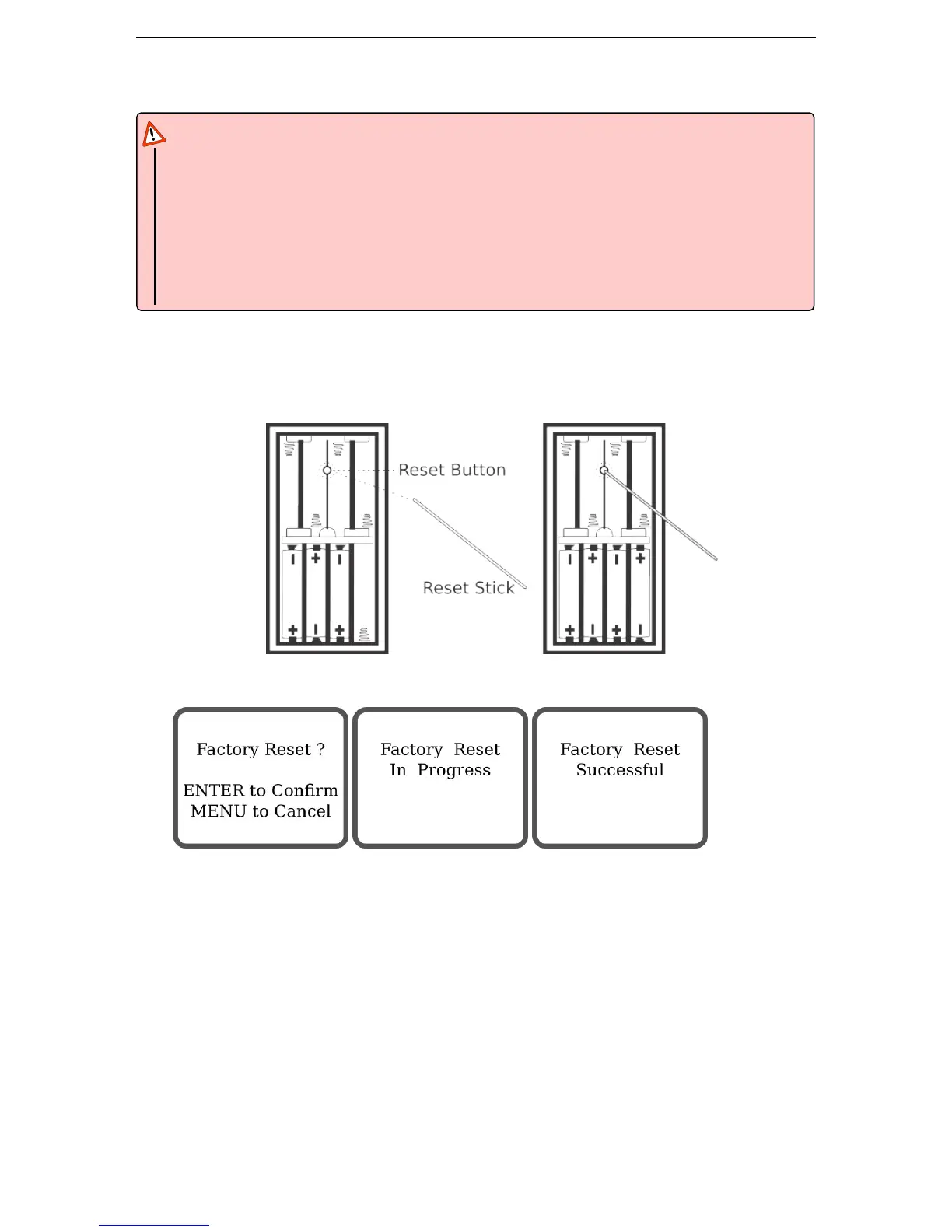
Steps to proceed to a factory reset:
1. Open the battery cover, leave one set of 4 batteries and take one single battery out
2. Keep press Reset Button with the Reset Stick and re-install the battery
3. ”Factory Reset?” will display on the screen, press ENTER to confirm. Factory settings are restored.
20


 To Next Page