5.4. INFORMATION CHAPTER 5. LOCK MENU
Best Practices
To ensure optimal results, register the same finger 2 to 3 times.
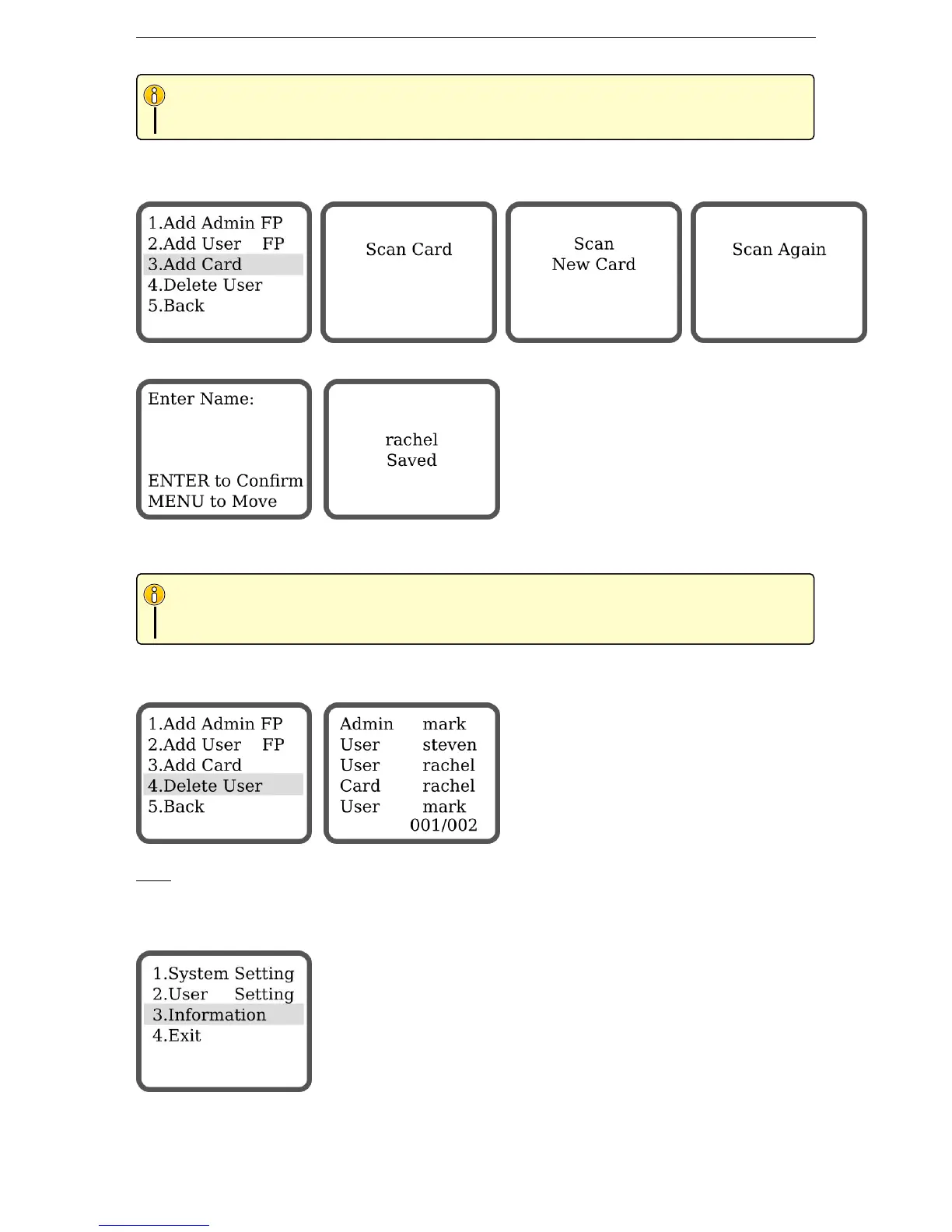
5.3.3 Add Card (G800FPC Only)
Scan the new card twice.
Enter a name for this card using the keypad. The name can only have a maximum of 6 digits or characters.
Press MENU to move to the next character. Press ENTER to confirm.
Smart Card & Tag
Any empty Smart Card or Tag MF1 (13.56MHz) can be registered in the system. Try with your office
tag or electronic ID card.
5.3.4 Delete User
Select the user you want to delete with the arrows keys & press ENTER to confirm.
Note:
Admin cannot be deleted.
5.4 Information
15


 To Next Page