5.3. MANAGER USERS CHAPTER 5. LOCK MENU
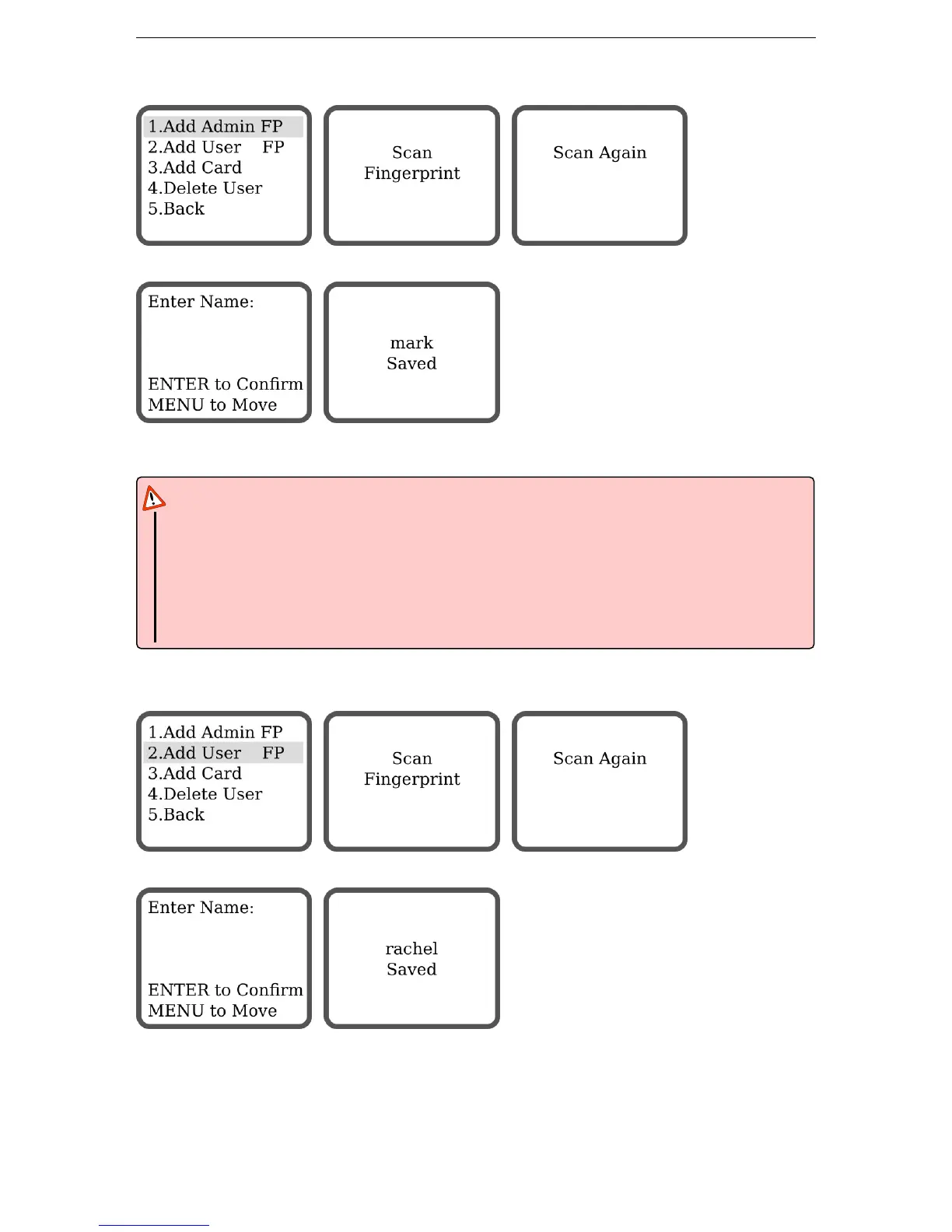
5.3.1 Add Admin Fingerprint
Scan the new admin fingertip twice.
Enter a name for this admin using the keypad. The name can only have a maximum of 6 digits or charac-
ters. Press MENU to move to the next character. Press ENTER to confirm.
Attention
Pay special attention to the following:
• The admins can manage the whole system, choose them carefully
• Up to 10 admins can be registered in the system
• Only a factory reset can delete admins from the system
• Use a distinctive finger for admin tasks & for everyday use
5.3.2 Add User Fingerprint
Scan the new user fingertip twice.
Enter a name for this user using the keypad. The name can only have a maximum of 6 digits or characters.
Press MENU to move to the next character. Press ENTER to confirm.
14


 To Next Page