EasyManua.ls Logo

Det-Tronics Open Path Eclipse - User Manual

Det-Tronics Open Path Eclipse
49 pages
Print Icon
To Next Page IconTo Next Page
Loading...
11.3 Rev: 6/17 95-8556
Instructions
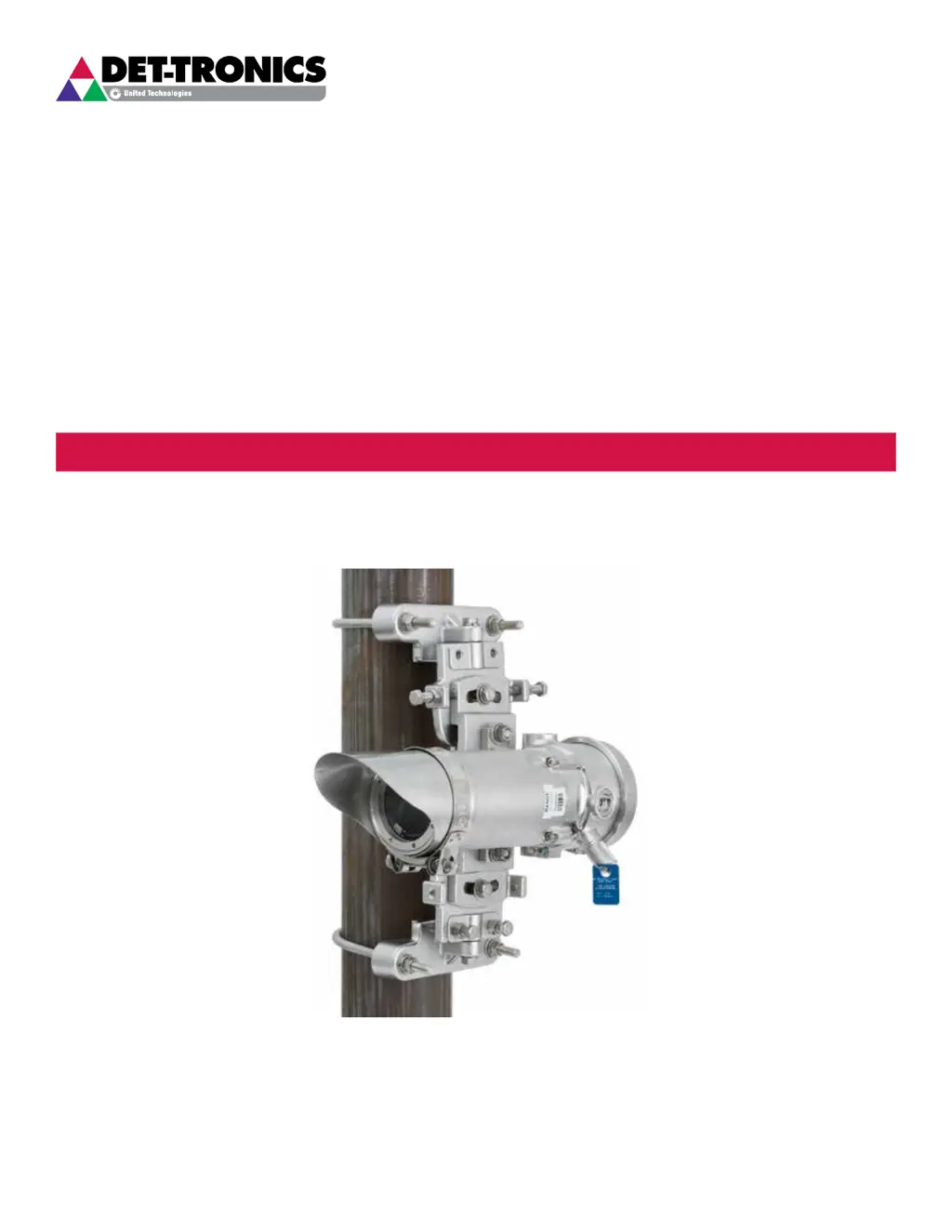
Infrared Hydrocarbon Gas Detector
Open Path Eclipse
Model OPECL

Table of Contents

Questions and Answers

  • J
    Jacqueline GarciaAug 3, 2025
    What to do if calibration fault on Det-Tronics Open Path Eclipse Security Sensors?
    • A
      Adriana GomezAug 3, 2025
      If the calibration process for your Det-Tronics Security Sensors times out, a fault is set. This fault can only be reset by completing a successful calibration.
  • J
    John NewtonAug 7, 2025
    What to do if calibration line active at start-up on Det-Tronics Open Path Eclipse?
    • J
      James DaughertyAug 7, 2025
      If the calibration line is active at start-up for Det-Tronics Security Sensors, the only way to clear this fault is to correct the wiring and reapply power. Ensure the calibration line isn't shorted and the calibration switch is open. If the fault persists, consult the factory.
  • M
    mstricklandAug 13, 2025
    Why is my Det-Tronics Security Sensors showing a negative signal output?
    • W
      Warren ShahAug 13, 2025
      If your Det-Tronics Security Sensors device shows a negative signal output, it might be because it was zero calibrated with background gas present. To resolve this, purge the device with clean air and then repeat the zero calibration.
  • J
    Joseph KentAug 18, 2025
    How to fix low 24 volts on Det-Tronics Open Path Eclipse?
    • B
      Brandon EspinozaAug 18, 2025
      If your Det-Tronics Security Sensors are showing a low 24 volts, it means the 24 VDC operating voltage is out of the correct range. Check the wiring to the detector and ensure the power source is outputting the correct voltage. After correcting the voltage issue, the power supply faults should clear automatically. If the fault persists, you should consult the factory.
  • M
    Margaret ParksAug 23, 2025
    How to clean dirty optics on Det-Tronics Security Sensors?
    • M
      Michael ClarkAug 23, 2025
      To address dirty optics on Det-Tronics Security Sensors, perform the cleaning procedure and then recalibrate the device as needed. Refer to the “Maintenance” section for detailed instructions.
  • L
    Laura SalazarAug 28, 2025
    How to fix EE Error on Det-Tronics Security Sensors?
    • J
      Julie LeAug 28, 2025
      Cycling the power should correct the EE Error on Det-Tronics Security Sensors.

Summary

APPLICATION

Theory of Operation

Explains how the OPECL detects hydrocarbon gas absorption.

OPERATION

OPERATING MODES

4-20 MA CURRENT LOOP OUTPUT

FAULT INDICATION

SPECIFICATIONS

WIRING

IMPORTANT SAFETY NOTES

INSTALLATION

System Location Considerations

Guides on selecting optimal mounting locations for reliable detection.

SYSTEM LOCATION GUIDELINES

MODULE MOUNTING RECOMMENDATIONS

24 VDC POWER SUPPLY REQUIREMENTS

WIRING CABLE REQUIREMENTS

POWER WIRING SIZE AND MAXIMUM LENGTH

WIRING PROCEDURE

ALIGNMENT

Basic Alignment Procedure

Details steps for initial alignment using a telescope tool.

Fine Alignment Procedure

Explains advanced alignment using HART communicator for max signal.

RECOMMENDATIONS FOR USING THE HART FIELD COMMUNICATOR

FINE ALIGNMENT ADJUSTMENT USING PARTIAL BEAM BLOCK TOOL

CALIBRATION

Calibration Overview

Notes that span calibration is not required, only zero calibration.

Calibration Using Magnetic Switch

Details using the onboard switch for calibration.

DETAILED CALIBRATION PROCEDURE USING MAGNETIC SWITCH

Zero Calibration

Step-by-step guide for zero calibration using the magnetic switch.

MAINTENANCE

TROUBLESHOOTING

REPLACING OPECL TRANSMITTER;RECEIVER ELECTRONICS MODULE

Module Replacement Procedure

Step-by-step guide for replacing the detector's electronics module.

APPENDIX A

FM Approval Description

Details the FM approval specifications and conditions.

APPENDIX B

CSA Certification Description

Outlines the CSA certification standards and classifications.

APPENDIX C

ATEX Approval Description

Provides ATEX approval details and special conditions for safe use.

APPENDIX D

IECEX Approval Description

Lists IECEx approval standards and certification conditions.

APPENDIX E

Other Approvals

Covers SIL, INMETRO, and VNIIFTRI approvals for the OPECL.

APPENDIX F

INTERCONNECTING THE HART COMMUNICATOR WITH THE OPEN PATH ECLIPSE

COMMONLY USED HART COMMANDS

OPEN PATH ECLIPSE HART MENU STRUCTURE

CONNECTIONS AND HARDWARE

APPENDIX G

APPENDIX H

INSTALLATION AND WIRING

CONFIGURATION AND OPERATION

OPECL OPERATION WITH EAGLE QUANTUM PREMIER

SETTING NETWORK ADDRESSES

OPECL Address Switches

Switch Access Procedure

Det-Tronics Open Path Eclipse Specifications

General IconGeneral
TechnologyInfrared (IR) Absorption
Operating Temperature-55°C to +75°C (-67°F to +167°F)
EnclosureStainless Steel
Gas DetectedHydrocarbons
Response Time3 seconds
Humidity0 to 95% RH (non-condensing)
CertificationsFM, ATEX, IECEx
Output4-20 mA
Power Supply18-30 VDC
Ingress ProtectionIP66

Related product manuals