- 16 -
This chart explains the procedure for turning ON and turning OFF Chime Mode.
Chime Mode causes the keypad sounders to beep each time a Perimeter or Entry/Exit zone is violated
while the control panel is off (disarmed). The [#] [7] command is used to turn Chime Mode both off and on.
This will only activate or de-activate the keypad(s) in the partition you are entering from.
If this is performed from a Master keypad, you must be in Single Partition Mode.
Chime Mode
Action Desired Command Sequence What will Happen
Turn ON Chime
mode
[PIN] + [#] [7]
The keypad sounders will beep for two seconds
each time a Perimeter or Entry/Exit zone is
violated.
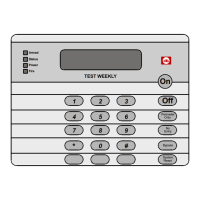
The DS7447/DS7447E display will read “
Chime
Mode On” for 5 seconds.
Turn OFF Chime
mode
[PIN] + [#] [7]
The DS7447/DS7447E display will read “
Chime
Mode Off
” for 5 seconds.


 To Next Page