- 36 -
This chart explains the procedure for performing an Event History Readback.
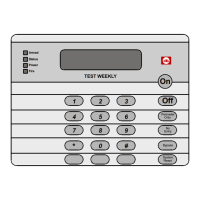
The History Buffer stores the last 400 events in memory. The DS7447/DS7447E can display all of these events. The DS7445/
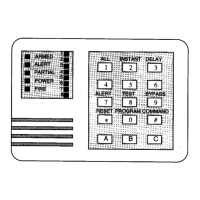
DS7445i will only display those zones (1-8) that have alarmed since the last Event History Readback.
DS7447/DS7447E Only: Scrolling through the History Events.
To begin scrolling back through the events, press the [#] key. The [#] key will scroll you back through the history line by line. The [9]
key will scroll you back in reverse chronological order by event. A [6] will scroll you back up through the events (toward the most
recent) by event.
Each event consists of two or three lines or display screens. The first line/screen will be the event title and user. The second line/
screen will be the date of the event or the change being made. If there is a third line/screen, it will be the date of the change.
To exit the Event History Mode, press the [*] key or wait 20 seconds and the keypad will exit automatically.
When performing this from a Master keypad, each partition will display its own history.
Event History Readback
* = If this test is performed from a Master keypad, it must be in Single Partition Mode.
Event
History
Readback*
[PIN] + [#] [8] [9]
DS7447/DS7447E: The last event to
take place will be displayed.
DS7445/DS7445i: The zone LEDs
will flash for any zones that have
alarmed since the last Event History
Readback done on a
DS7445/DS7445i keypad in that
partition.
For the DS7447/DS7447E, scroll through
the events by using the [9], [6], and [#]
keys.
To exit from the Event History Mode,
press the [*] key.


 To Next Page