- 32 -
This chart explains the procedure for performing a Zone Test.
It is recommended that the system be tested weekly.
The Zone Test is used to confirm that detectors will report alarms to the keypad.
A Zone Test works on all zones, except 24-hour zones and fire zones.
While the keypad is in a Zone Test, no control panel alarms will activate an alarm, except 24-hour zone alarms and fire alarms;
these will override the Zone Test function.
* = If this test is performed from a Master keypad, it must be in Single Partition Mode.
Testing your System
Type of Test Command
Sequence
What will Happen What to Do
Zone Test
[PIN] + [#] [8] [1]
“
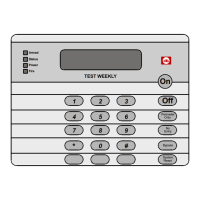
Test Zone
” will display on the
DS7447/DS7447E followed by the
zone number of any zones that have
not been tested.
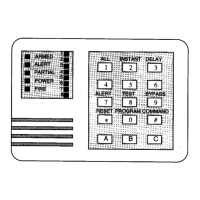
The DS7445/DS7445i will flash the
zone LEDs of any untested zones.
“
Now Testing
” will display on the
DS7447/DS7447E followed by the
zone number that is currently being
violated (tested). It returns to “
Test
Zone
” after the violation.
The DS7445/DS7445i will turn the
zone LED on steady for the zone that
is currently being violated (tested).
Test each detector
one at a time as
instructed by the
installing company.
To exit the Zone Test
mode, enter you [PIN]
followed by the [#] key.


 To Next Page